19EN
8 Play from an
iPod/iPhone
Note
•
During play, no audio signals are transferred through
the headphone socket of your iPod/iPhone.
Compatible iPod/iPhone
models
This car audio system supports the following
iPod and iPhone models.
• iPhone 4S, iPhone 4, iPhone 3GS, and
iPhone 3G
• iPod touch (2nd, 3rd, and 4th generations)
• iPod classic
• iPod nano (3rd, 4th, 5th, and 6th
generations)
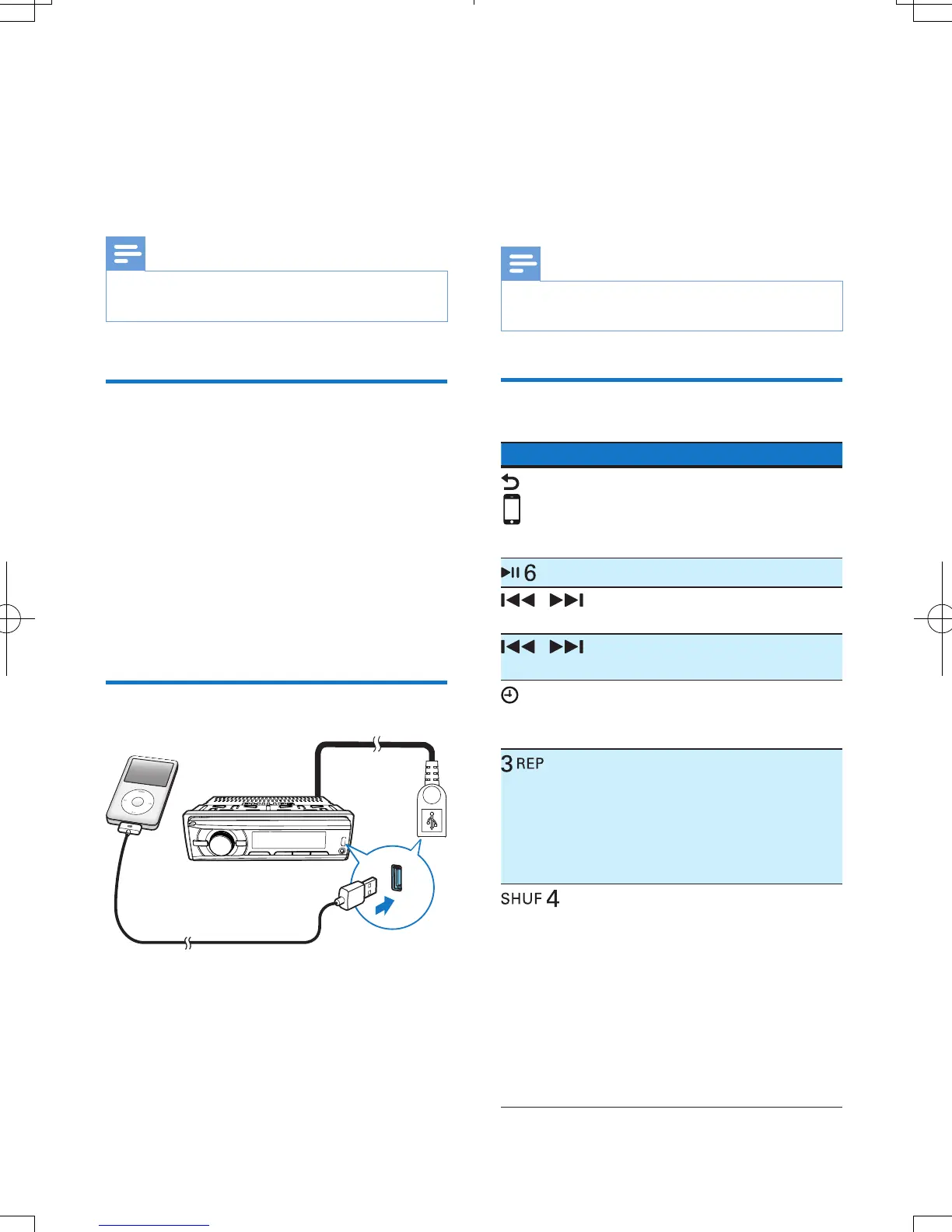
Connect your iPod/iPhone
1 Connect an Apple 30-pin USB cable
between
• the USB socket on the front panel or
the USB connector on the rear panel,
and
• your iPod/iPhone.
2 Press AS/SOURCE repeatedly to switch
the source to [FRONT USB] (Front
USB socket) or [REAR USB] (Rear USB
connector).
» The system starts playing tracks that
are stored on your iPod/iPhone.
Note
•
Before you disconnect the iPod/iPhone, switch the
system to another source.
Control play
Button Function
Press repeatedly to select a
control mode: control play on
your iPod/iPhone, or on the
system.
Press to pause or resume play.
/
Press to play the previous or
next track.
/
Press and hold to rewind a track
or search forward fast.
/DISP
Press repeatedly to display
available information about the
current track.
Press repeatedly to select a
repeat mode:
• [REPEAT ONE]: repeat the
current track, or
• [REPEAT ALL]: repeat all
tracks.
Press repeatedly to select a play
mode:
• [SHUFFLE ALL]: play all tracks
randomly,
• [SHUFFLE ALB]: play tracks in
the current album randomly,
or
• [SHUFFLE OFF]: play all
tracks in the iPod/iPhone
library in sequence.



 To Next Page