25
English
EN
5 On your device, enable or permit the
connection with CED1900.
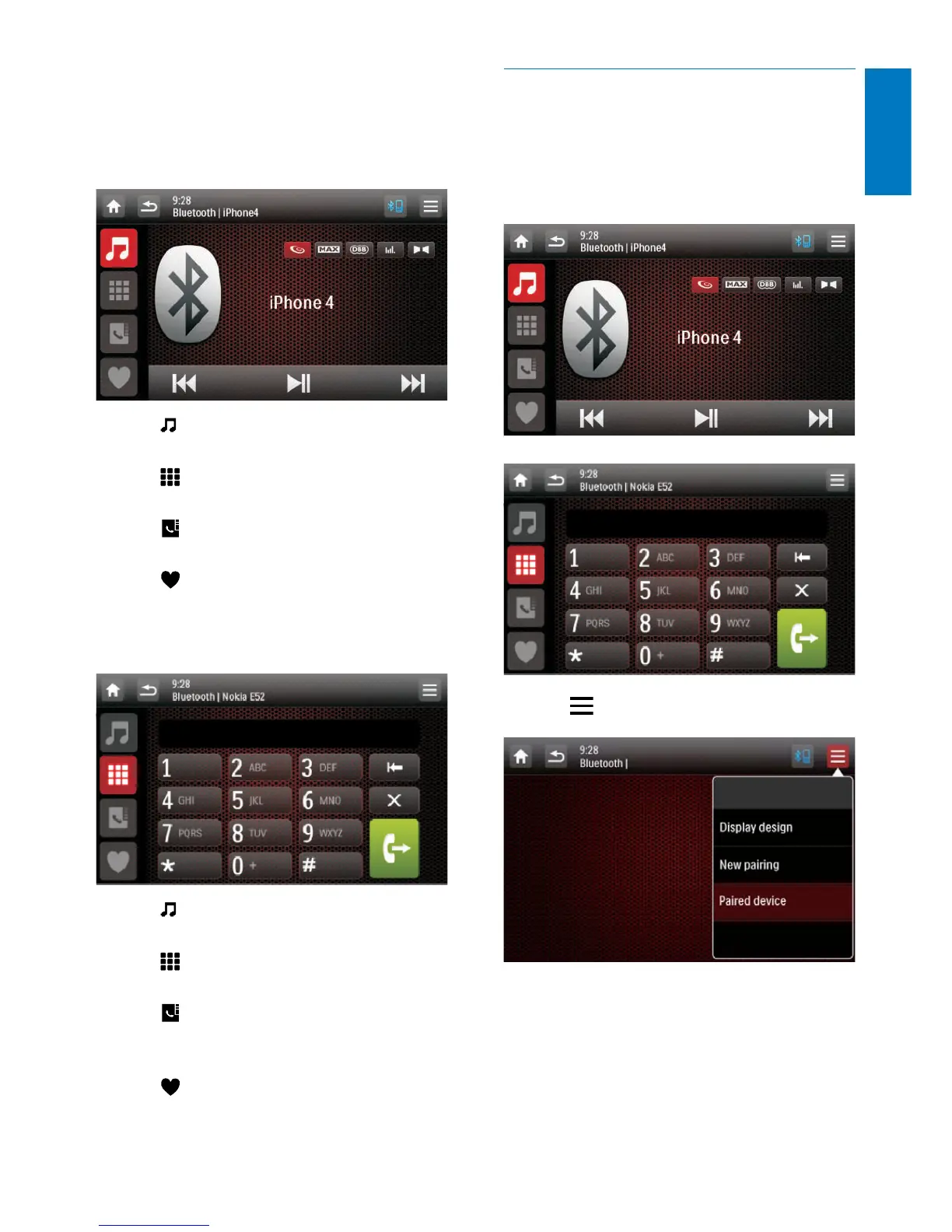
• If a player is connected, the music
playback interface is displayed on this
system.
: Tap it to return to the music
playback interface.
: Tap it to display the list of paired
mobile phones.
: Tap it to display the list of paired
mobile phones.
: Tap it to display the list of paired
mobile phones.
• If a mobile phone is connected, the
keypad is displayed on this system.
: Tap it to display the list of paired
players.
: Tap it to display the on-screen
keypad for phone calls.
: Tap it to display the phone book
that is synchronized with your mobile
phone and keypad.
: Tap it to display the list of favorite
contacts.
Pair more devices
1 Activate the Bluetooth function on this
system.
» One of the following interfaces is
displayed.
2 Tap on the top right corner.
3 Tap [New pairing] to start searching for
Bluetooth devices.
4 Repeat steps 3 to 5 that are indicated in
the above section "Pair the rst device"
(see 'Pair the rst device' on page 24) to
complete the connection.



 To Next Page