3
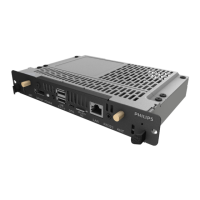
1.5. Input/Output Terminals
1 3
2
4 5 6 7 8
9
1
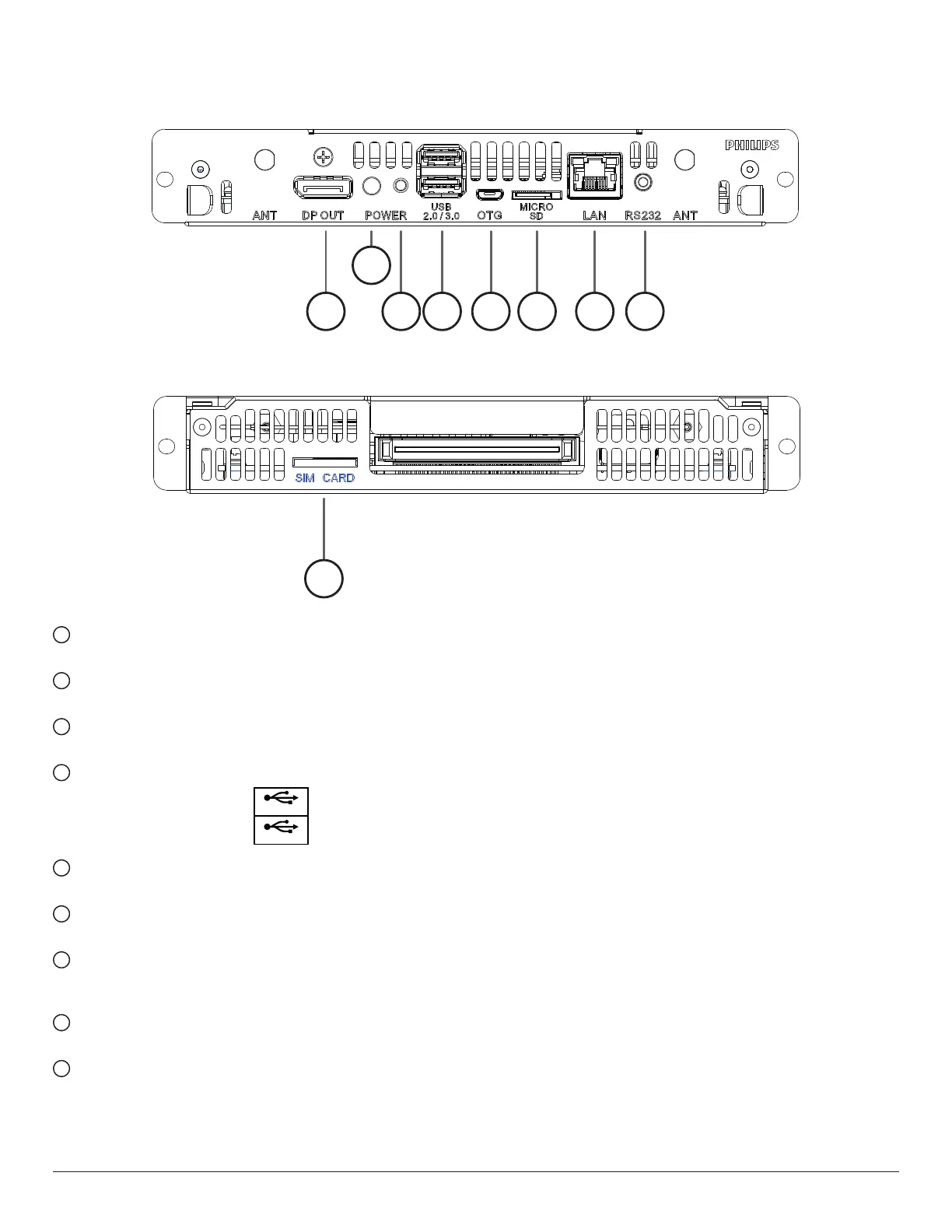
DisplayPort OUT
DisplayPortvideooutput.
2
Power Indicator
Showthepowerindicator.
3
Power Button
PressthisbuttontoturntheCRD50on/off.
4
USB 2.0 / 3.0 PORT
InsertyourUSBstoragedevice
USB 2.0
USB 3.0
5
OTG
Forservice(updateFWordebug).
6
MICRO SD CARD
InsertyourMICROSDCARD.
7
LAN
LANcontrolfunctionfortheuseofremotecontrolsignalfrom
controlcenter.
8
RS232C
RS232Cnetworkinput/outputfortheloop-throughfunction.
9
SIM CARD
InsertyourSIMCARD.


 To Next Page