23
5. Cleaning
Cabinet Cleaning Instructions
Before cleaning, please unplug from power source!
• Ifthecabinetbecomesdirty,wipethecabinetwithasoft,drycloth.
• Ifthecabinetisextremelydirty,soakalint-freeclothinamilddetergentsolution.Wringtheclothtoremoveasmuchmoistureaspossible.Wipe
thecabinet.Useanotherdryclothtowipeoveruntilthesurfaceisdry.
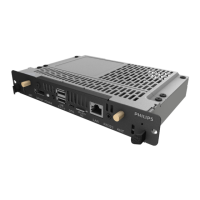
• DonotallowanywaterordetergenttocomeintocontactwiththesurfaceoftheOPSModule.Ifwaterormoisturegetsinsidetheunit,
operatingproblems,electricalandshockhazardsmayresult.
• Donotscratchorhitthecabinetwithngersorhardobjectsofanykind.
• Donotusevolatilesubstancessuchasinsertsprays,solventsandthinnersonthecabinet.
• DonotplaceanythingmadefromrubberorPVCnearthecabinetforanyextendedperiodsoftime.
• Makesuretheventilationholesarefreefromdustorotherobjects,inorderforfreeair-ow.


 To Next Page