ii
Safety Instructions
Safety precautions and maintenance
WARNING: Use of controls, adjustments or procedures other than those specied in this documentation may result in exposure to
shock, electrical hazards and/or mechanical hazards.
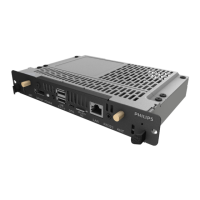
Read and follow these instructions when connecting and using your OPS Module:
Operation:
• KeeptheOPSModuleoutofdirectsunlightandawayfromstovesoranyotherheatsources.
• RemoveanyobjectthatcouldfallintoventilationholesorpreventpropercoolingoftheOPSModule’selectronics.
• Donotblocktheventilationholesonthecabinet.
• WhenpositioningtheOPSModule,makesurethepowerplugandoutletareeasilyaccessible.
• WhenturningofftheOPSModulebydetachingthepowercord,wait6secondsbeforere-attachingthepowercordfornormaloperation.
• EnsuretheuseofanapprovedpowercordprovidedbyPhilipsatalltimes.Ifyourpowercordismissing,pleasecontactyourlocalservicecenter.
• DonotsubjecttheOPSModuletoseverevibrationorhighimpactconditionsduringoperation.
• DonotknockordroptheOPSModuleduringoperationortransportation.
• Fordoorsorcoversintendedtoberemovedbyoperatorforinstallationofaccessorydevices.Instructionsshallbeprovidedforthecorrectremoval
andreinstallationofthedoor.
Maintenance:
• UnplugtheOPSModuleifyouarenotgoingtouseitforanextensiveperiodoftime.
• UnplugtheOPSModuleifyouneedtocleanitwithaslightlydampcloth.Thescreenmaybewipedwithadryclothwhenthepowerisoff.However,
neveruseorganicsolvent,suchas,alcohol,orammonia-basedliquidstocleanyourOPSModule.
• Toavoidtheriskofshockorpermanentdamagetotheset,donotexposetheOPSModuletodust,rain,wateroranexcessivelymoistenvironment.
• IfyourOPSModulebecomeswet,wipeitwithdryclothassoonaspossible.
• IfaforeignsubstanceorwatergetsinyourOPSModule,turnthepoweroffimmediatelyanddisconnectthepowercord.Thenremovetheforeign
substanceorwater,andsendtheunittothemaintenancecenter.
• DonotstoreorusetheOPSModuleinlocationsexposedtoheat,directsunlightorextremecold.
• InordertomaintainthebestperformanceofyourOPSModuleandensurealongerlifetime,westronglyrecommendusingtheOPSModuleina
locationthatfallswithinthefollowingtemperatureandhumidityranges.
- Temperature:0-40°C32-104°F
- Humidity:20-80%RH
Service:
• Thecasingcovershouldbeopenedonlybyqualiedservicepersonnel.
• Ifthereisanyneedforrepairorintegration,pleasecontactyourlocalservicecenter.
• DonotleaveyourOPSModuleunderdirectsunlight.
IfyourOPSModuledoesnotoperatenormally,havingfollowedtheinstructionssetoutinthisdocument,pleasecontactatechnicianor
yourlocalservicecenter.


 To Next Page