DPM 9360 - User Manual
7
Display appearance
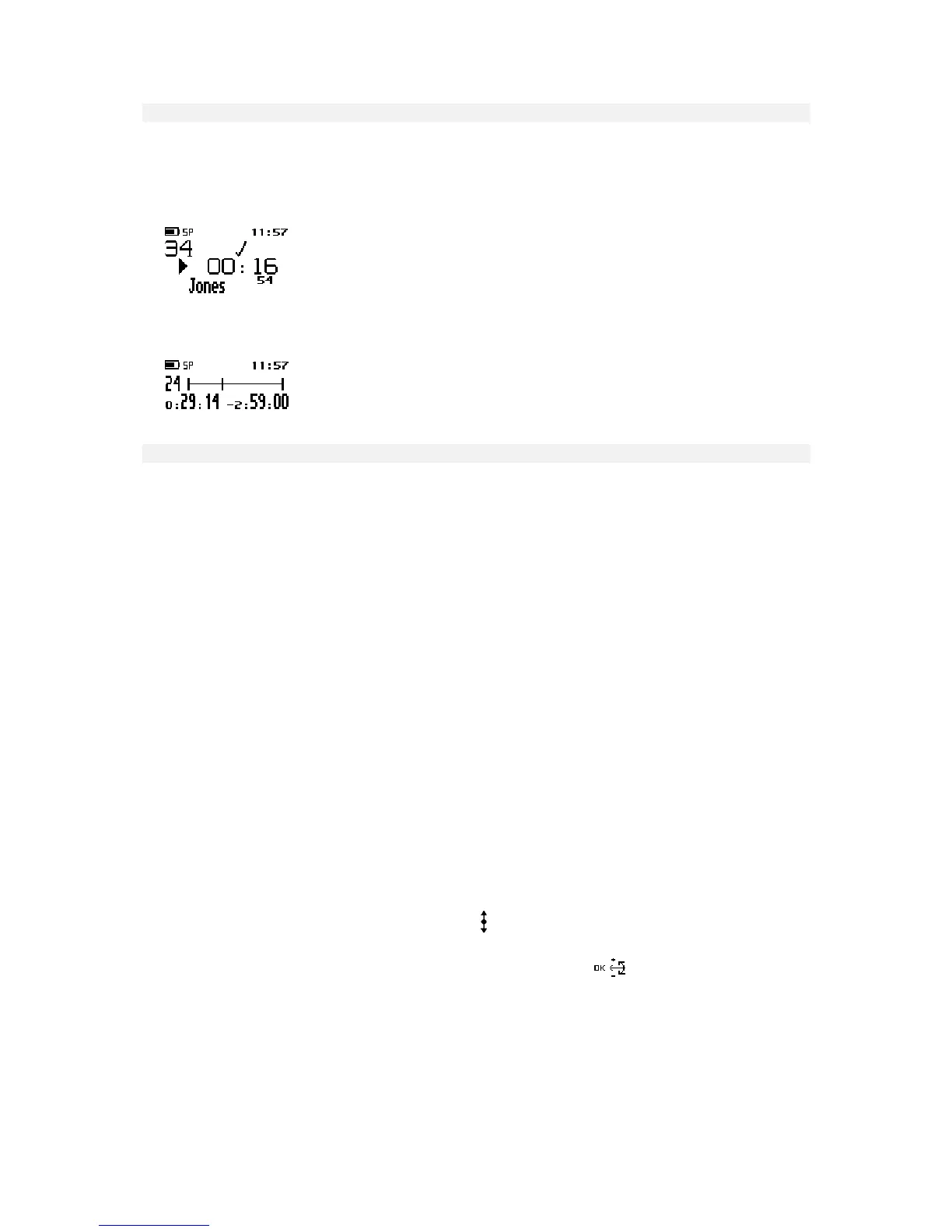
The appearance of the DPM display depends on the corresponding setting (Standard display and Advanced
display options) in SpeechExec Dictate. For more information, refer to the SpeechExec Dictate Online Help.
• The Standard display option uses larger symbols without showing the status indication bar.
• The Advanced display option uses smaller symbols. It enables you to view more information on the current
dictation and shows the status indication bar. This bar provides visual feedback when a dication, for example,
is recorded or played back.
DPM menu
The DPM 9360 comes with a menu which provides the following options:
• User-defined labels
• Assigning Keywords
• Setting the date and time
• Setting the recording format
• Enabling and disabling the DPM device beep
• Setting the microphone sensitivity
• Voice-activated recording
• Backlight on/off
• Changing the contrast
• Displaying the recording time
• Reformatting the memory card
Note: The setting for the DPM display appearance (Standard display and Advanced display options), for
enabling/disabling the record notification beep and for recording into one file only can only be made via
SpeechExec Dictate.
Note: If the one file function is activated, any recording will be stored in a single file. The Skip Forward, Skip Back
and EOL functions are not available. If the record notification beep is enabled, you will hear two beeps every time
the DPM goes into Recording mode.
Accessing the DPM menu
You can access the DPM menu by pressing the Jog Dial ( ) for about two seconds. The DPM menu can only be
accessed when the DPM is in Stop mode.
• To move between the DPM menu entries, move the Jog Dial up or down:
• To select a menu entry, for example the date and time setting, go to this menu entry by moving the Jog Dial
up or down. Then press the Jog Dial to confirm the selection. This enables you to access the menu entry and
change the settings for it. Confirm the changes by pressing the Jog Dial; this returns you to the DPM main
menu.
To exit a menu entry selection without confirming the changes, press the DEL (Delete) button on the DPM.
This exits the DPM main menu and discards any changes.
Note: If no menu entry selection is made within ten seconds, the DPM automatically exits the DPM menu and
goes back into Stop mode.














 To Next Page