DPM 9360 - User Manual
20
When entering user-defined labels on the DPM you can use the characters A-Z and the numbers 0-9; spaces are
also allowed.
To enter a user-defined label, do the following:
1. Press the Jog Dial for about two seconds to access the DPM menu.
The menu entry for user-defined labels is displayed first per default. If you have previously entered a user-
defined label previously, the menu entry will display this label.
2. To start editing the label, press the Jog Dial again.
Note: If the mandatory user input option for entering user-defined labels has been set in SpeechExec Dictate,
you will immediately access the DPM menu at this level.
3. Select or change the first character/number of the label by moving the Jog Dial up or down. Confirm a
character/number selection by pressing the Jog Dial.
4. When you have entered the complete label string, confirm by pressing the Jog Dial for about two seconds.
Additional information
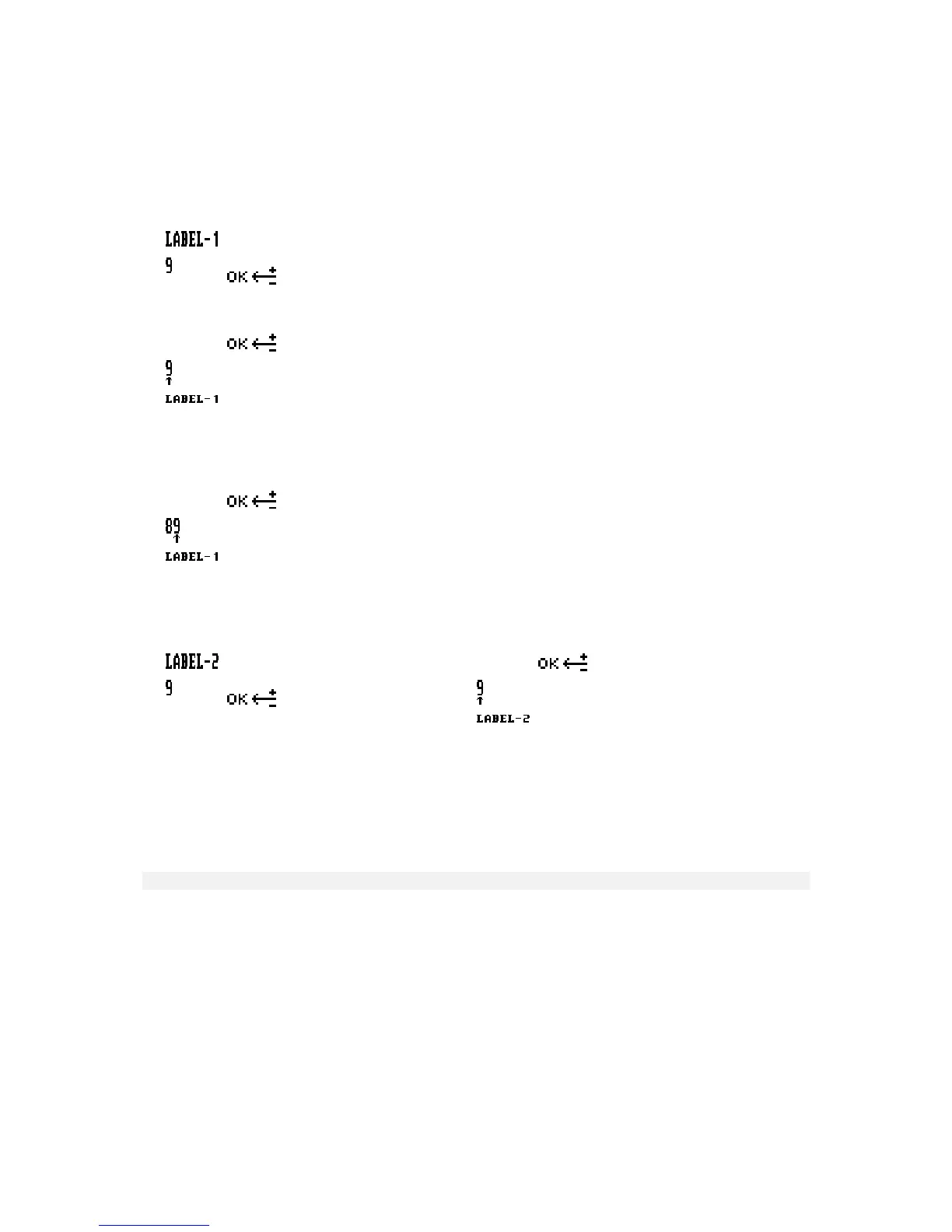
• If there is more than one user-defined label enabled, you will automatically go to the next label upon
confirming the first label:
• To delete a character from a label string, press the DEL (Delete) button briefly. To discard any changes you
have made and to exit the DPM menu, press the DEL button for about two seconds.
• To insert a character into a label string, press the INS/OVR (Insert/Overwrite) button.
• To move one character to the left, press the REC (Record) button on DPM 9360/00; on DPM 9360/52, press
the FFWD (Fast Forward) button.
• To re-use an already existing label without changing it, confirm the label by pressing the Jog Dial for about two
seconds. The DPM will beep and you are required to confirm again.
Assigning Keywords
The DPM enables you to personalize your dictations via predefined Keywords. For this purpose, you create a
configuration file on the PC using SpeechExec Dictate. For DPM 9360 this configuration file can have one
Keyword with 10 content strings defined to be used on the DPM.
Note: Assigning Keywords as described below is only available if the DPM has not been configured with the
Linked Keywords setting in SpeechExec Dictate.
Keywords are a combination of their usage definition and the content definitions for that usage. All this information
is stored in the configuration file which is transferred to the DPM. On the DPM, the authors can select from the
predefined entries and assign them to their dictations. These entries are saved together with the dictation and can
finally be used by the transcriptionist for filtering the dictations.
For more information on DPM Keywords, refer to the SpeechExec Dictate Online Help.














 To Next Page