DPM 9360 - User Manual
3
11
12
13
14
15
16
17
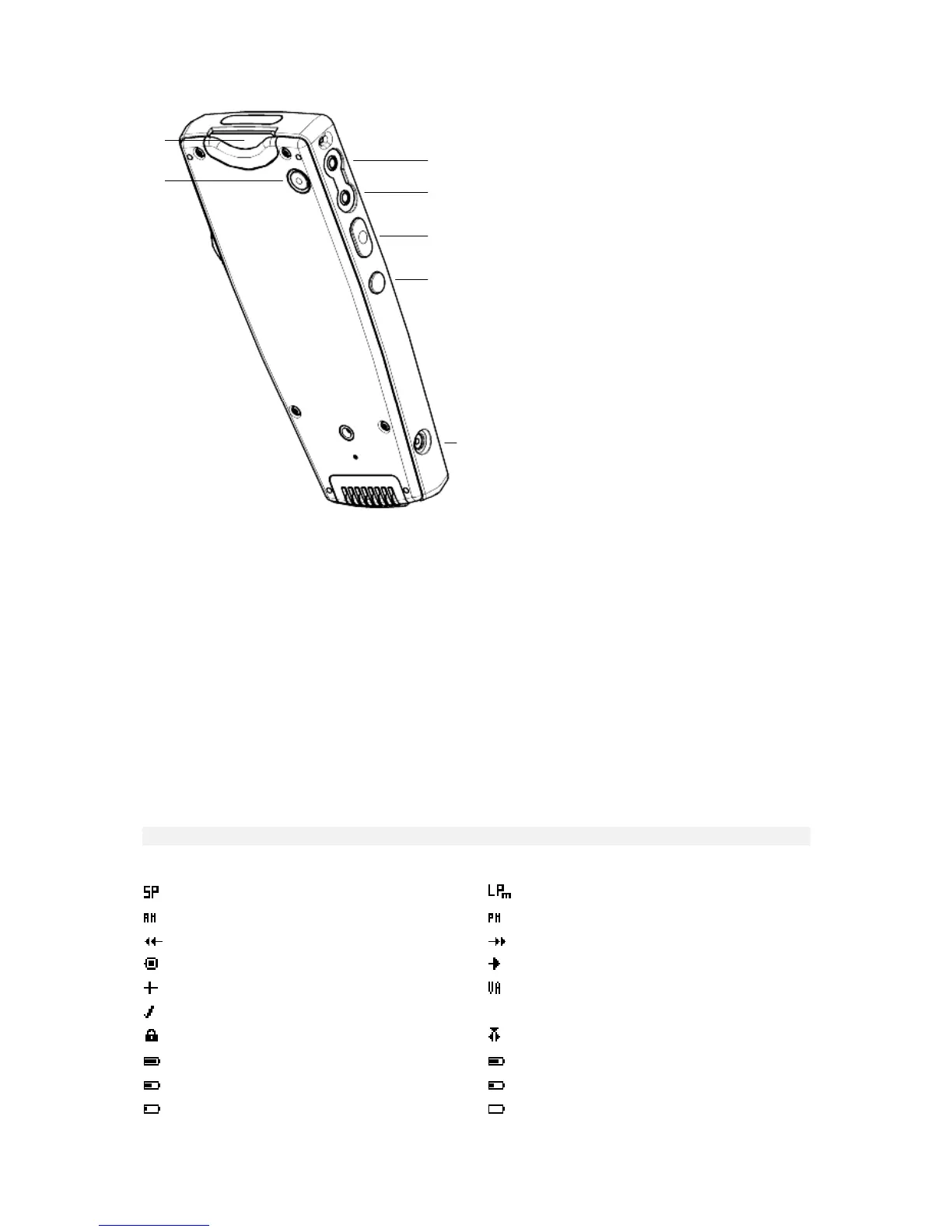
11: Memory card slot: Insert the memory card and push it down until you hear a click. To remove the memory card
from the DPM, push it down again until you hear the click.
12: EOL: Press this button to evoke the End-of-Letter function which marks the dictation as finished.
13: MIC: The microphone socket.
14: EAR: The earphone socket.
15: The function of this button depends on your DPM model:
DPM 9360/00: Record (REC).
DPM 9360/52: Fast Forward (FFWD).
16: DL/INDEX: This is a multi-function button which supports the following operations:
• When the DPM is connected to the PC, this button activates the download function.
• When you press the button for about 0.3 seconds in Playback or Recording mode, an index mark is
inserted into the sound file.
17: Power supply socket for Philips LFH 9145.
LCD display
The DPM 9360 has a high-quality graphical LCD display. You will see the following symbols:
Standard Play
Long Play mobile
AM symbol (hours before noon)
PM symbol (hours after noon)
Fast Rewind
Fast Forward
Recording
Playback
Stop
Voice-activated recording
EOL (End-of-Letter)
Write-protected SD card
Insert mode
Batteries: 100%
Batteries: 80%
Batteries: 60%
Batteries: 40%
Batteries: 20%
Batteries: empty














 To Next Page