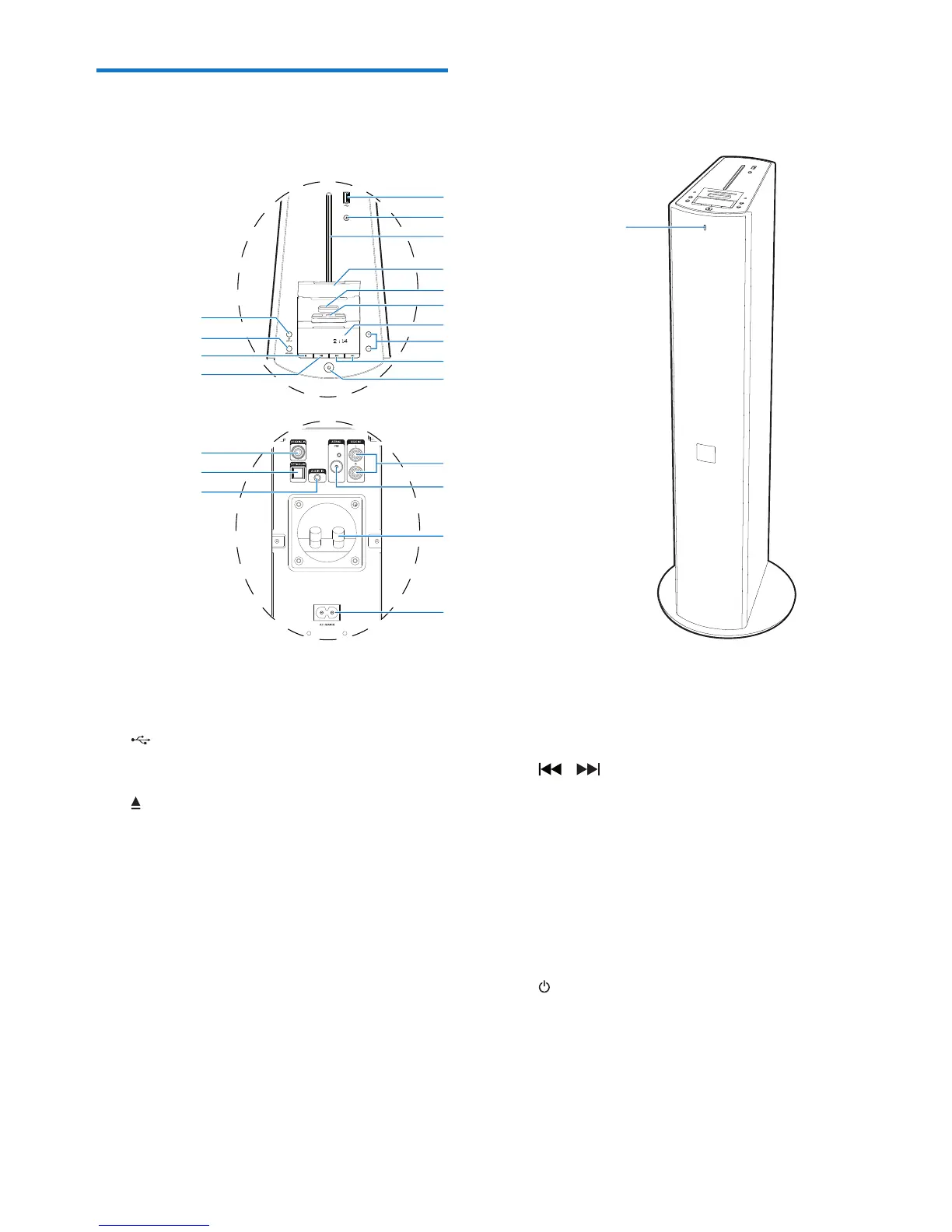
a Bluetooth indicator
b
• USB socket.
c
• Eject the disc.
d Disc compartment
e Dock cover
• Lift up to expose the dock connectors.
f Dock for iPod/iPhone with 30-pin
connection
g Dock for iPod/iPhone with lightning
connection
h Display panel
• Show the current status.
a
b
c
d
e
f
g
h
i
j
k
p
q
r
s
n
o
m
l
v
u
t
i +/-
• Adjust volume.
j /
• In Disc/USB/Dock source, tap to skip
to the previous/next track.
• In Disc/USB/Dock source, tap and hold
to search within a track.
• In tuner source, tap to tune to a radio
station.
• Tap to set clock and timer.
k
• Turn the unit on.
• Switch to standby mode or Eco power
standby mode.


 To Next Page