English
49
DVD System Menu Options
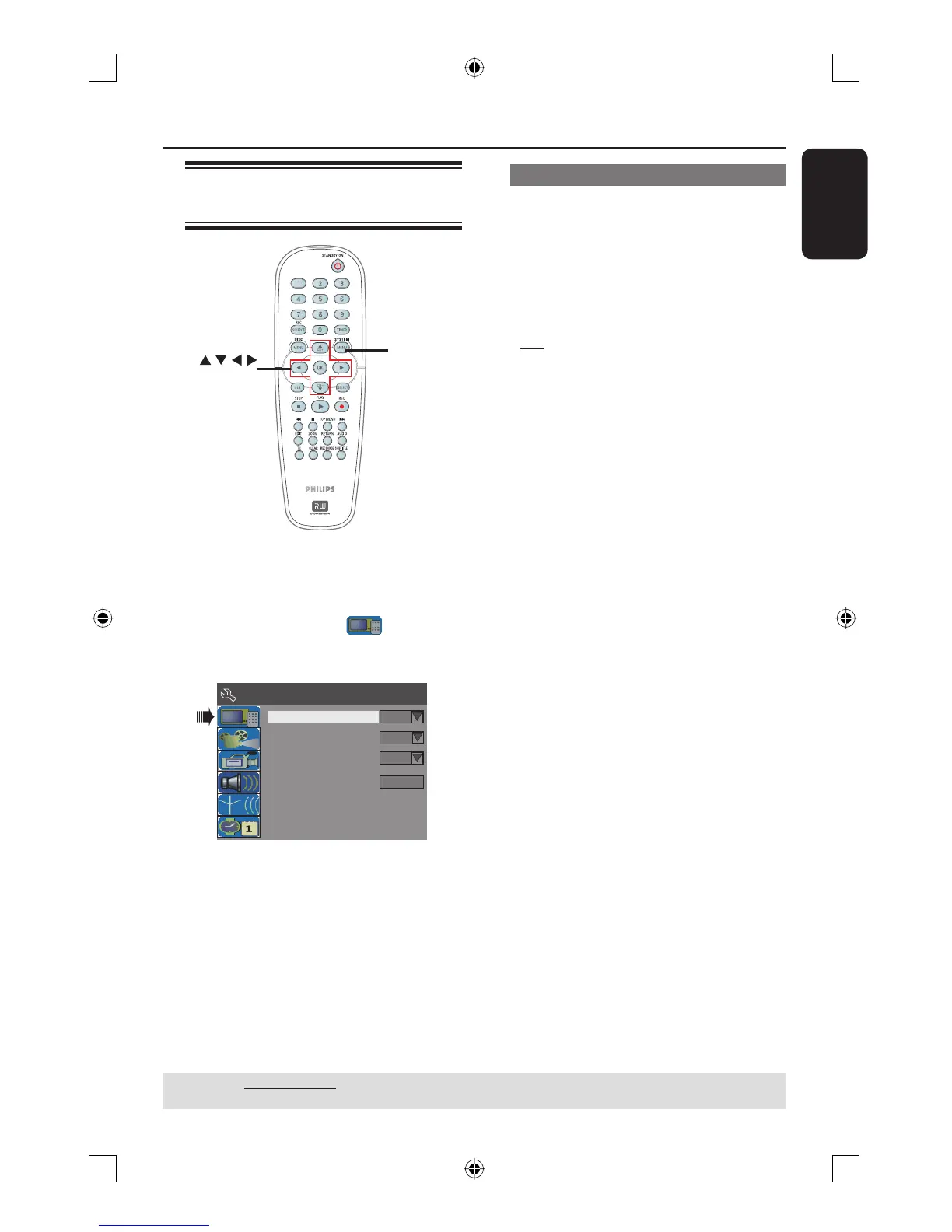
Accessing System Menu -
General
SYSTEM
MENU
OK
A Press SYSTEM-MENU on the remote
control.
The system menu appears on the TV.
B Use ST keys to select
{ System Menu - General } and press
X to access its options.
Progressive/Interlaced
Video Output Format
Restore Factory Settings
Interlaced
PAL
OK
Screen Saver
On
System Menu - General
C Use ST keys to select the setting you
wish to change and press OK to con rm.
Instructions and explanation of the
options are provided in the following
pages.
D To exit, press SYSTEM-MENU.
Screen Saver
A screen saver prevents damage to the
TV screen by avoiding exposure to a
static image for too long.
A In ‘System Menu-General’, use ST keys
to highlight { Screen Saver } and press
OK.
{ On }
Select this if you wish to turn off the TV
screen, after playback had been stopped or
paused for more than 15 minutes.
{ Off }
Select this to disable the screen saver.
B Use ST keys to select a setting and
press OK to con rm.
TIPS: The underlined option is the factory default setting.
Press W to go back to previous menu item. Press SYSTEM MENU to exit the menu item.
dvdr3365_75_eng_16752.indd 49dvdr3365_75_eng_16752.indd 49 2005-11-02 2:21:41 PM2005-11-02 2:21:41 PM



 To Next Page