86 EN86 EN
EDITING
Putting Names on Titles
4
Use [K / L] to select “Yes”, then press
[OK].
Edit - Edit Title Name
No
Yes
MY FAVORITE
1
0:00:59
+VR
The title name is now updated.
5
Press [BACK ] once or repeatedly to
go back to the title list.
For DVD, the data will be written onto the disc
momentarily.
This operation may take a
while to be completed.
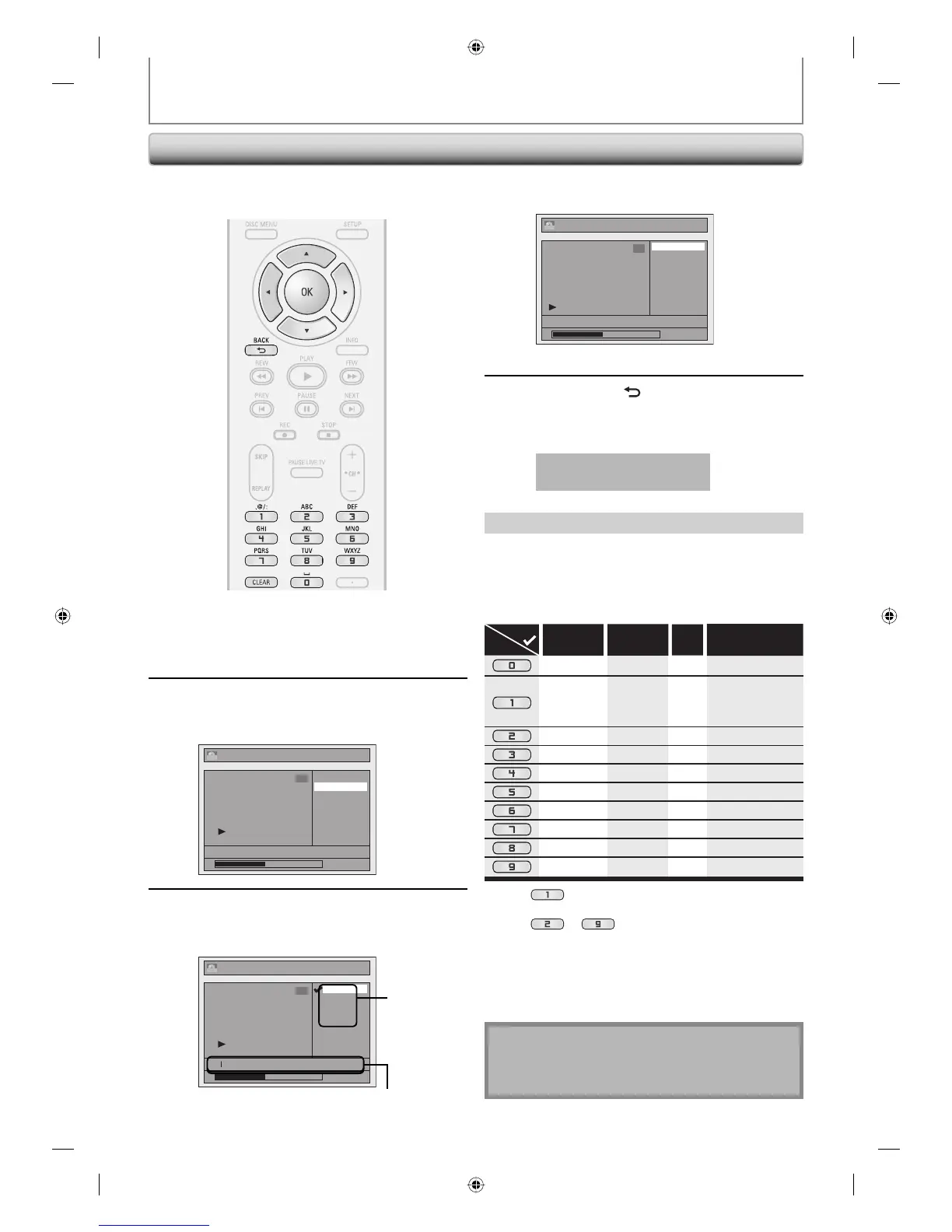
You can put title names on the titles and change the
names from this menu.
1) Use [K / L] to select a desired character set, then
press [OK].
2) Follow the list below, use [the Number buttons]
repeatedly until the desired letter appears.
When you finish entering a title name, press [OK].
ABC
DEF
GHI
JKL
MNO
PQRS
TUV
WXYZ
abc
def
ghi
jkl
mno
pqrs
tuv
wxyz
! ” # $ % & ’ ( )
*
+ , - . / : ; < = >
? @ [ ] ^ _ { | }
2
3
4
5
6
7
8
9
0
1
ABC
abc @ ! ?
123
(*1) (*1)
(*2)
(*2)
(*2)
(*2)
(*2)
(*2)
(*2)
(*2)
Select
Press
<space> <space> <space>
*1 Press , character set will be changed to the “ @!? ”
mode automatically.
*2 Press
to , character set will be changed to
the previous input mode automatically.
• To delete letters, press [CLEAR] repeatedly.
Holding [CLEAR] will delete all letters.
• Use [s / B] to move the cursor to the left and right.
• You can enter up to 30 letters.
Note
• Undefined letters in a title name are shown by “*”. If
you delete them, adjoining letters may change to “*”
or other.
Guide to Edit Title Name
1
Follow steps in “How to Access the
Edit Menu” on page 82 to display
“Edit” menu.
2
Use [K / L] to select “Edit Title
Name”, then press [OK].
e.g.) DVD
Edit
Title Delete
Edit Title Name
Chapter Mark
Index Picture
Title Dividing
Hide Chapter
NOV/21/07 11:00AM CH12 SP
0:00:59
1
+VR
3
To enter a title name, follow the
steps of “Guide to Edit Title Name”
on this page.
Edit - Edit Title Name
abc
ABC
123
@! ?
M
0:00:59
1
+VR
character set
area for entering title names
E2H40UD.indd 86E2H40UD.indd 86 2007/05/16 16:29:092007/05/16 16:29:09














 To Next Page