13
English
DISPLAY
The display of the receiver is divided into 3 sections, which
are to be used for the following:
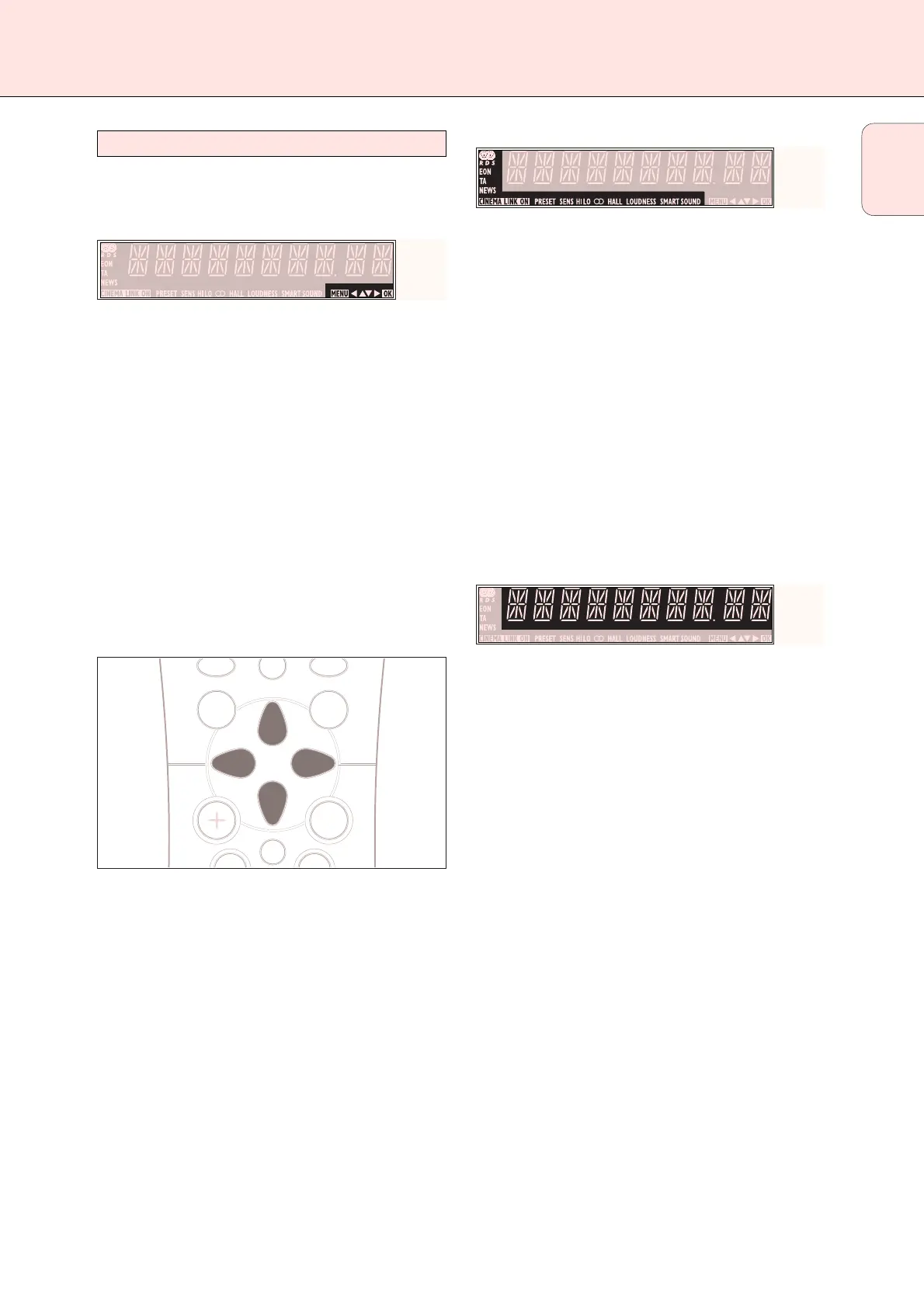
Menu indication
These signs show you if the menu is on or off and indicate in
which direction you may move.
MMEENNUU .......................Menu is on.
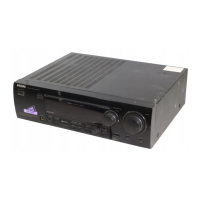
1..............................You may move backwards to the previous
menu topic using 1 PREV. / EXIT (“left”
key on the remote control).
3 .............................You may move up in an option list using
X MENU NAVIGATOR (“up” key on the
remote control).
4 .............................You may move down in an option list
using X MENU NAVIGATOR (“down” key
on the remote control).
2..............................You may move forward to the next menu
topic using NEXT 2 (“right” key on the
remote control).
OOKK.............................You may confirm the displayed value.
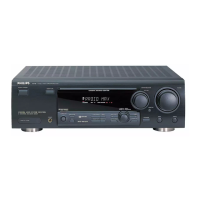
Status lights
Signs showing you various settings and information about the
status of the receiver.
PRESET......................Tuner is tuned to a preset radio station.
SENS HI.....................Tuner is switched to high sensitivity.
SENS LO ..................Tuner is switched to low sensitivity.
CCIINNEEMMAA LLIINNKK OONN ......CINEMA LINK is active.
= ...........................An FM station is being received in stereo.
SMART SOUND...........One of the preset sound settings of the
receiver is being used.
R.............................An RDS station is being received.
EON...........................An RDS station with EON is being
received.
HALL..........................HALL effect is on.
TA .............................RDS traffic announcement is on.
NEWS........................RDS news announcement is on.
LOUDNESS .................LOUDNESS is switched on.
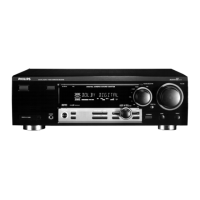
Information area
This area is used for feedback of the receiver, tuner
frequencies, menu options, values and scrolling text
messages.



 To Next Page