19
Delete one or more videos
Use the Philips Songbird software to sync your
media les. Alternatively, you can delete music
in Windows Explorer:
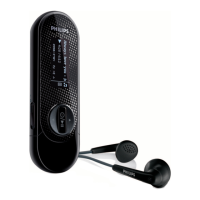
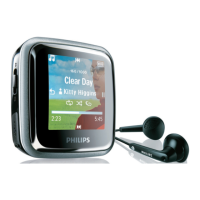
1 Connect VIBE to the computer.
2 In Windows Explorer, locate the video
folder in VIBE.
3 Delete the video as you normally would
on the computer.
Note
Alternatively, you can select • from the main
menu and nd your les in folder view.
8 Video
Play videos
1 From the main menu, select to enter
the video mode.
2 Navigate the sub-menus to select the
video.
3 Press to toggle between play and
pause.
Press • to see more video options.
Press • to go back one level.
Press and hold • to return to the
main menu.
Navigate inside a video
1 While you watch a video, press /
to quickly navigate forward / backwards
inside the video.
Press • to view more video options.
Delete the currently playing
video
This is how to delete the currently playing
video:
1 While you watch the video, press .
2 Select the option to delete the video.
3 Select [Yes] to conrm the deletion.
English
EN









 To Next Page