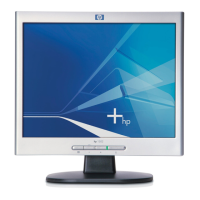
HP L1502
55
General Product Specification
Go to cover page
CLASS NO.
All rights strictly reserved . Reproduction or issue
to third p a rties in a ny form whate ver is not permitted
without written authority, from the proprietors.
.
NAME
2838 100 05424
TY
CHECK
SUPERS.
DATE
Property of
PHILIPS ELECTRONICS INDUSTRIES (TAIWAN) LTD.-C.E.
10
A4
2003-08-11
HP Wu
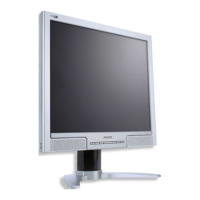
15”TFT XGA LCD CMTR
TYPE : AJ6S40/02
BRAND : HP (L1502)
2003-08-11
8639 000 14754
8
590
18
2.3.4 Fail-Safe Modes
For support of Fail-Safe modes, the monitor shall display video for all preset modes at 85 Hz. In the
Fail-Safe mode, the “Out of Range” OSD message shall be displayed for 60 seconds. This Fail-Safe
mode is to allow the customer to adjust the refresh rate. In the Fail-Safe mode, the video does NOT
have to be high quality, properly centered and sized, and in full color.
3. DDC and EDID
Product Number: HWP2600
Version : EDID 3.0 structure 1.3
Protocols : DDC2B (DDC-1 support i s prohibited)
The monitor shall provide a display communications channel (DDC) that conforms to VESA
Enhanced-DDC and PC2001 hardware requirements. The monitor shall only respond to the I2C
address of “A0”. In addition, the monitor shall support both 3.3V and 5.0V DDC signaling. The
monitor shall support a minimum DDC clock speed of 100 kHz. The monitor may support DDC wait-
state or clock-stretching by holding the DDC clock line low, but the maximum length of the wait-state
is 500 ms. The monitor must accept +5 VDC through pin 9 of the VGA connector. This is to be used to
power the monitor’s DDC and EDID electronics, assuring that the EDID may be read by the host
regardless of the monitor’s power condition. The monitor shall consume less than 50mA through pin
9. The monitor must only receive power through the pin 9 connection, and shall not feed any current
into the attached computer if the monitor is on and the computer is off. The monitor shall contain the
128 byte EDID file as specified by the VESA Enhanced-EDID and PC2001 specifications. The monitor
shall be designed so that there is some means to rewrite the complete DDC file content without
setting internal jumper
4. User control functions via OSD
4.1 Bezel OSD Buttons
The monitor bezel shall have the OSD buttons (from left to right)
Menu, Minus (“-“), and Plus (“+”).
4.1.1 Menu Key
Pressing the Menu button ( ) the first time brings up the BASIC menu level. The + and – buttons
move up and down the menu, respectively. The selected menu function shall be highlighted in
orange text for all menus. Pressing the Menu button again brings up the second menu level for the
item selected. The selection will wrap around if the bottom item is selected and the – button is
pressed, the selection will move to the top item. Likewise, if the top item is selected and the + button
is pressed, the selection will move to the bottom item. Selecting the “Advanced Menu” from the Basic
Menu will result in the display of the ADVANCED OSD, described in Table 8. The Advanced Menu
will remain the default OSD upon subsequent power-ups of the monitor until the “Basic Menu” option
is selected or until “factory reset”is selected.
4.1.2 Bezel OSD Button Hot Keys
Menu button ( ), shall be hot-key for OSD Menu Exit
The Minus (“-“) button shall be a hot-key for the Auto-Adjustment process.
4.2 Factory Reset
This function, when selected and confirmed, shall replace previously saved user settings with the
factory preset values, but just for the mode in operation at the time. If the current mode is a user
mode (not one of the presets), a Factory Reset will delete all user settings for this mode, but will not
change any user settings for other presets, nor will any other user modes be affected. The functions
which are reset are indicated in the menu tables. Upon reset, the basic menu mode shall be selected.
Note that the Factory Reset control will also set Brightness, Contrast, and Color Temperature to their
factory default values.
The monitor shall do an automatic Auto-Adjustment after a Factory Reset. If the Horizontal / Vertical
image Pos and Clock /Phase adjustments are different from Factory Reset, these values will be
stored in new user mode."













 To Next Page