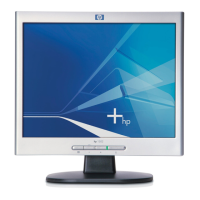
HP L1502
54
General Product Specification
Go to cover page
CLASS NO.
All rights strictly reserved. Reproduction or issue
to third parties in any form w hatever is not permitted
without written authority, from the proprietors.
.
NAME
2838 100 05424
TY
CHECK
SUPERS.
DATE
Property of
PHILIPS ELECTRONICS INDUSTRIES (TA IWA N) LTD.-C.E.
10
A4
2003-08-11
HP Wu
15”TFT XGA LCD CMTR
TYPE : AJ6S40/02
BRAND : HP (L1502)
2003-08-11
8639 000 14754
7
590
18
2.2.4 Power ON/OFF Switch
The monitor shall have a power control switch visible and accessible on the front of the monitor. The
switch shall be marked with icons per IEC 417, #5009. The switch shall have no effect on the
operation of the AC/DC converter. Instead, it shall interrupt the DC supply to the monitor. The
monitor shall leave the factory with the power switch set to the Off position.
2.2.5 Power Indicator LED
The monitor shall make use of an LED type indicator located on the front of the monitor. The LED
color shall indicate the power states as given in Table 5.
2.3 Monitor Modes and Timing Capability
2.3.1 Format and Timing
The monitor shall synchronize with any stable format signal used in the industry with a vertical
frequency from 56 Hz to 76 Hz and with a horizontal frequency from 30 kHz to 61 kHz. If the input
frequency is out of this specified range, the monitor shall display a warning screen indicating that the
input frequency is out of range. Under no circumstances shall any combination of input signals cause
any damage to the monitor.
2.3.2 Factory Assigned Display Modes
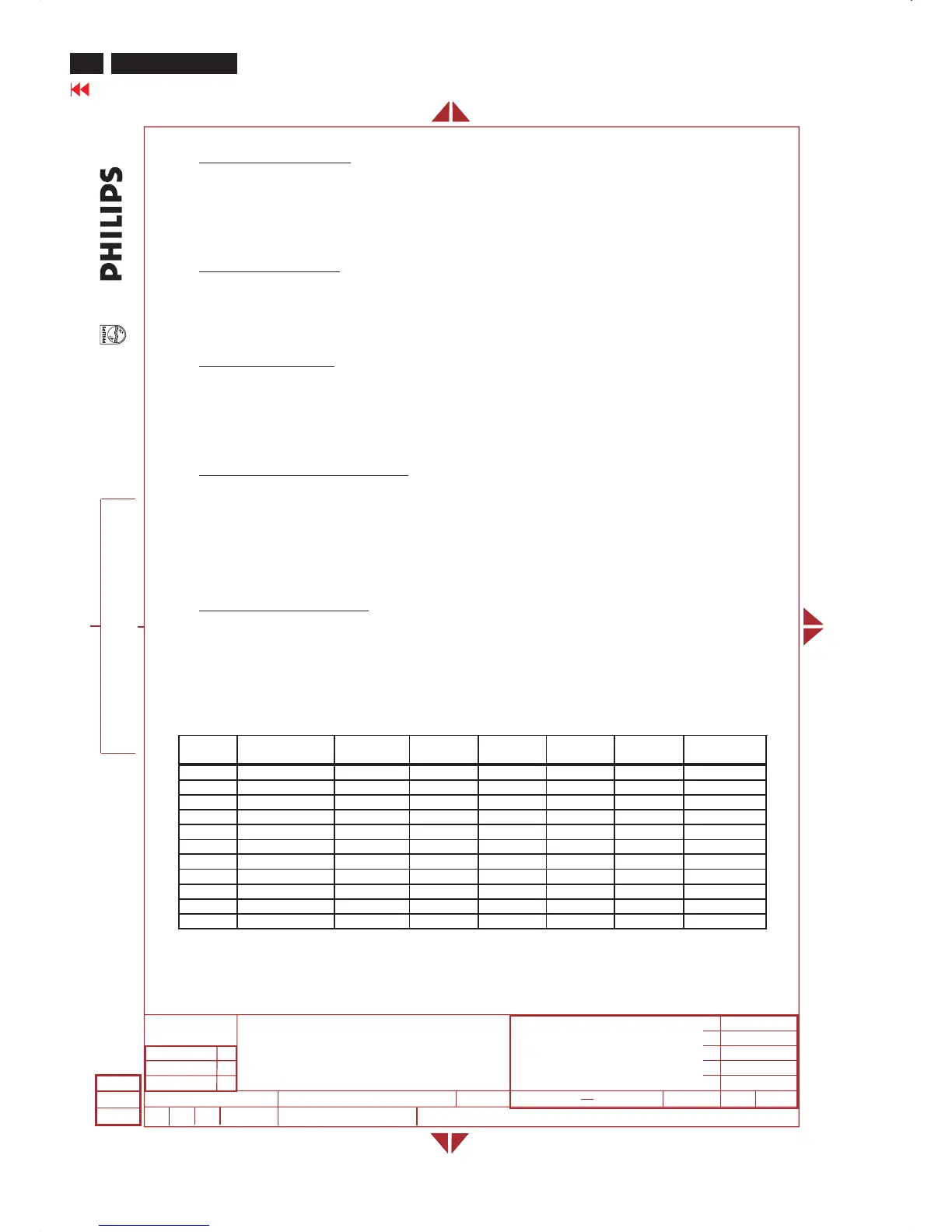
There are 11 required factory pre-set video modes(refer to Table 6). These modes have a factory
pre-set for all characteristics affecting front-of-screen performance. When the system is powered-on,
previously stored screen parameters for a pre-defined mode will be recalled if the operating mode is
one of those stored in memory. If the operating mode is not one of those stored in memory, the
monitor CPU will automatically start the Auto-Adjustment process. The screen parameters may be
adjusted by the use of the front bezel controls and then may be saved as a user defined mode. The
monitor shall include the following preset video timings
2.3.3 Mode Recognition Pull-in
The monitor shall recognize preset modes within a range of ± 1% or ± 500 Hz whichever is less for
horizontal; and within ± 1 Hz for vertical.
TABLE 6
FACTORY PRESET DISPLAY MODES
Preset
Pixel
Format
Horz Freq
(KHz)
Horz
Polarity
Vert Freq
(Hz)
Vert
Polarity
Pixel Clk
(MHz)
Source
1 640 x 480 31.469 - 59.940 - 25.175 VGA
2 640 x 480 37.861 - 72.809 - 31.500 VESA
3 640 x 480 37.500 - 75.000 - 31.500 VESA
4 720 x 400 31.469 - 70.087 + 28.322 VGA
5 800 x 600 37.879 + 60.317 + 40.000 VESA
6 800 x 600 48.077 + 72.188 + 50.000 VESA
7 800 x 600 46.875 + 75.000 + 49.500 VESA
8 832 x 624 49.726 +/- 74.551 +/- 57.284 MAC
9 1024 x 768 48.363 - 60.004 - 65.000 VESA
10 1024 x 768 56.476 - 70.069 - 75.000 VESA
11 1024 x 768 60.023 + 75.029 + 78.750 VESA













 To Next Page