EN 23
3139 785 32540
Dismantling Instructions & Service Positions
4.
4.1.4. Dismantling of USB Board and IPOD Board
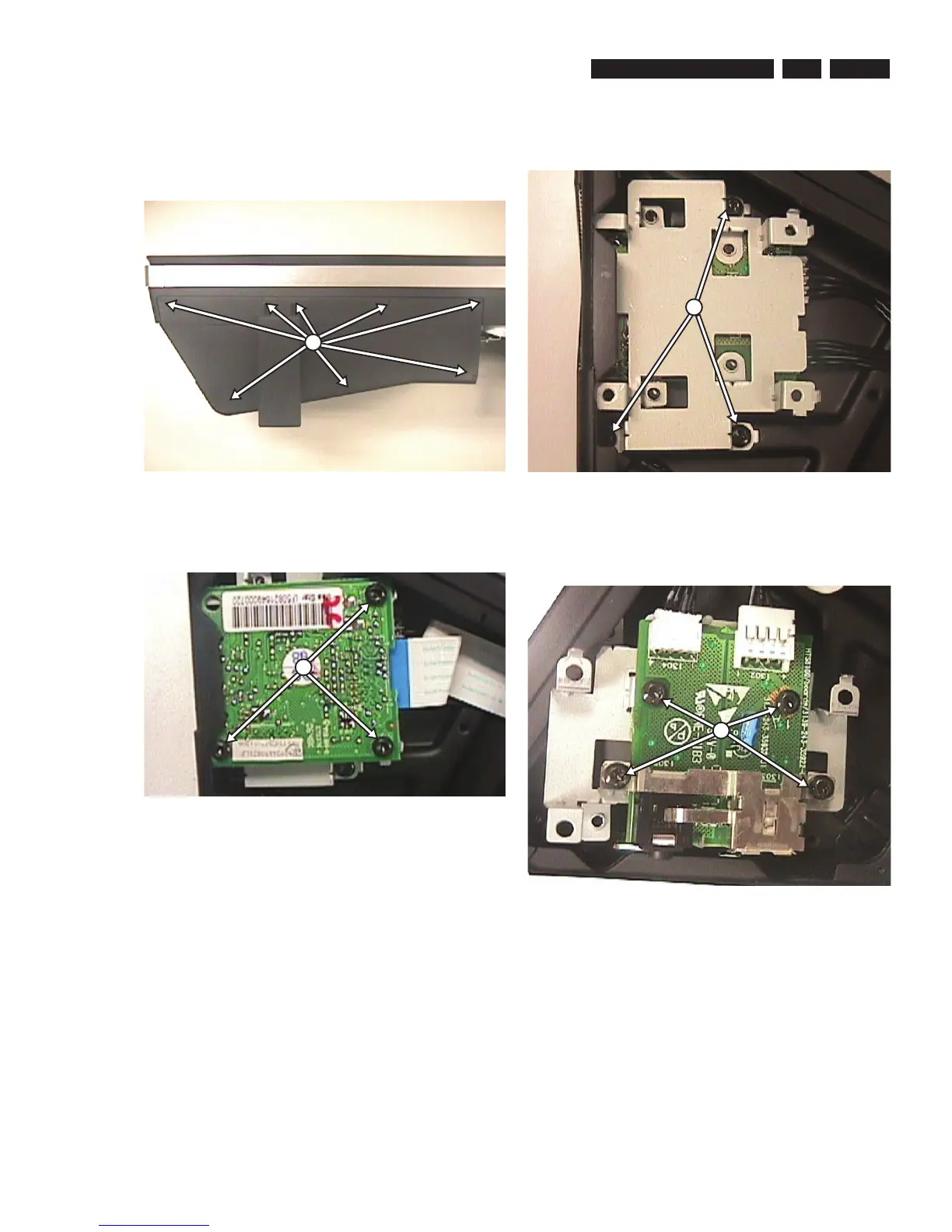
1) In order to dismantle the USB Board 1013 and IPOD
Board 1050, it is required to remove the iPOD Cover
(Speaker Box Assembly Exploded View) by unscrewing
the 8 screws as shown in fi gure 13.
Figure 4-13
2) Remove 3 screws to dismantle the IPOD Board 1050
from the Bracket 140 as shown in fi gure 14.
Figure 4-14
3) Remove 3 screws to detach the Bracket 140 together with
USB Board 1013 as shown in fi gure 15.
Figure 4-15
4) Flip over the assembly (140+1013) and remove 4 screws
to detach the USB Board 1013 from the Bracket 140 as
shown in fi gure 16.
Figure 4-16
M
N
P
O





 To Next Page