29EN
Turning on and o
Note:
• For optimum purication performance, close doors and windows�
• Keep curtains away from the air inlet or air outlet�
1 Put the plug of the air disinfector in the power socket�
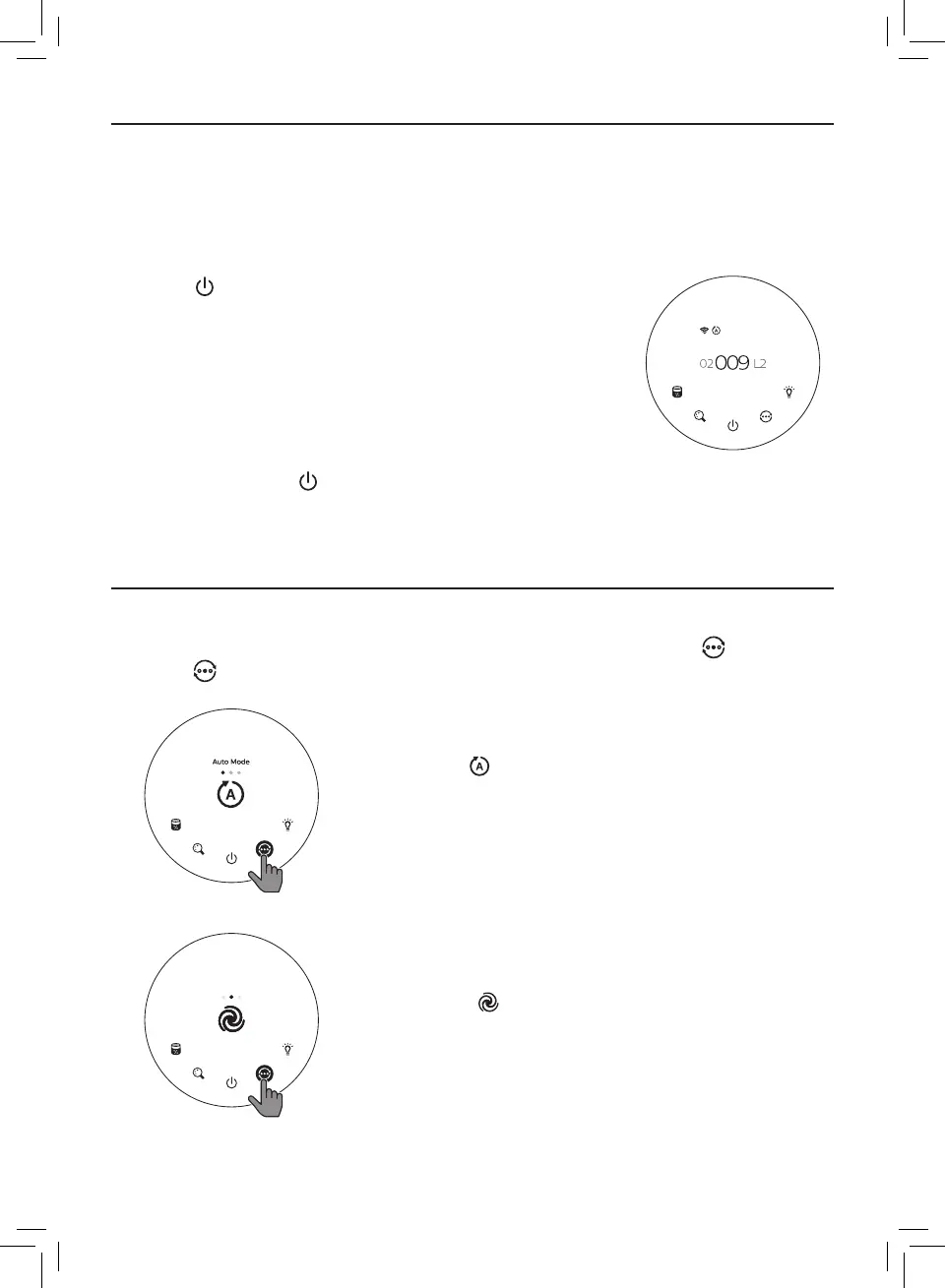
2 Touch to switch on the air disinfector�
» The QR code for App is displayed on the screen for the
rst use, you can scan it and download the App�
» The air disinfector operates in the auto mode with PM2�5
displayed on the center of the screen�
» After measuring the air quality, the air disinfector
automatically switches to the display which has the
highest readings among PM2�5, IAI and Gas�
3 Touch and hold the button for 3 seconds to switch o the
air disinfector�
Note: If the air disinfector stays connected to the electrical outlet after turning OFF, the air
disinfector will operate under the previous settings when turned ON again�
Changing the mode setting
You can choose Auto mode, Turbo mode or the Sleep mode by touching the button�
Touch the button once to display the current mode�
Auto mode ( )
In Auto mode, the dual-sensor sense the air quality in real-
time and the appliance automatically adjusts the fan speed
in accordance with the ambient air quality�
Turbo Mode
Turbo mode ( )
In Turbo mode, the air disinfector operates on the highest
speed�
IAI Gas
PM2.5



 To Next Page