32 EN
Cleaning the body of the air disinfector
Regularly clean the inside and outside of the air disinfector to prevent dust from collecting�
1 Wipe the fabric surface gently with a damp cloth�
2 Use a soft, dry cloth to clean both the interior and exterior of the air disinfector and the
air outlet�
Note:
• The fabric covered on the appliance can not be removed�
• Do not use hot water, alcohol, harsh cleaners to clean the fabric�
Cleaning the particle sensor
Clean the particle sensor every 2 months for optimal functioning of the appliance�
Note:
• If the air disinfector is used in a dusty environment, it may need to be cleaned more often�
• If the humidity level in the room is very high, condensation may develop on the particle
sensor and the air quality light may indicate a more poor air quality even though the air
quality is actually good� If this occurs, clean the particle sensor�
• The gas sensor doesn't need to be cleaned�
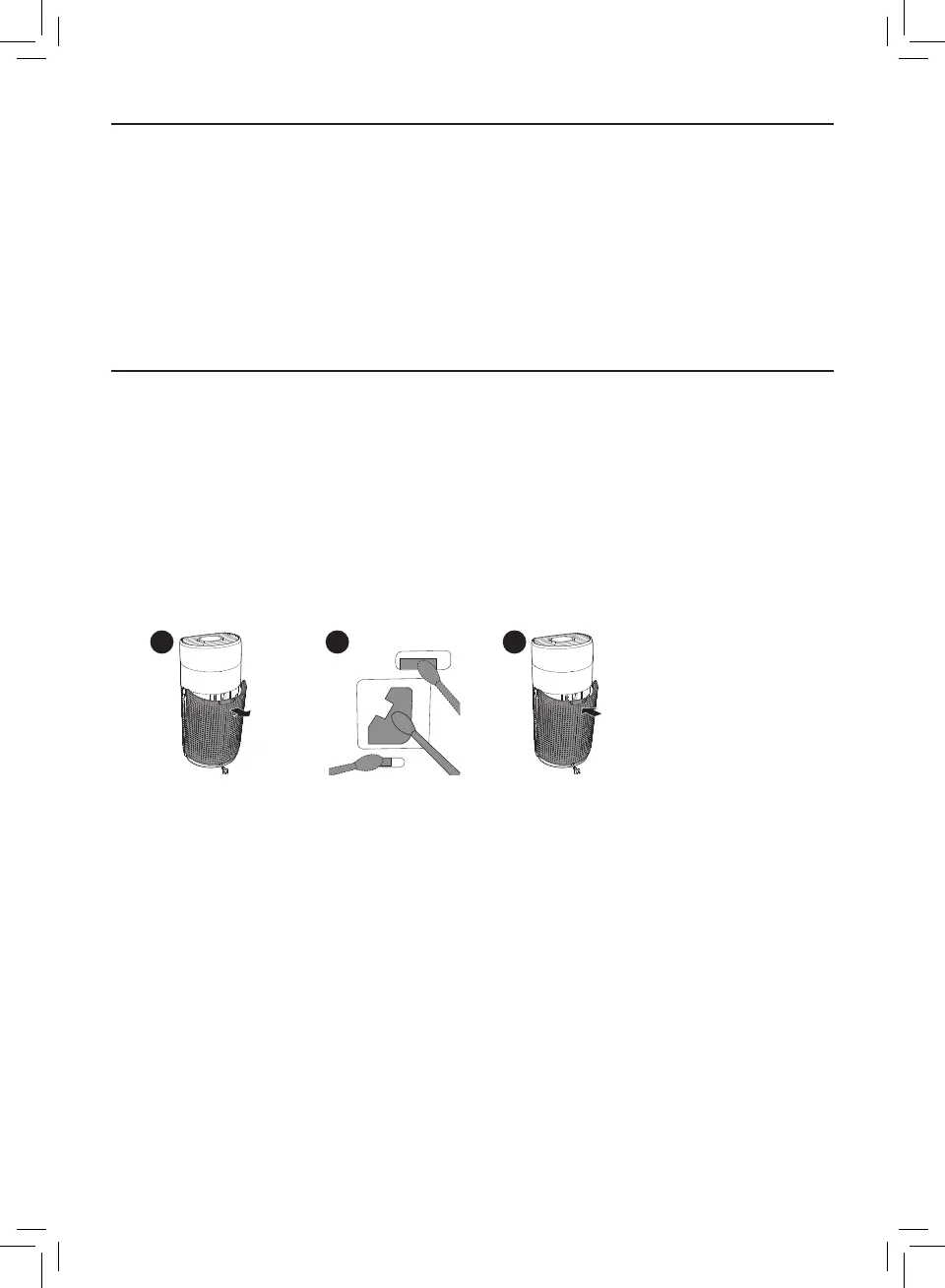
1 Switch o the air disinfector and unplug from the power socket�
2 3 5
2 Pull the back cover and remove it from the appliance�
3 Clean the particle sensor with a damp cotton swab�
4 Dry all parts thoroughly with a dry cotton swab�
5 Reattach the back cover�



 To Next Page