31EN
Checking the lter status
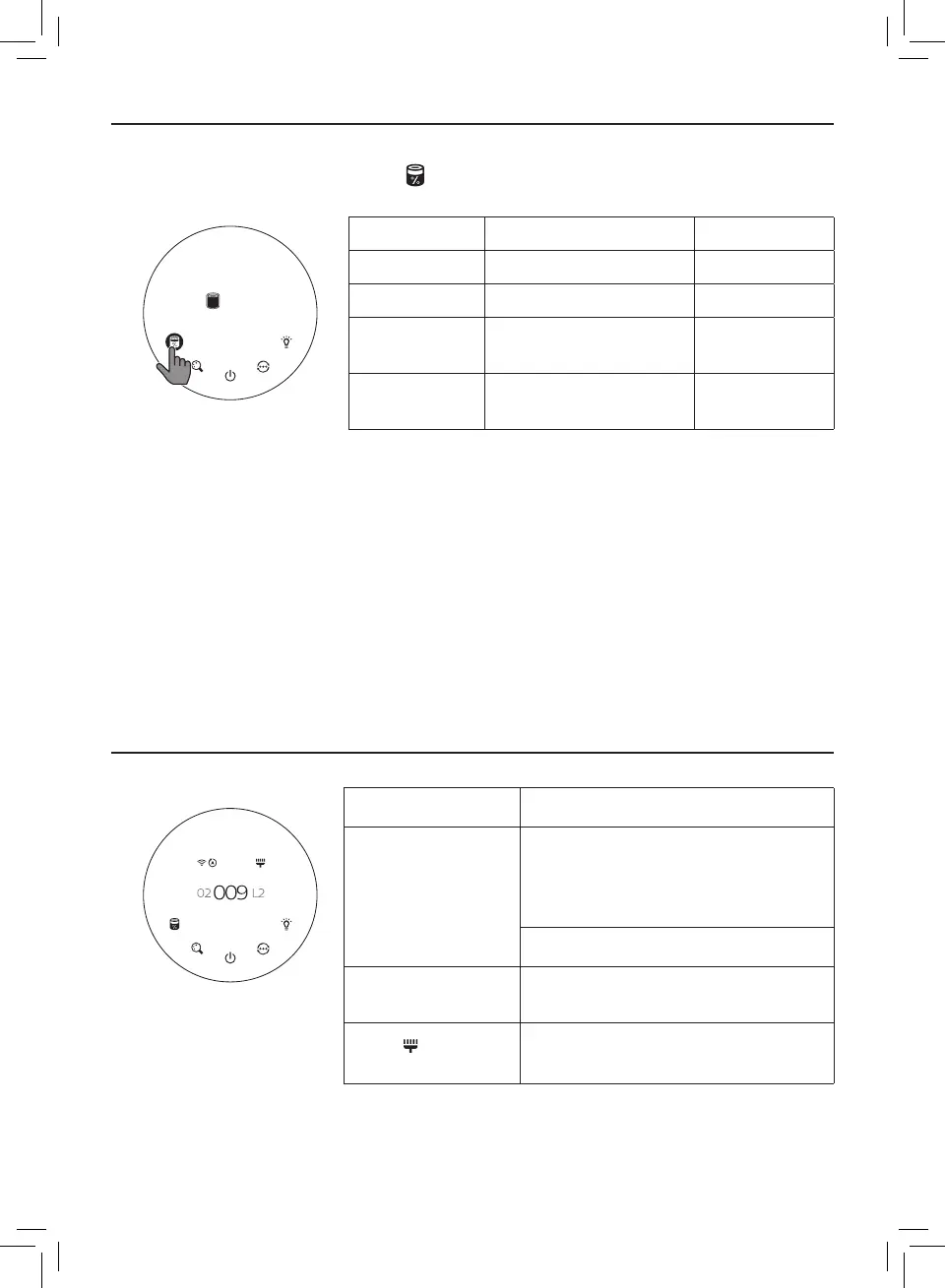
• Touch the lter status check/reset button to check the lter service life status�
» The percentage of remaining service life of the lter displays on the screen�
Icon color Filter life indication Display (%)
Blue Optimal service life 16-100
Blue-purple Good service life 9-15
Purple-red
Service life almost
reaches the end
4-8
Red
Service life ends, replace
the lter
0-3
Note: The appliance goes back to normal display if no operations after 3 seconds�
5 Cleaning and maintenance
Note:
• Always unplug the appliance before you clean it�
• Never immerse the appliance in water or any other liquid�
• Never use abrasive, aggressive, or ammable cleaning agents such as bleach or alcohol to
clean any part of the appliance�
• Never use any liquids (including water) to clean the lter�
• Do not attempt to clean the particle sensor and gas sensor with a vacuum�
Cleaning schedule
Frequency Cleaning method
When necessary
Wipe the fabric part of the appliance
with a damp cloth, wipe the plastic
part of the appliance with a soft, dry
cloth
Clean the air outlet cover
Every two months
Clean the particle sensor with a dry
cotton swab
When displays
on the screen
Clean the surface of the lter
%100
Filter status
IAI Gas
PM2.5



 To Next Page