75
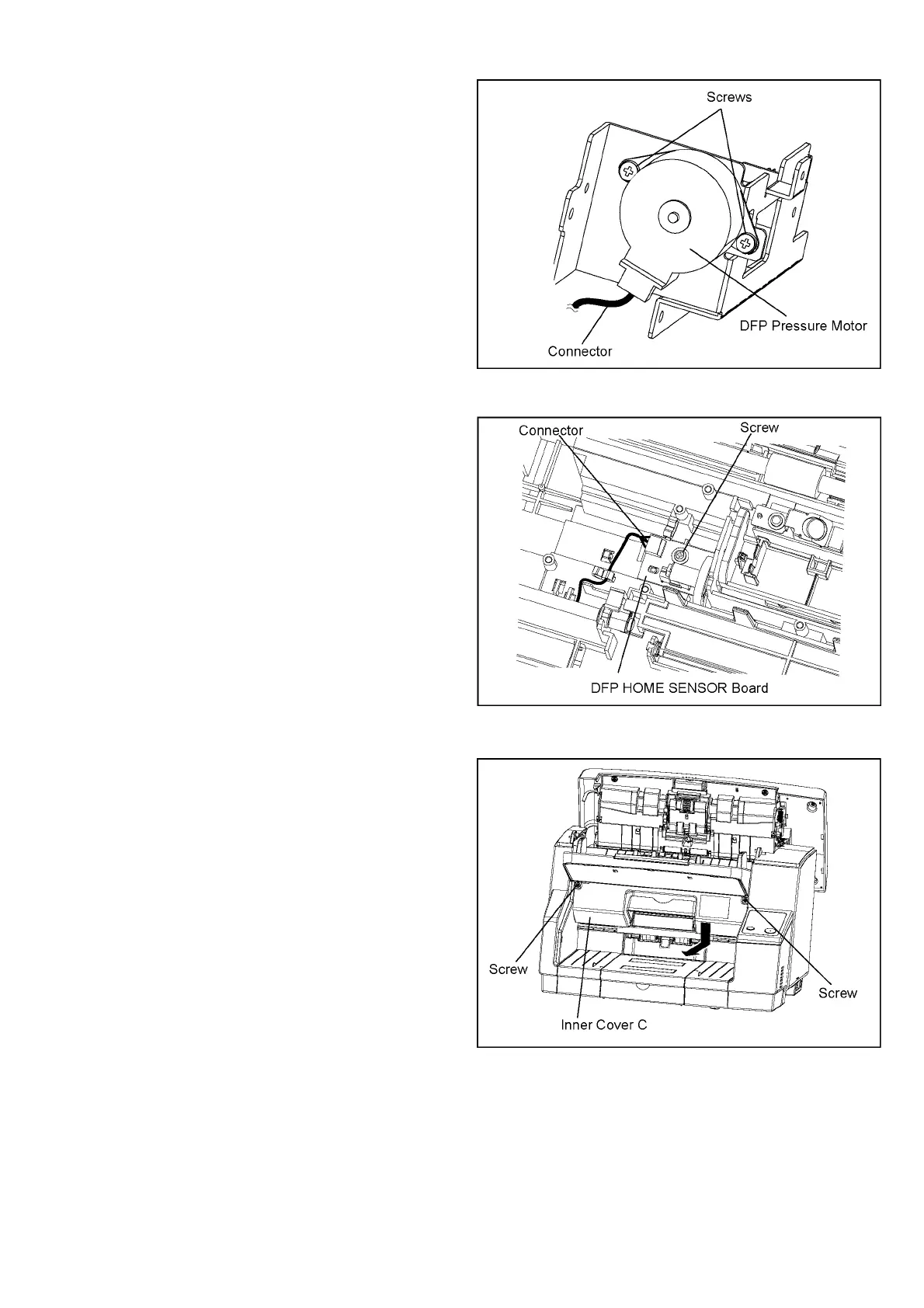
8.5.17. DFP HOME SENSOR Board
8.5.18. Inner Cover C
7. Disconnect the connector, and then remove the 2 screws to
release the motor from the plate.
1. Remove the DFP Pressure Motor. (See 8.5.16.)
2. Remove the screw, and then disconnect the connector of the
DFP HOME SENSOR Board.
1. Remove the 2 screws that fasten the Inner Cover C to the
scanner.
2. Push down the cover to remove it.



 To Next Page