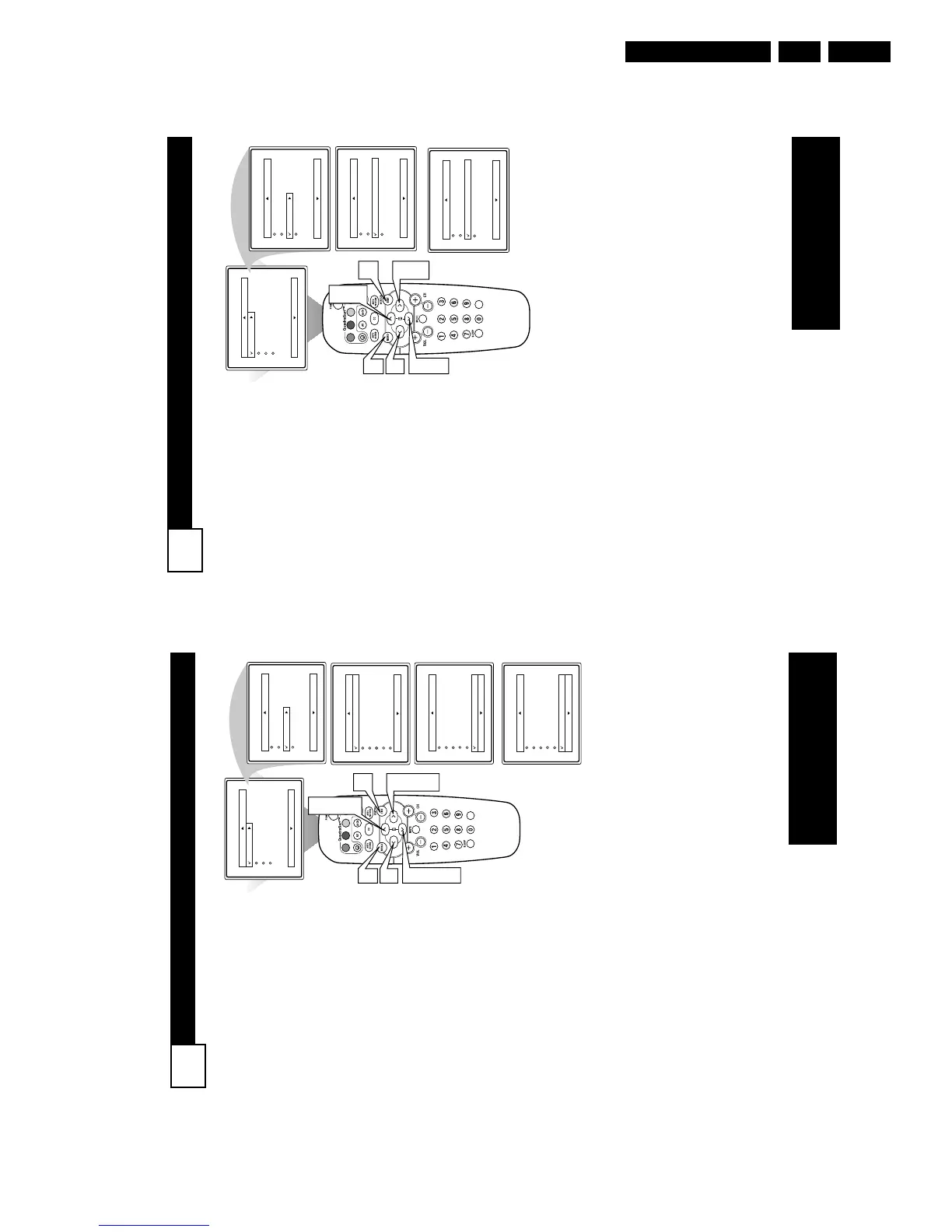
ACTIVE CONTROL OPTIONS
23
T
he Active Control monitors
and adjusts incoming video
signals to help provide the best
picture quality.
When you choose to turn the
Active Control On, the picture
sharpness and noise reduction are
controlled automatically. Active
Control adjusts these picture set-
tings continuously and automati-
cally.
NOTE: Active Control is only
available in models 27PT6441/37
and 27PT6442/37.
1
Press the MENU button on
the remote to show the on-
screen menu.
2
Press the CURSOR UP 3
or DOWN 4 buttons to
scroll through the on-screen
menu until the word
Features is highlighted.
3
Press the CURSOR RIGHT
2 button to display the
Features menu.
4
Press the CURSOR UP 3
or DOWN 4 buttons to
repeatedly until Active
Control is highlighted.
5
Press the CURSOR RIGHT
2 or CURSOR LEFT 1
buttons to toggle the Active
Control On or Off.
6
When finished, press the
STATUS /EXIT button to
remove the on-screen menu
from the TV’s screen.
VOL
Main
Picture
Sound
Features
Install
Brightness
Color
Picture
Sharpness
Tint
More...
Main
Picture
Sound
Features
Install
Timer
AutoLock
Active Control
Digi. Pic. Demo
6
3
5
1
5
2
4
Features
Timer
AutoLock
Active Control On
Digi. Pic. Demo
Features
Timer
AutoLock
Active Control Off
Digi. Pic. Demo
OR
2
4
NOTE: Active Control will only
appear in the menu of models
27PT6441/37 and 27PT6442/37.
HOW TO VIEW TIME USING THE DISPLAY CONTROL
22
A
fter the TV’s clock has been
set, you can use your TV as a
clock. The Display control allows
you to permanently display the
time in the upper right corner of
the screen.
1
Press the MENU button on
the remote to show the on-
screen menu.
2
Press the CURSOR UP 3 or
DOWN 4 buttons to scroll
through the on-screen menu
until the word Features is
highlighted.
3
Press the CURSOR RIGHT
2 button to display the
Features menu.
4
Press the CURSOR UP 3 or
DOWN 4 buttons to scroll
through the on-screen menu
until the word Timer is high-
lighted.
5
With Timer highlighted,
press the CURSOR RIGHT
2 button to display the
Timer menu.
6
Press the CURSOR UP 3 or
CURSOR DOWN 4 buttons
to highlight the Display
Control.
7
Press the CURSOR RIGHT
2 or CURSOR LEFT 1 but-
tons repeatedly to select On
or Off.
8
When finished, press the
STATUS /EXIT button to
remove the on-screen menu
from the TV’s screen.
NOTE: Active Control will only
appear in the menu of models
27PT6441/37 and 27PT6442/37.



 To Next Page