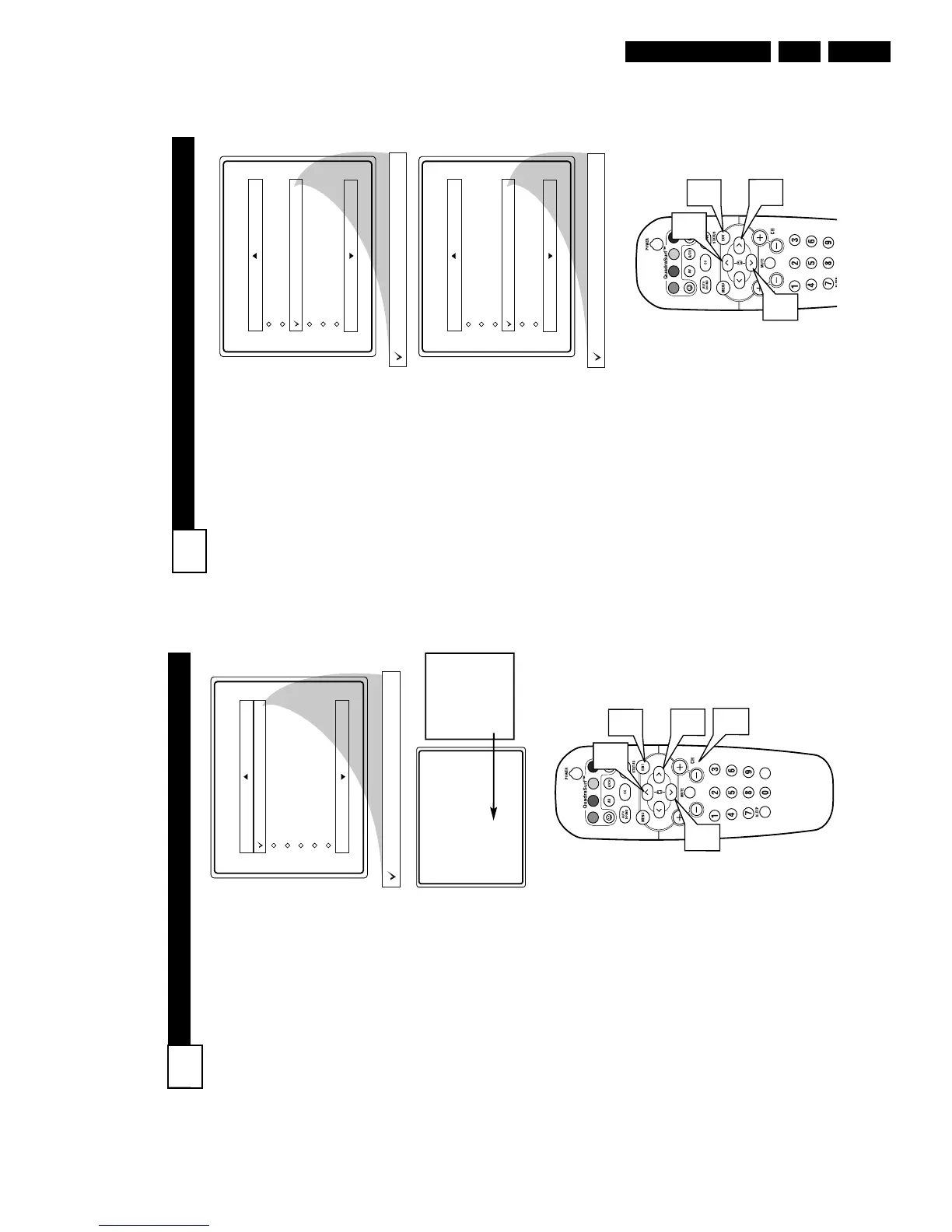
BLOCK
/
CLEAR ALL CHANNELS AT THE SAME TIME
27
A
fter blocking specific channels
there may come a time when
you want to block or clear all the
channels at the same time.
Once you’ve entered your access
code and the AutoLock™ features
are displayed on the screen:
1
Press the CURSOR UP 3 or
DOWN 4 buttons to select
either Clear All or Block All.
2
If Clear All is selected, press
the CURSOR RIGHT 2
button to clear all blocked
channels. All channels will be
viewable.
If Block All is selected, press
the CURSOR RIGHT 2
button to turn the control On
or Off. When On is selected,
ALL available channels will
be blocked from viewing.
3
When finished, press the
STATUS/EXIT button to
remove the menu from the
screen.
NOTE: If you ever forget your
code, the 0, 7, 1, 1 code is the fac-
tory default and can be used to
enter and create a new access
code.
AutoLock
Block Channel
Setup Code
Clear All
Block All
Movie Rating
TV Rating
Clear ?Stop Time
Channel
Activate
Display
Clear All
Cleared
AutoLock
Block Channel
Setup Code
Clear All
Block All
Movie Rating
TV Rating
Off
Block All
On
VOL
1
1
2
3
B
LOCK
C
HANNELS
26
A
fter your personal access code
has been set (see previous
page), you are now ready to select
the channels or the A/V Inputs you
want to block out or censor.
Once you’ve entered your access
code and the AutoLock™ features
are displayed on the screen:
1
Press the CURSOR UP 3 or
DOWN 4 buttons until the
words Block Channel are
highlighted.
2
Press the CURSOR RIGHT
2 button to turn blocking
ON or OFF for that channel.
When ON is selected the
channel will be blocked.
3
Press the CH + or CH – but-
ton to select other channels
you wish to block. Repeat
steps 2-3 to block the new
channel.
4
When finished, press the
STATUS/EXIT button to
remove the menu from the
screen.
NOTE: If you ever forget your
code, the 0, 7, 1, 1 code is the fac-
tory default and can be used to
enter and create a new access code.



 To Next Page