EN
3 (QWHUWKHROG3,1SDVVFRGHWKHQSUHVV
MENU/OKWRFRQÀUP
4 (QWHUWKHQHZ3,1SDVVFRGHWKHQSUHVV
MENU/OKWRFRQÀUP
5 (QWHUWKHQHZ3,1SDVVFRGHDJDLQWKHQ
press MENU/OKWRFRQÀUP
» 7KHVHWWLQJLVVDYHG
Charge the handset
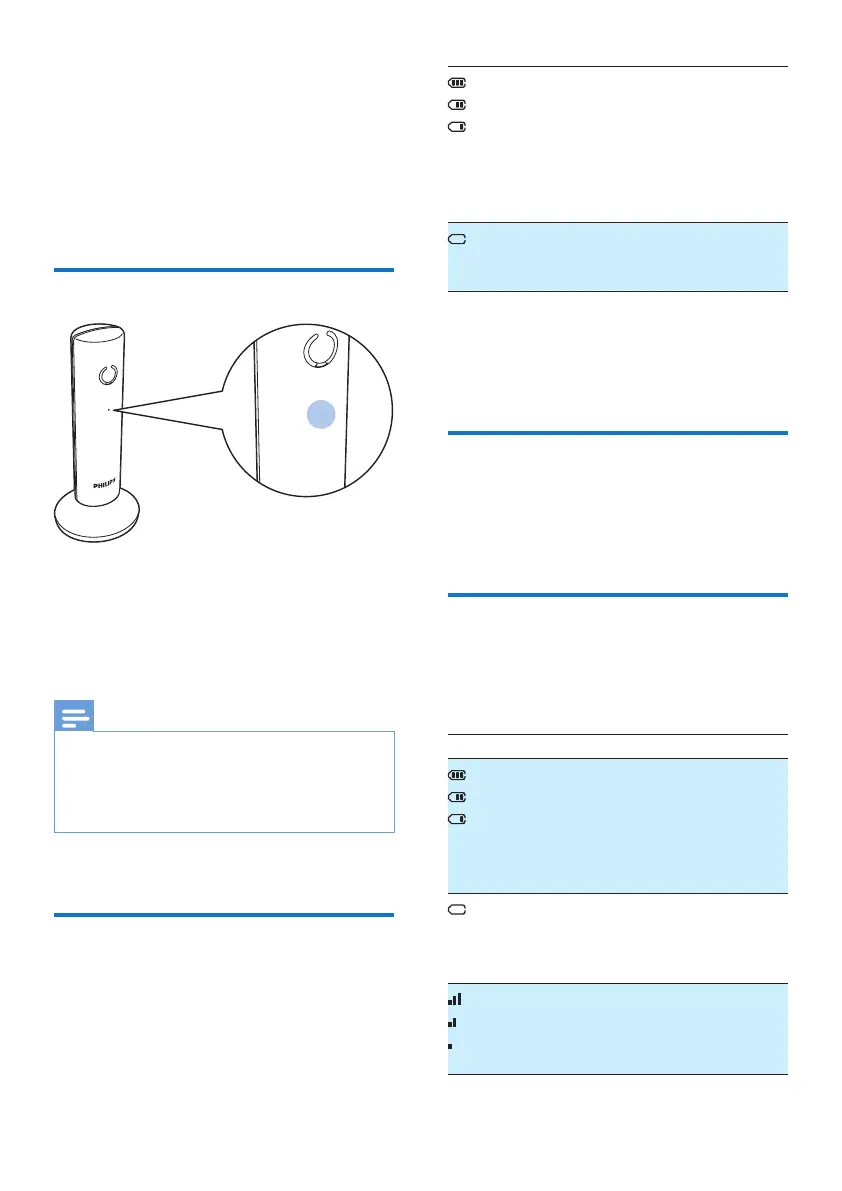
When the handset is placed correctly on the
base station, you hear a GRFNLQJWRQHVHH6HW
WKHGRFNLQJWRQHRQSDJH21). The LED at the
EDFNRIWKHKDQGVHWÁDVKHVRQFH
» 7KHKDQGVHWVWDUWVFKDUJLQJ
Note
•
&KDUJHWKHEDWWHULHVIRUKRXUVEHIRUHÀUVWXVH
• If the handset becomes warm when the batteries are
EHLQJFKDUJHGLWLVQRUPDO
• Over time, capacity of batteries decreases. This is a
normal battery behavior.
Your phone is now ready to use.
Check the battery level
The battery icon displays the current battery
level.
When the handset is off the
base station, the bars indicate the
EDWWHU\OHYHOIXOOPHGLXPDQG
low).
When the handset is on the base
VWDWLRQFKDUJHUWKHEDUVÁDVKXQWLO
FKDUJLQJLVFRPSOHWH
7KHHPSW\EDWWHU\LFRQÁDVKHV
The battery is low and needs
UHFKDUJLQJ
The handset turns off if the batteries are empty.
,I\RXDUHRQWKHSKRQH\RXKHDUZDUQLQJ
tones when the batteries are almost empty. The
FDOOJHWVGLVFRQQHFWHGDIWHUWKHZDUQLQJ
What is standby mode?
Your phone is in standby mode when it is idle.
The standby screen displays the handset name
or date and time, and handset number.
Display icons
In standby mode, the icons shown on the main
screen tell you what features are available on
your handset.
Icon Descriptions
When the handset is off the base
VWDWLRQFKDUJHUWKHEDUVLQGLFDWHWKH
EDWWHU\OHYHOIURPIXOOWRORZ
When the handset is on the base
VWDWLRQFKDUJHUWKHEDUVNHHSVFUROOLQJ
XQWLOFKDUJLQJLVFRPSOHWH
7KHHPSW\EDWWHU\LFRQÁDVKHVDQG
you hear an alert tone.
The battery is low and needs
UHFKDUJLQJ
It displays the connection status
between the handset and base station.
The more bars are shown, the better
WKHVLJQDOVWUHQJWKLV



 To Next Page