33EN
15 Frequently
asked questions
No signal bar is displayed on the screen.
• 7KHKDQGVHWLVRXWRIUDQJH0RYHLWFORVHU
to the base station.
• If the handset displays [Unregistered],
UHJLVWHU\RXUKDQGVHW
Tip
•
For further information, see the chapter 'Services',
VHFWLRQ5HJLVWHUDGGLWLRQDOKDQGVHWV
If I fail to pair (register) the additional
handsets to the base station, what do I do?
<RXUEDVHPHPRU\LVIXOO8QUHJLVWHUWKHXQXVHG
KDQGVHWVDQGWU\DJDLQ
Tip
•
For further information, see the chapter 'Services',
VHFWLRQ8QUHJLVWHUWKHKDQGVHWV
My handset is in searching status, what do I
do?
• Make sure that the base station has power
supply.
• 5HJLVWHUWKHKDQGVHWWRWKHEDVHVWDWLRQ
• Move the handset closer to the base
station.
I have chosen a wrong language which I cannot
read, what do I do?
1 3UHVV WRJREDFNWRWKHVWDQGE\VFUHHQ
2 3UHVVMENU/OK to access the main menu
screen.
3 2QHRIWKHIROORZLQJWH[WVDSSHDUVRQWKH
VFUHHQ
Réglages > Langue
Phone setup > Language
&RQÀJWHO > Idioma
&RQÀJWHOHI > Lingua
4 6HOHFWLWWRDFFHVVWKHODQJXDJHRSWLRQV
5 6HOHFW\RXURZQODQJXDJH
The handset loses connection with the base
or the sound is distorted during a call.
Check if the ECO+ mode is activated. Turn it
RIIWRLQFUHDVHWKHKDQGVHWUDQJHDQGHQMR\WKH
optimal call conditions.
No dialing tone
• Check your phone connections.
• 7KHKDQGVHWLVRXWRIUDQJH0RYHLWFORVHU
to the base station.
No docking tone
• The handset is not placed properly on the
EDVHVWDWLRQFKDUJHU
• 7KHFKDUJLQJFRQWDFWVDUHGLUW\'LVFRQQHFW
WKHSRZHUVXSSO\ÀUVWDQGFOHDQWKH
contacts with a damp cloth.
I cannot change the settings of my voice mail,
what do I do?
7KHYRLFHPDLOVHUYLFHLVPDQDJHGE\\RXU
service provider but not the phone itself.
&RQWDFW\RXUVHUYLFHSURYLGHUWRFKDQJHWKH
VHWWLQJV
The handset on the charger does not charge.
• Make sure the batteries are inserted
correctly.
• Make sure the handset is placed properly
RQWKHFKDUJHU7KH/('DWWKHEDFNRIWKH
KDQGVHWÁDVKHVRQFHZKHQFKDUJLQJ
• 0DNHVXUHWKHGRFNLQJWRQHVHWWLQJLV
turned on. When the handset is placed
FRUUHFWO\RQWKHFKDUJHU\RXFDQKHDUD
GRFNLQJWRQH
• 7KHFKDUJLQJFRQWDFWVDUHGLUW\'LVFRQQHFW
WKHSRZHUVXSSO\ÀUVWDQGFOHDQWKH
contacts with a damp cloth.
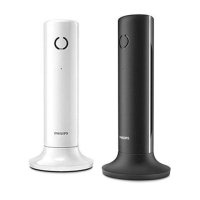
• %DWWHULHVDUHGHIHFWLYH3XUFKDVHQHZRQHV
ZLWKWKHVDPHVSHFLÀFDWLRQV7RUHPRYHWKH
battery door, refer to the instruction in the
IROORZLQJSLFWXUH


 To Next Page