8
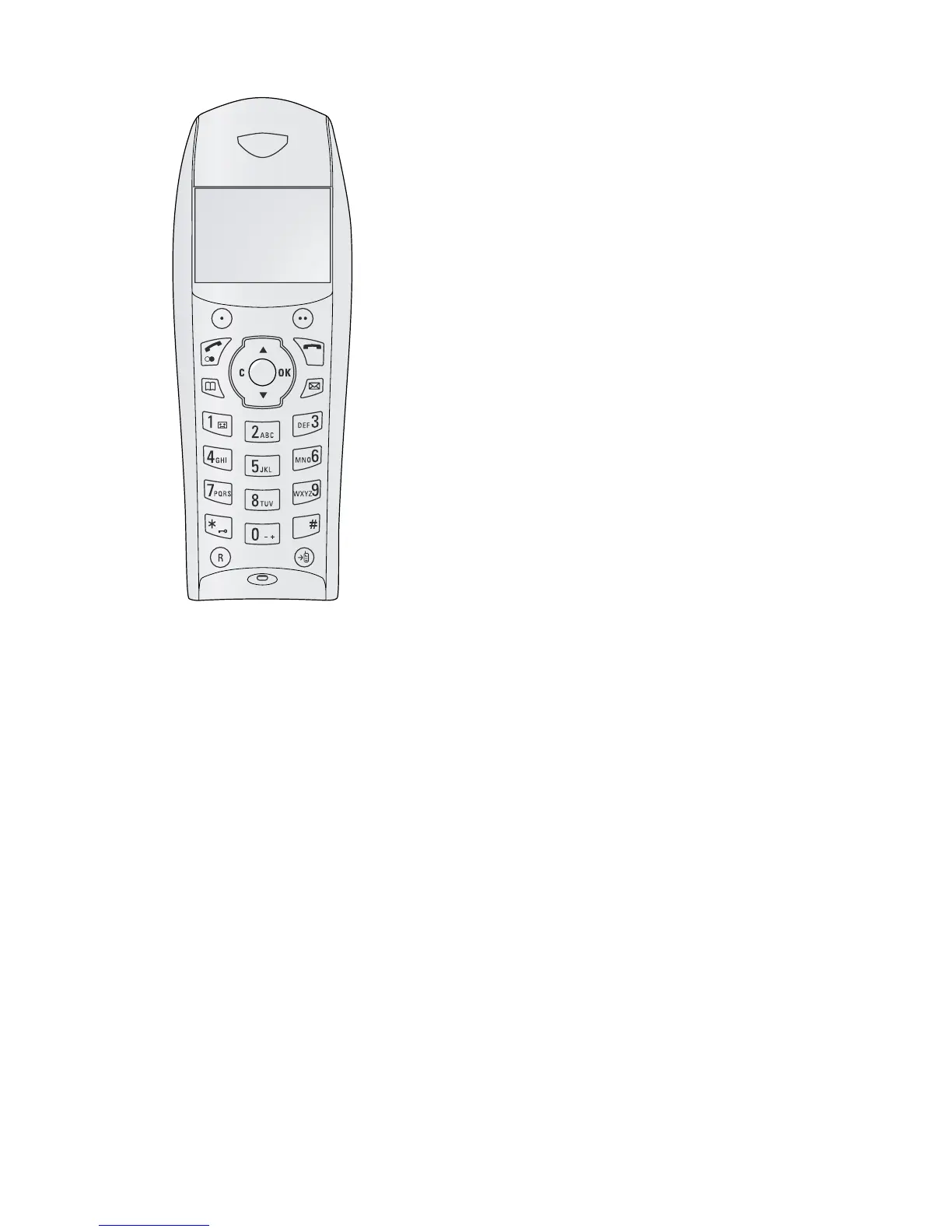
Cordless telephone panel
Philips Dect Panel
Programmable button left
õ—Programmable button (the saved function appears on
the display)
Programmable button right
ô—Programmable button (the saved function appears
on the display) / calling options / confirming selection
The green button
“/L—Press briefly: Place calls / receives calls / hands
free / press and hold: Redialling / switching on cordless tel-
ephones
Red button
’—Press briefly: Ending calls / aborting menu functions
/ press and hold: switching off cordless telephone
Telephone book button
m—Press briefly: Calling up the telephone book from the
device / hold pressed: Calling the telephone book of the
cordless telephone
SMS button
W—Callingg the SMS menu (function is not supported
in all countries and networks)
Arrow keys
/—Calling the menu functions / navigation within the
menu / selecting options / moving the curser / adjusting
the volume level
C button
V—Returning to the previous menu level /deleting indi-
vidual digits
OK button
_—Calling the menu functions/ confirming input
Answering machine button
1/b—Press and hold: Calling answering machine
menu
Keypad lock
*/•—Press and hold: Turning keypad lock on/off
0 button
0—Inputting special characters
R button
R—Switching between calls (= call hold)
Intercom key
{—Forwarding a call to the device or to other cordless
telephones



 To Next Page