14
Use the disc menu
After loading a disc onto the tray, you can see the disc
settings on the TV screen.
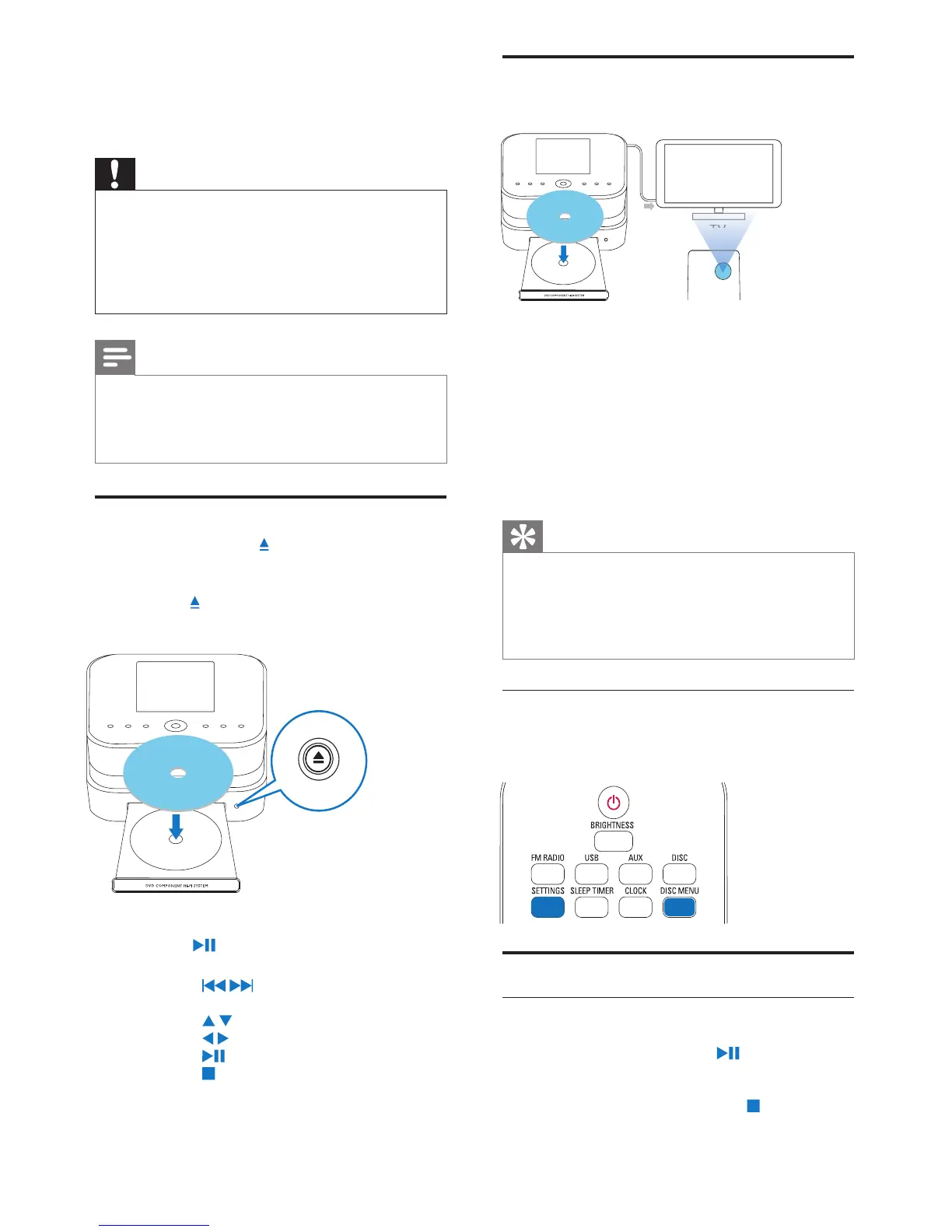
1 On MCD900, load a disc onto the tray.
2 Turn on the TV and switch to the correct video-
in channel in one of the following ways:
On the remote control of your TV, press
•
the AV/TV button repeatedly until you see
the Philips screen, or the video disc screen.
Go to the lowest channel on your TV, then
•
press the Channel Down button until you see
the Philips screen, or the video disc screen.
Press the source button repeatedly on the
•
remote control of your TV.
Tip
The video-in channel is between the lowest •
and highest channels and may be called
FRONT, A/V IN, VIDEO etc. See the TV user
manual on how to select the correct input on
the TV.
Access the disc menu
To access the menu manually
In the
• DISC mode, press DISC MENU or
SETTINGS on the remote control.
Play movie discs(DVD/DivX/VCD)
Pause/Resume/Stop
To pause
During disc play, press
• to pause.
The TV screen shows the scenes where »
you stop play.
Or, during DVD play, press
• .
The TV screen shows the Philips screen. »
5 Play music CDs/
movie DVDs
Caution
Never look at the laser beam inside the unit. •
Risk of product damage! Never play discs with •
accessories such as disc stabilizer rings or disc
treatment sheets.
Never put any objects other than discs into
•
the disc compartment.
Note
Ensure that you have made connections for disc •
play (see ‘Connect for disc play’ on page 11).
For the supported disc formats, see
•
‘Introduction’ on page 6.
Basic operations
1 On MCD900, press .
The disc tray opens. »
2 Load a disc onto the tray, the printed side facing
up. Press
.
Play starts automatically after disc reading is »
complete.
3 If necessary, press DISC on the remote control,
and then,
to start play.
4 During disc play,
Press
• / repeatedly to select a track/
chapter. For WMA/MP3 les on a disc,
press
/ to select a le folder.
Press
• / to search forward/backward.
Press
• to pause or resume.
Press
• to stop.


 To Next Page