Tape Counter 43
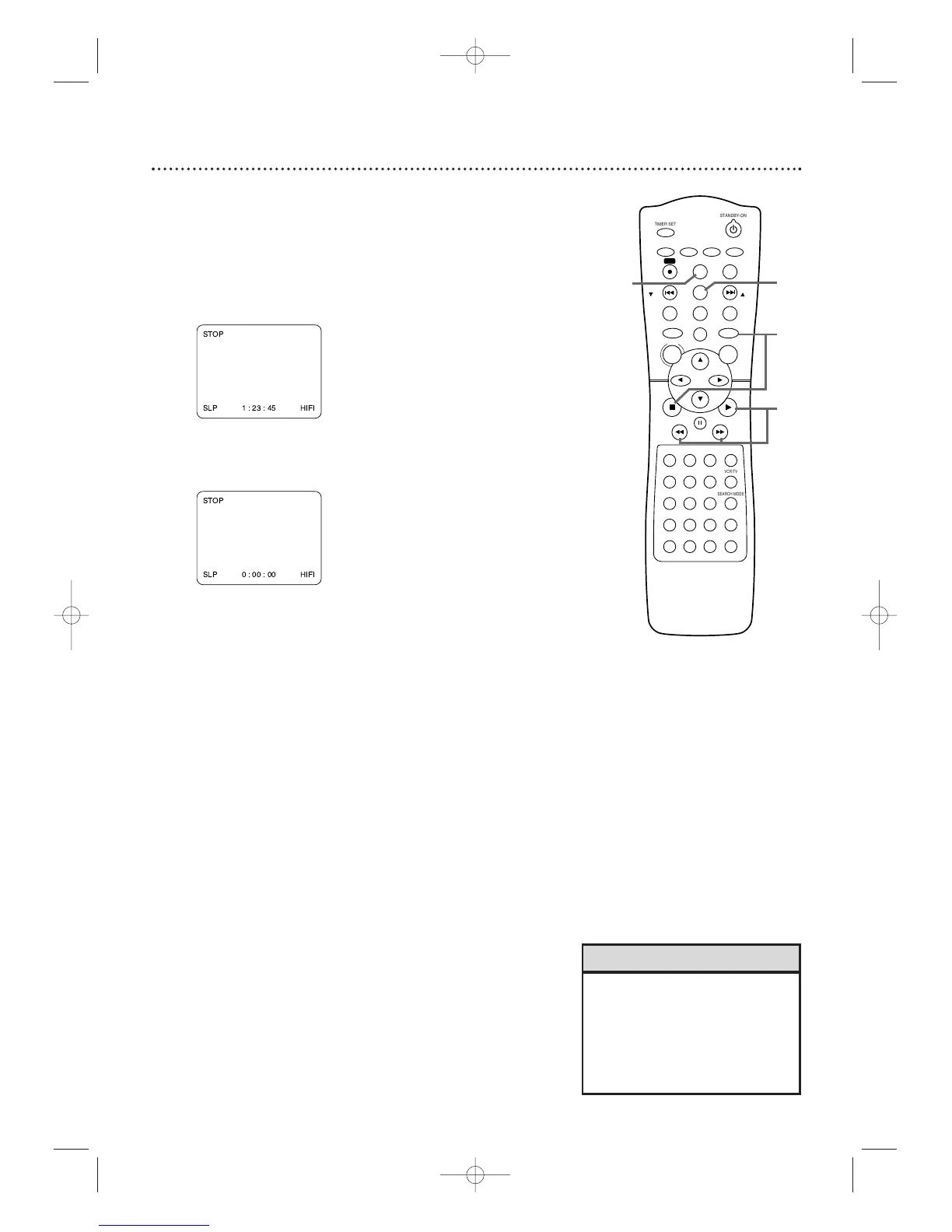
Follow the steps below to reset the VCR’s real-time tape counter to
zero at a tape location you want to refer to later.
1
Press VCR,then play, fast forward, or rewind a tape to
the location that you would like to refer to later.
Press STOP C to stop the tape.
2
Press DISPLAY to see the status display.
3
While the counter is on the screen,press
C-RESET/CLEAR to reset the counter to zero.
4
When you later want to return to this point on the
tape, press DISPLAY so you can see the counter
(while tape play is stopped). Press REW h or FF
g.
As the tape rewinds or forwards, watch the counter.When it
reaches zero, press PLAY B to play the tape.
2,4
1
4
3
•You may only set the counter to
zero at one location at a time.
Setting the counter to zero at a
second location will erase the
previous zero setting.
• The counter will reset to zero
when you insert a tape.
Helpful Hints









 To Next Page