EasyManua.ls Logo

Philips MX5100VR/37 - Black Level

Philips MX5100VR/37
165 pages
Print Icon
To Next Page IconTo Next Page
To Previous Page IconTo Previous Page
Loading...
74 Black Level
Black Level
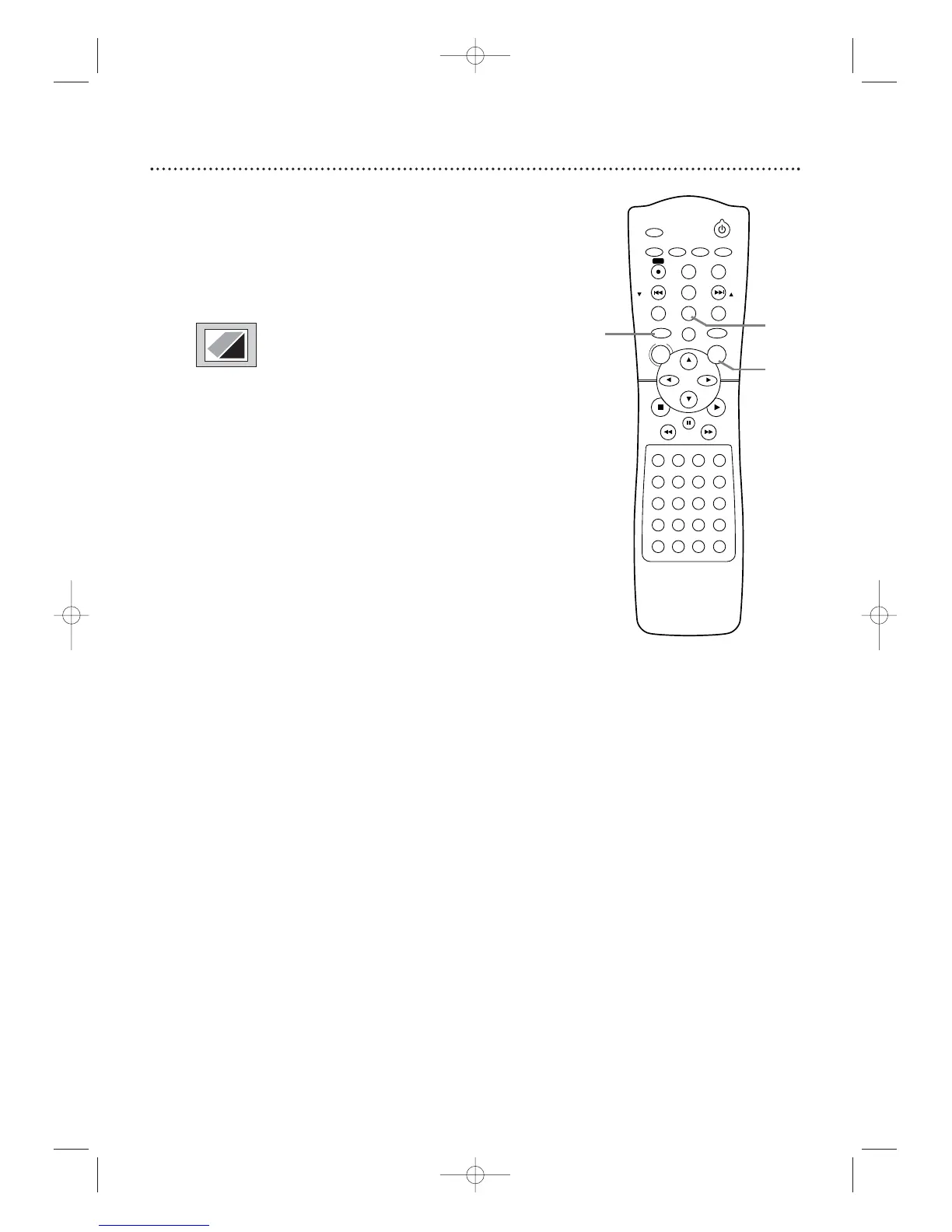
Adjust Black Level to brighten the DVD picture during playback.
1
Press DVD to ensure the System and the remote are in
DVD mode.The red DVD light will appear on the front of the
System.
2
During DVD playback, press MODE/SPEED so the Black
Level icon shows in the top left corner of the TV screen.
3
Within 10 seconds, press OK repeatedly to choose ON
or OFF. ON brightens the dark parts of the picture. OFF
shows the original picture as recorded.

STANDBY-ON
TIMER SET
VCR/TV
SEARCH MODE
REPEAT
TUNER
3
456
789
SLOW
0
+10
2
1
VCRDVD
CLEAR
DISPLAY
SETUP/
PROG
TITLE RETURNMODE/SPEED
C-RESET
AUDIO/
BAND
ANGLE
SUBTITLE
ZOOM
DISC
MENU
OK
PAUSE
REW FF
PLAYSTOP
SKIP/
CH
SKIP/
CH
REPEAT
SOUNDSURROUND
+–
VOLUME
REC
A-B
PHILIPS
1
3
2
ON
MX5100VR.qxd 6/04/2004 3:37 PM Page 74

Table of Contents

Related product manuals