17
3 Get started
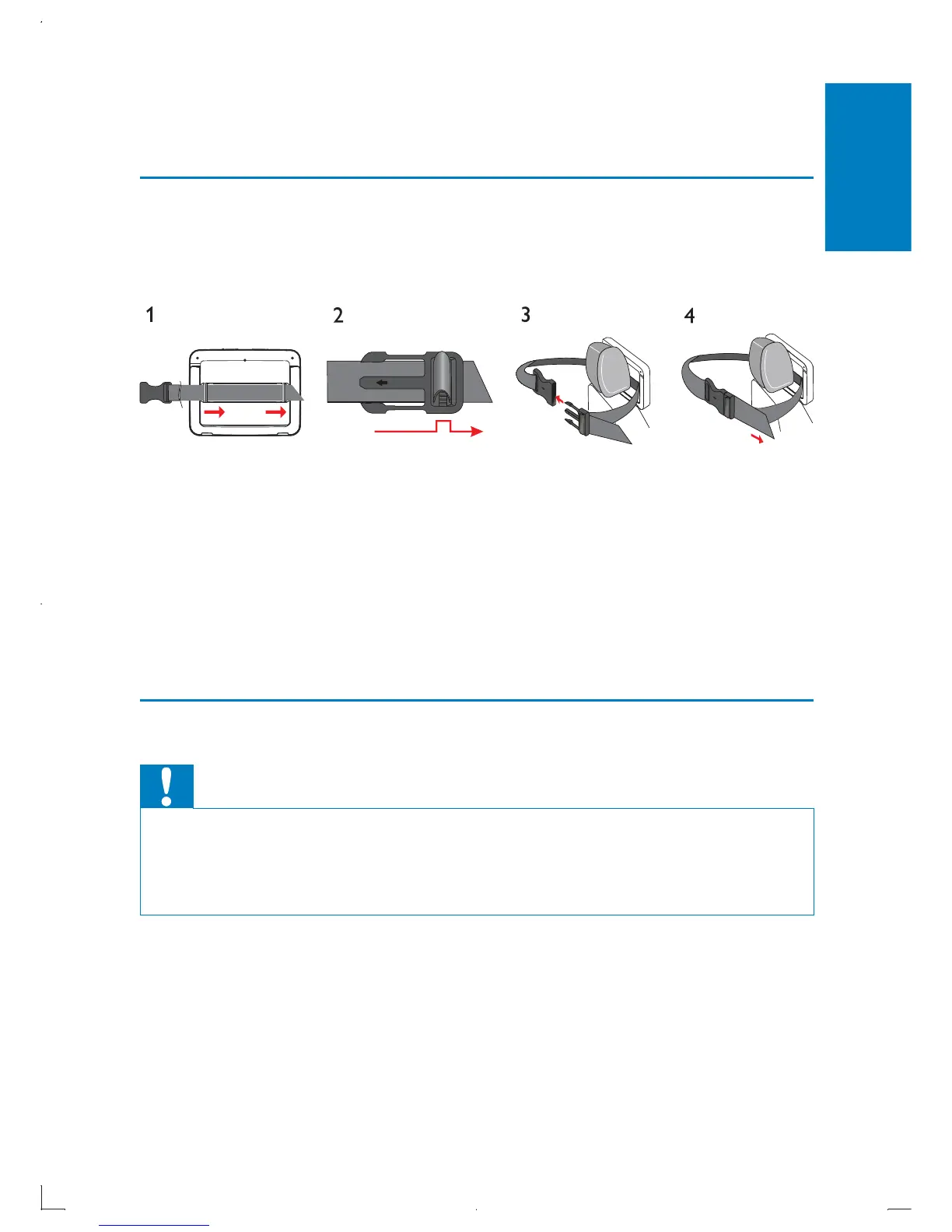
Mount the unit in your car
To use the player in your car, attach the main unit and the second screen to
the back of the front seat headrests.
1 Pull the strap through the loops on the back of the main unit.
2 Hold the buckle with the marked arrow facing you, then attach the
buckle to the strap.
3 Position the main unit at the back of the headrest, then fasten the
buckle.
4 Pull the strap to secure the main unit to the headrest.
To attach the second screen, repeat the above steps. •
Connect power
Caution
Risk of product damage! Ensure that the power supply voltage corresponds to the •
voltage pointed on the back or the underside of the player.
Risk of electric shock! When you unplug the AC adapter, always pull the plug from
•
the socket. Never pull the cable.
English
EN



 To Next Page