18
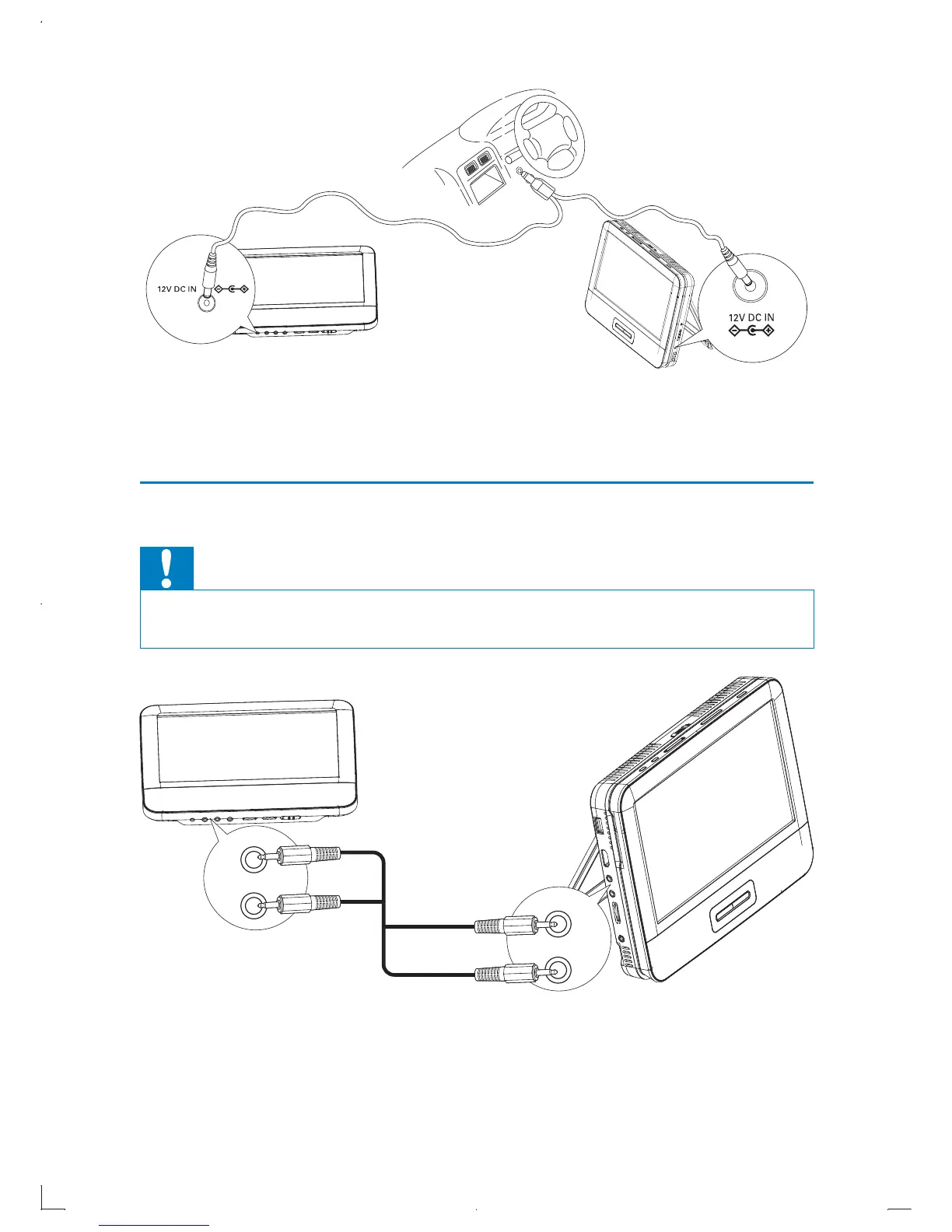
1 Connect the car adaptor to the DC IN jack on the main unit and the
second screen first, then connect it to the car cigarette lighter socket.
Connect the second screen
Caution
Turn off your player before you connect the second screen. •
Connect the supplied AV cable to:
the black • AUDIO OUT and yellow VIDEO OUT jack on the main unit
the black • AUDIO IN and yellow VIDEO IN jack the second screen.
AUDIO IN
VIDEO IN
AUDIO OUT
VIDEO OUT
EN



 To Next Page