19
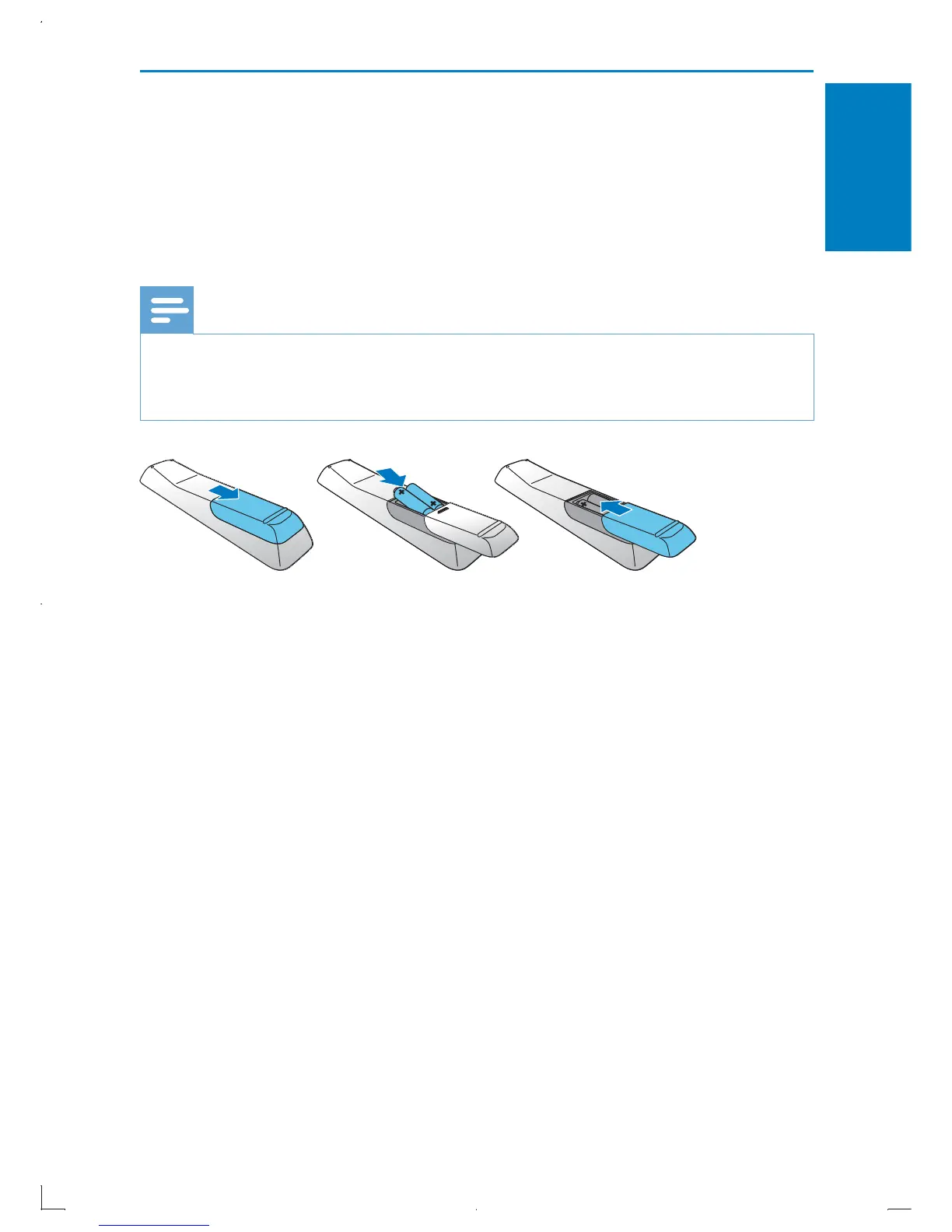
Prepare the remote control
1 Press and push the battery compartment to slide it open (see “1” in
the illustration).
2 Insert two AAA batteries with correct polarity (+/-) as indicated.
3 Push and slide back the battery compartment (see “3” in the
illustration).
Note
If you are not going to use the remote control for a long time, remove the batteries. •
Do not mix batteries (old and new or carbon and alkaline, etc.). •
Batteries contain chemical substances, so they should be disposed of properly. •
ab c
English
EN



 To Next Page