12 EN
Edit text
You can cut, copy, and paste the text that you
have entered.
Select the text
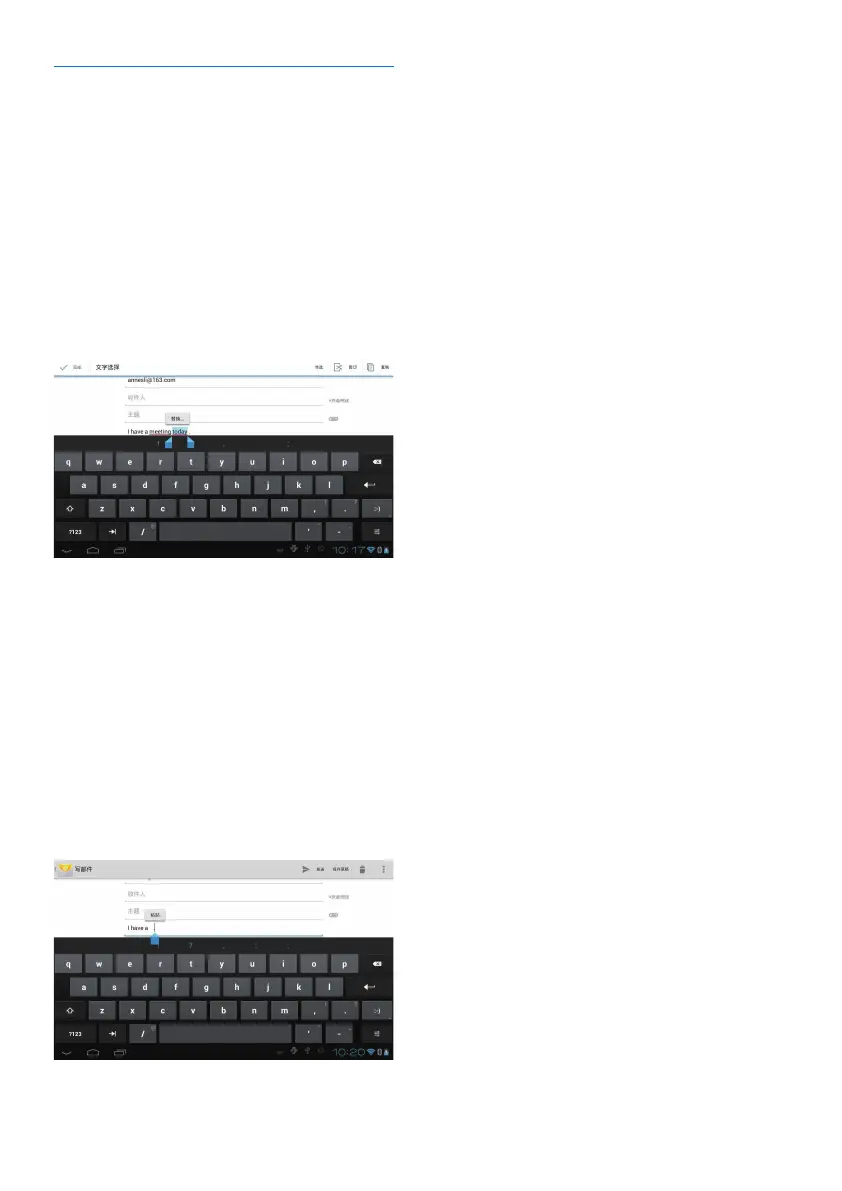
1 Tap and hold the text until the pop-screen
is displayed.
» Current word is selected, with marks
for start and end positions.
Tap Select all to select all the text.
2 Drag the marks to select or change the
start/ end positions.
Copy or cut the selected text
Tap Copy or Cut.
» The selected text is copied or cut.
Paste the selected text
1 Put the cursor in a position.
2 Tap and hold the position until the pop-
screen is displayed.
» In the pop-up screen, the option Paste
is displayed.
» Tap Paste.The text is pasted in the
selected position.



 To Next Page