13EN
5 Connections
Connect to the Internet
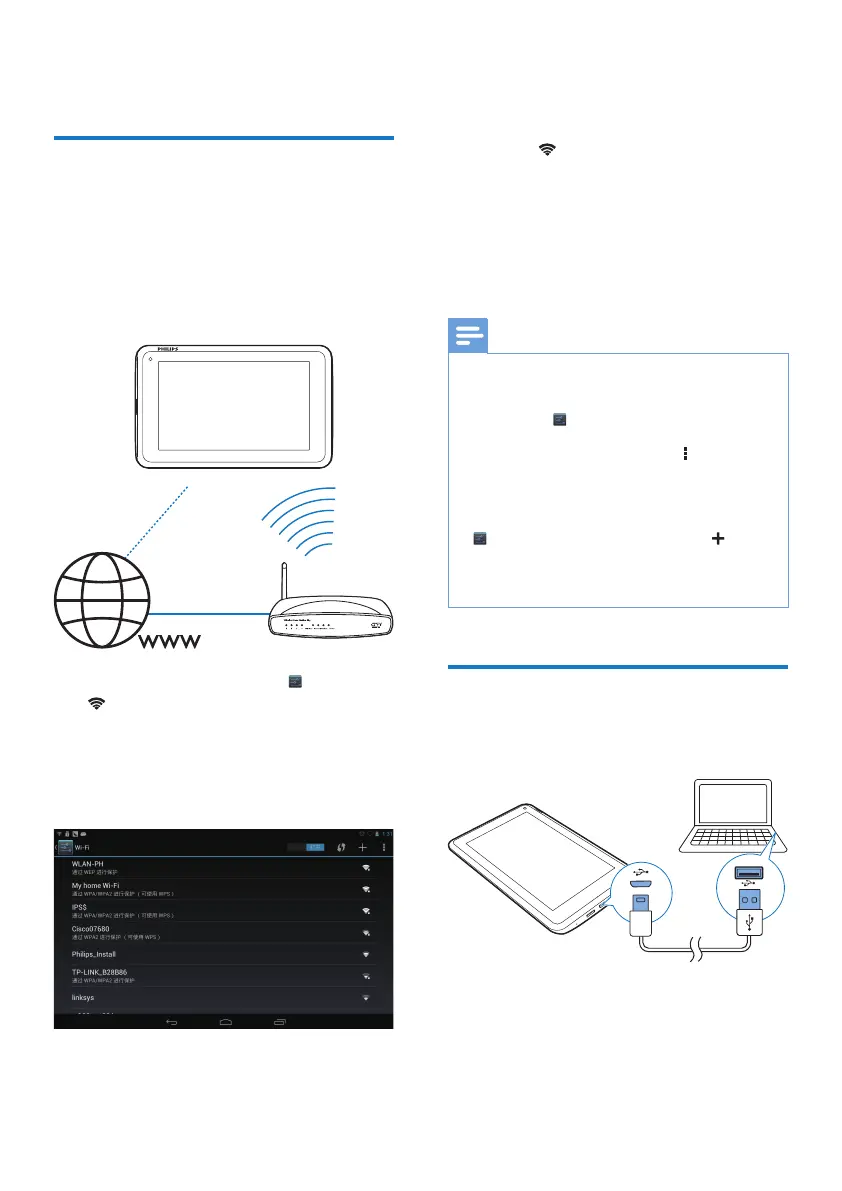
Connect Pi3900 to a wireless router (Access
Point). You can connect Pi3900 to the network
that is built around the router.
To connect to the Internet, make sure that the
router connects to the Internet directly and no
dial-up is required on the computer.
1 From the Home screen, tap Settings >
Wi-Fi.
2 Select the option to switch on the Wi-Fi
function.
» You see a list of Wi-Fi networks in
range.
3 Connect Pi3900 to a network:
a Tap to select a network.
b On the pop-up screen, enter the
password to the network.
»
is displayed in the status bar
when the Wi-Fi connection is
completed successfully.
» Next time you switch on Pi3900,
Pi3900 connects to the previously
connected network automatically.
Note
,I0$&DGGUHVVÀOWHULQJLVHQDEOHGRQ\RXUURXWHUDGG
the MAC address of Pi3900 to the list of devices that
DUHDOORZHGWRMRLQWKHQHWZRUN7RÀQGWKH:L)L0$&
address, go to
Settings > About tablet > Status on
the Home screen.
To refresh the list of networks, select > Scan at the
upper-right corner of the screen.
If you have disabled SSID broadcasting or hidden the
6HUYLFH6HW,GHQWLÀHU66,'RIWKHURXWHUPDQXDOO\
enter the SSID or public name for the network. Go to
Settings > Wi-Fi. On the top bar, select .
,IWKH'+&3'\QDPLF+RVW&RQÀJXUDWLRQ3URWRFRO
is unavailable or disabled on the router, manually enter
the IP address of Pi3900.
Connect to your PC
Connect Pi3900 to a PC through the USB
cable.
'RWKHIROORZLQJWRWUDQVIHUDSSVRUPHGLDÀOHV
from your PC to Pi3900,the internal storage or
SD card:
In Windows Explorer, drag and drop apps
RUPHGLDÀOHVIURP\RXU3&WRPi3900.



 To Next Page