23EN
9 Browser
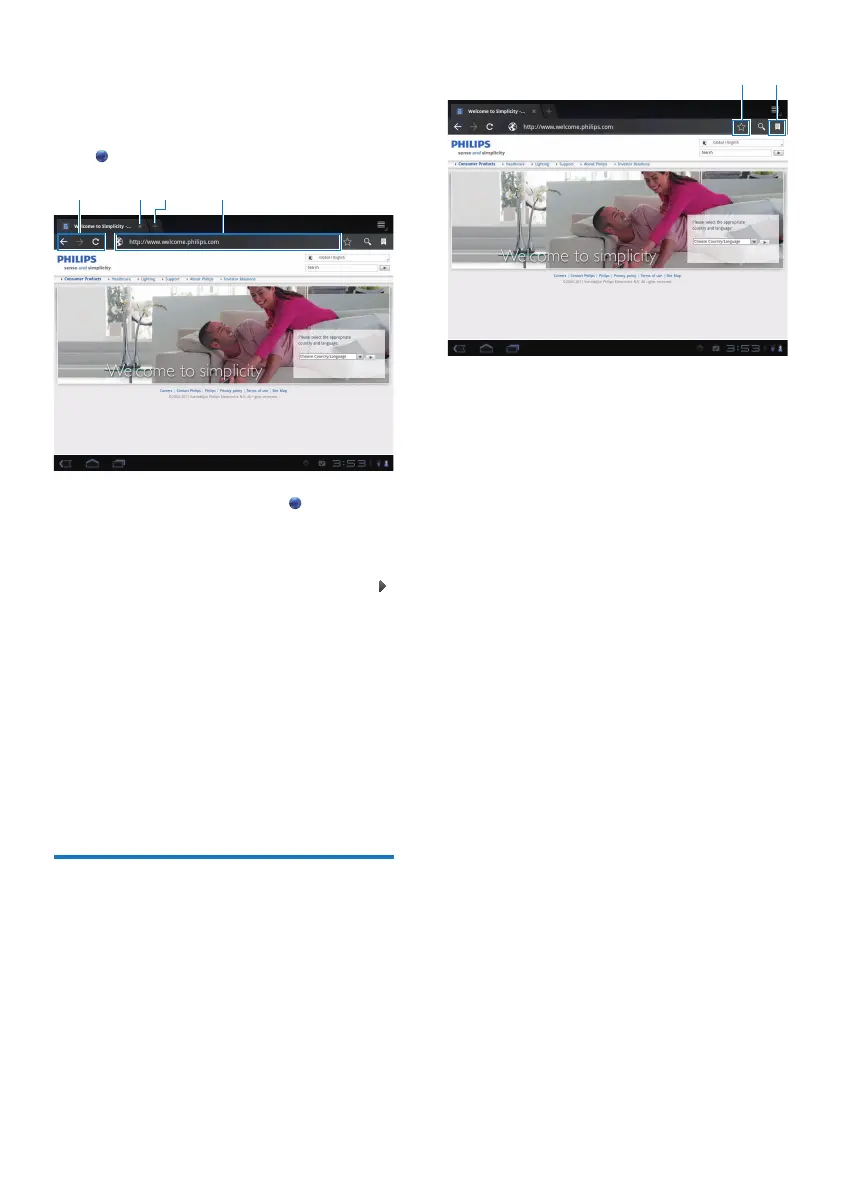
With , you can browse Web pages.
1 From the Home screen, tap .
2 Tap the icons or text box to do the
following:
a Enter the address of web pages. Tap
to start search.
b Tap the icons to search backwards,
forward, or refresh the Web page.
c Close the Web page.
d Open a new Web page.
To switch between Web pages,
At the top bar, tap the tab of the selected
Web page.
Add a bookmark
Add a bookmark. You can quickly access a
visited Web page.
abcd
a Add a bookmark to current Web
page.
b Go to the bookmarked Web pages.
a
b



 To Next Page