Operation 9
Notice
The capacity of the built-in battery
diminishes with time. If the projector
functions only with external power
supply, the built-in battery is defective.
Contact an authorised service centre to
replace the built-in battery.
Power on and setup
1 Press and hold on the projector for
3 seconds to switch the projector on or off.
• When the projector is switched on, the
LED on the projector turns blue if the
projector is not being charged.
• When charging, the LED on the
projector turns red regardless of the
projector switching on and off.
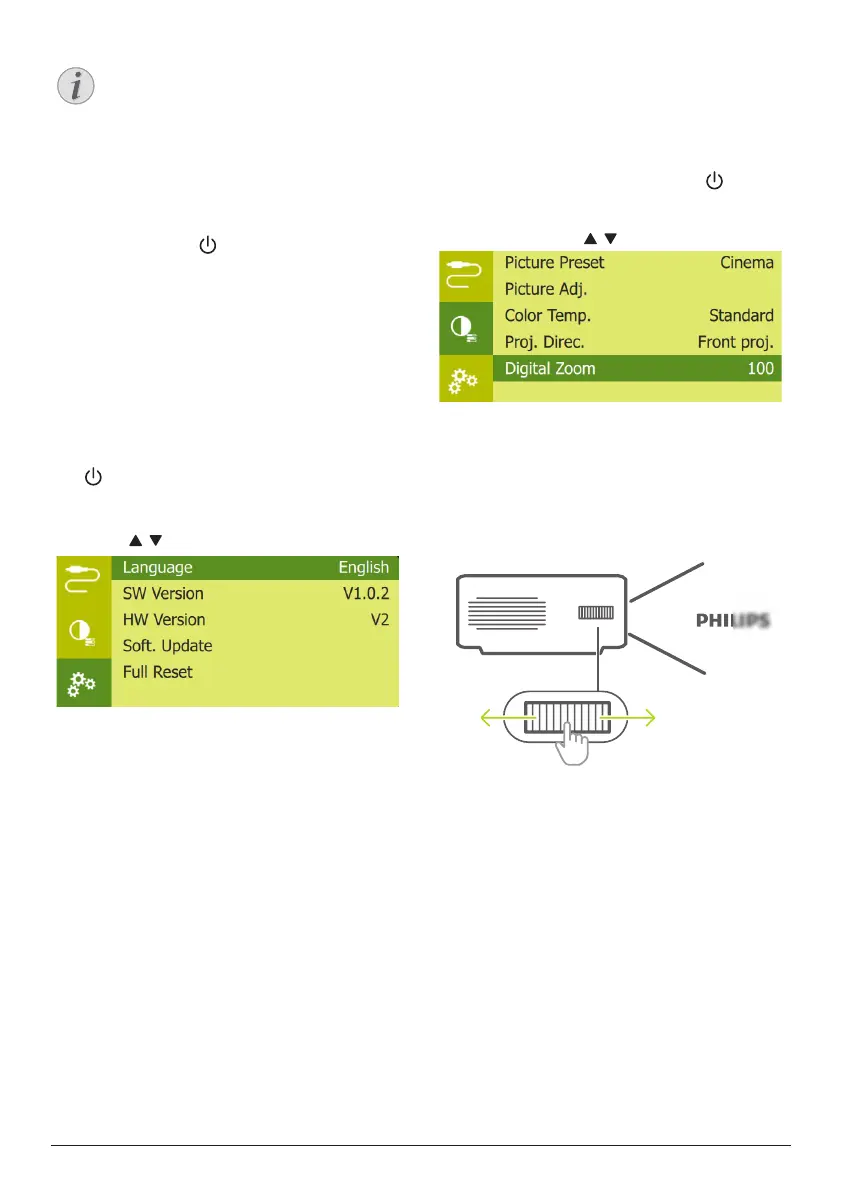
Set up the language
1 When the projector is turned on, press
on the projector to access the settings
menu, then navigate to select Language,
and press OK.
2 Press / to select a language.
Changing screen size
The projection screen size (or size of images) is
determined by the distance between the lens
of the projector and the projection surface.
• You can also use the digital zoom to
reduce the screen size up to 50%. When
the projector is turned on, press on the
projector to access the settings menu, then
navigate to select Digital Zoom, and press
OK. Then press / to adjust image size.
• The projection image size is to up to 65’’.
• The projection distance is 80 cm to 200 cm.
Image sharpness adjustment
To adjust image focus, turn the focus
adjustment knob on the side of the projector.












 To Next Page