EasyManua.ls Logo

Philips PM3208 - Removing the Cal and Control PCB Oo

Philips PM3208
81 pages
Print Icon
To Next Page IconTo Next Page
To Previous Page IconTo Previous Page
Loading...
7
CORRECTIVE
MAINTENANCE
7-3
mma
tr
De
nS
nA
EPEC
SS
PSs
REA
SS
RS
AS
EES
TA
MATIE97:
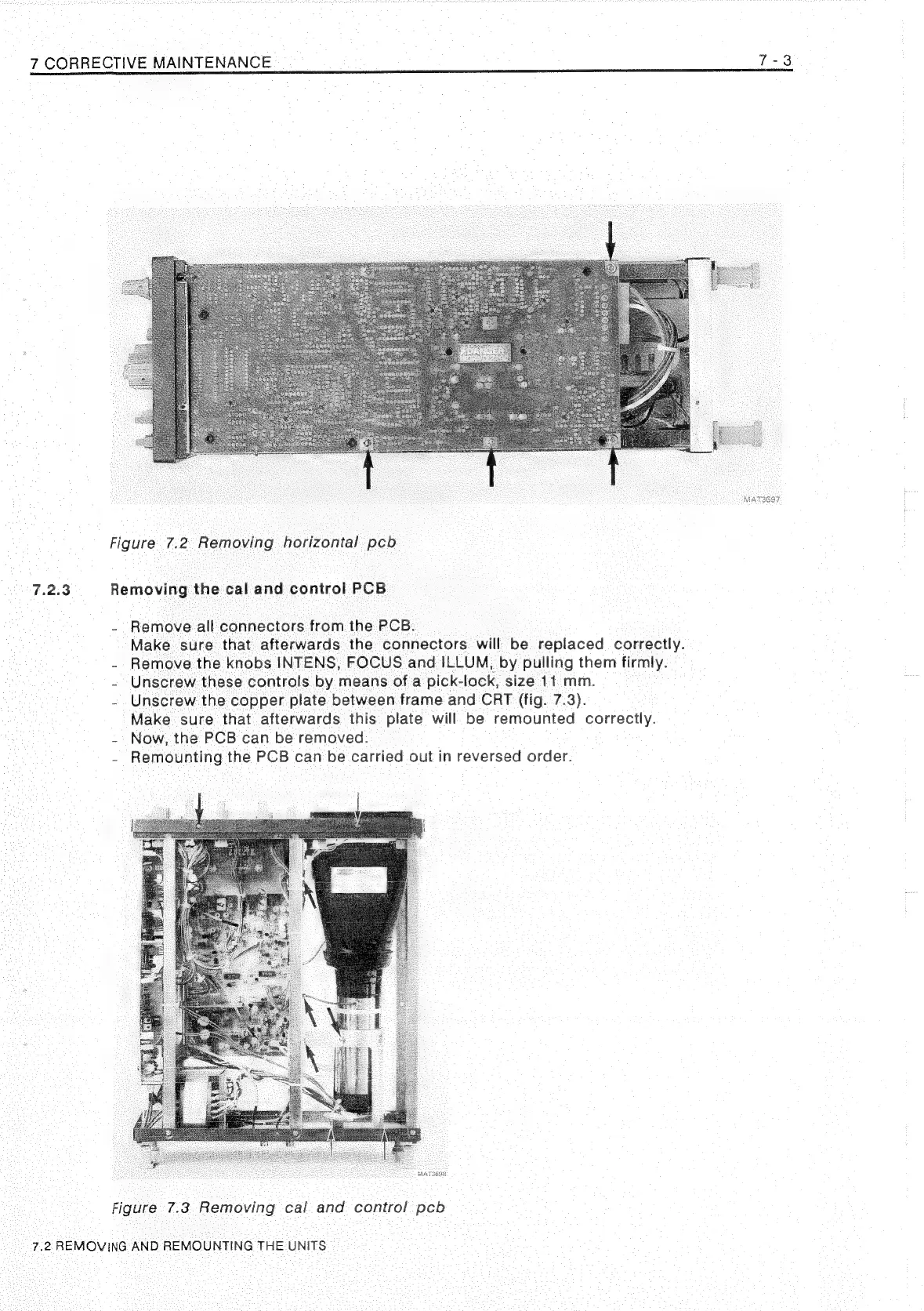
Figure
7.2
Removing
horizontal
pcb
7.2.3
Removing
the
cal
and
controi
PCB
-
Remove
all
connectors
from
the
PCB.
Make.
sure
that
afterwards
the
connectors
will
be
replaced
correctly.
-
Remove
the
knobs
INTENS,
FOCUS
and
JLLUM,
by
pulling
them
firmly.
.
Unscrew
these
controls
by
means
ofa
pick-lock,
size
11.
mm.
~
Unscrew
the
copper
plate
between
frame
and
CRT
(fig.
7.3).
Make
sure
that
afterwards
this
plate
will
be
remounted
correctly.
-~
Now,
the
PCB
can
be
removed.
-
Remounting
the
PCB
can
be
carried
out
in
reversed
order.
Figure
7.3.
Removing
cal
and.
control
pcb
7.2
REMOVING
AND
REMOUNTING
THE
UNITS

Related product manuals