EasyManua.ls Logo

Philips PM3208 - Removing the Mode PCB

Philips PM3208
81 pages
Print Icon
To Next Page IconTo Next Page
To Previous Page IconTo Previous Page
Loading...
7.2.4
7.2.5
7
CORRECTIVE
MAINTENANCE
Removing
the
mode
PCB
~
Remove
all
connectors
from
the
PCB.
Make
sure
that
afterwards
the
connectors
will
be
replaced
correctly.
-
Remove
the
4
screws
from
the
plastic
rim
around
the
front
(fig.
7.3)
and
remove
the
rim.
~
Remove
the
knobs
X
POS,
POS
A
and
POS
B,
by
pulling
them
firmly.
Remove
the
3
position
potmeters
by
means.
of
a
pick-lock,
size
11
mm.
~
Remove
the
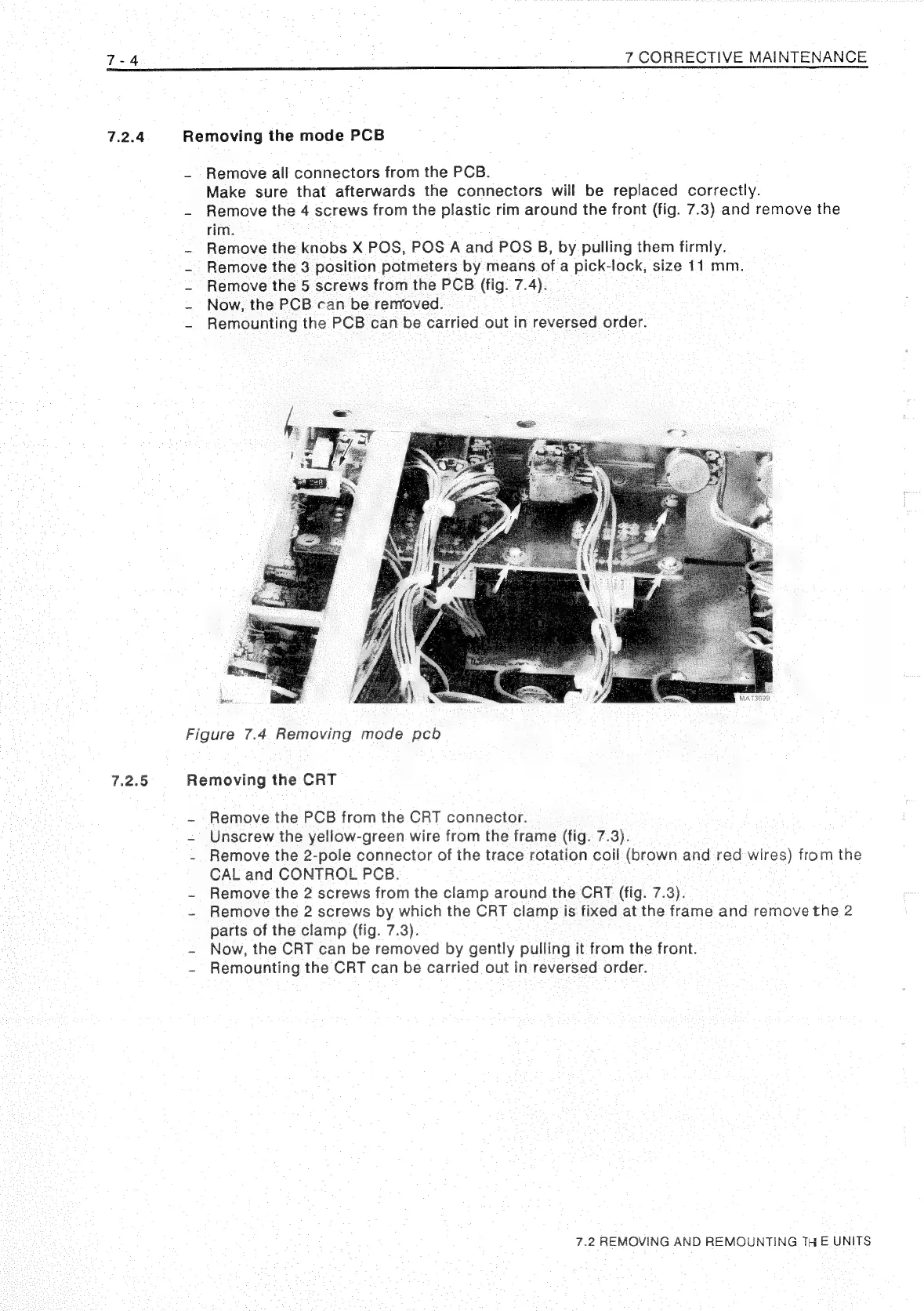
5
screws
from
the
PCB
(fig.
7.4).
Now,
the
PCB
can
be
removed.
~
Remounting
the
PCB
can
be
carried
out
in
reversed
order.
Figure
7.4
Removing
mode
pcb
Removing
the
CRT
~
Remove
the
PCB
from
the
CRT
connector.
-
Unscrew
the
yellow-green
wire
from
the
frame
(fig.
7.3).
-
Remove
the
2-pole
connector
of
the
trace
rotation
coil
(brown
and
red-wires)
from
the
CAL
and
CONTROL
PCB.
~
Remove
the
2
screws
from
the
clamp
around
the
CRT
(fig.
7.3).
-
Remove
the
2
screws
by
which
the
CRT
clamp
is
fixed
at
the
frame
and
remove
the
2
parts
of
the
clamp
(fig.
7.3).
-
Now,
the
CRT
can
be
removed
by
gently
pulling
it
from
the
front.
~
Remounting
the
CRT
can
be
carried
out
in
reversed
order.
7.2
REMOVING
AND
REMOUNTING
THE
UNITS

Related product manuals