EasyManua.ls Logo

Philips PM3208 - Page 47

Philips PM3208
81 pages
Print Icon
To Next Page IconTo Next Page
To Previous Page IconTo Previous Page
Loading...
7
CORRECTIVE
MAINTENANCE
7-5
7.2.6
Replacing
the
text
plate
~
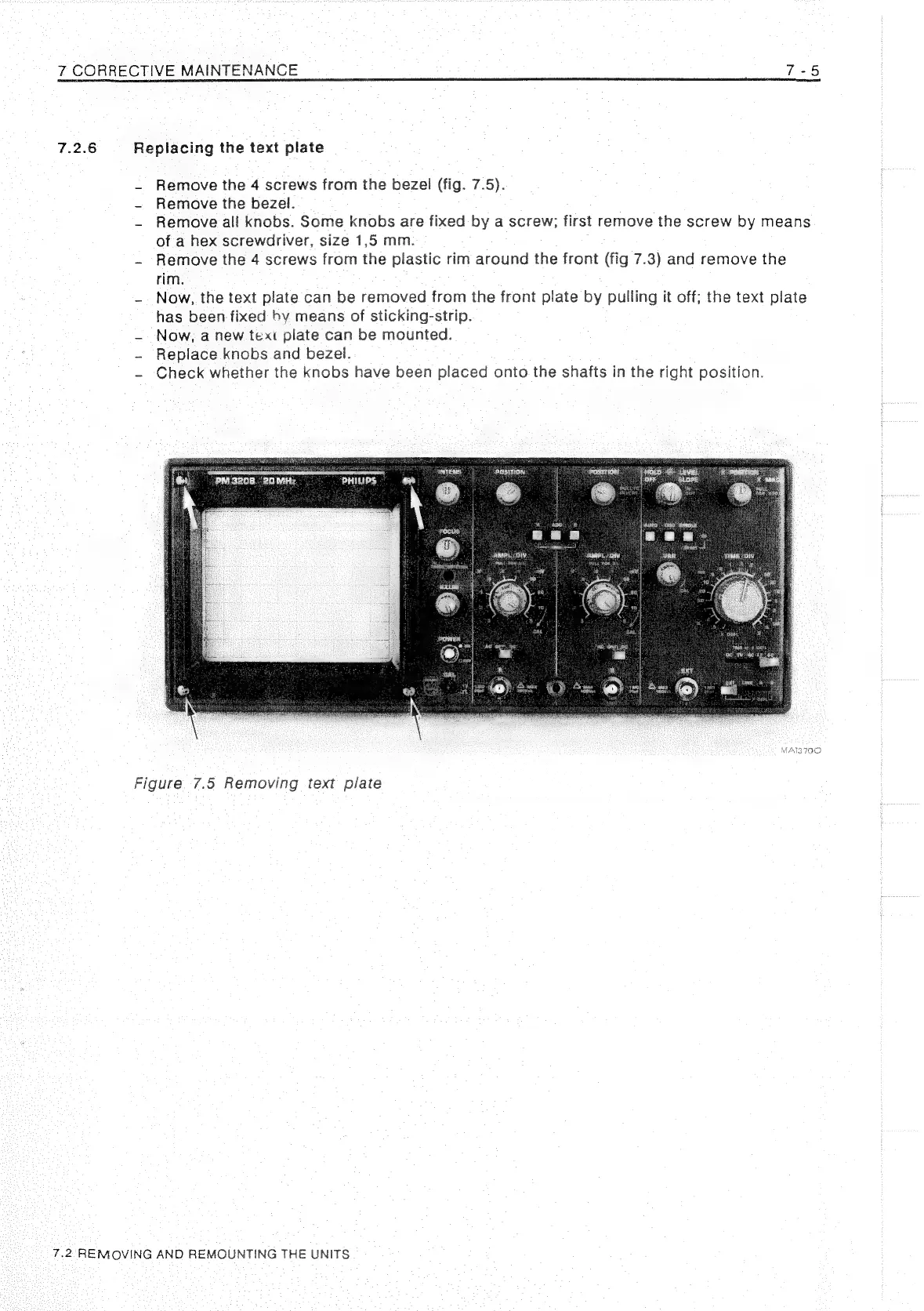
Remove
the
4
screws
from
the
bezel
(fig.
7.5).
-
Remove
the
bezel.
~
Remove
all
knobs.
Some
knobs
are
fixed
by
a
screw;
first
remove
the
screw
by
means
of
a
hex
screwdriver,
size
1,5
mm.
-
Remove
the
4
screws
from
the
plastic
rim
around
the
front
(fig
7.3)
and
remove
the
rim.
-
Now,
the
text
plate
can
be
removed
from
the
front
plate
by
pulling
it
off;
the
text
plate
has
been
fixed
bv
means
of
sticking-strip.
~
Now,
a
new
text
plate
can
be
mounted.
-
Replace
knobs
and
bezel.
~
Check
whether
the
knobs
have
been
placed
onto
the
shafts
in
the
right
position.
INTENS
|
POSITION
a
fee
geste
——!
AmpL/ow
See
[TAME
(ONT
SULE:
FON.
ay
4 ¥
fae
a
MATZ
IOO
Figure
7.5
Removing
text
plate
7.2:-REMOVING
AND
REMOUNTING
THE
UNITS

Related product manuals