English
EN 11
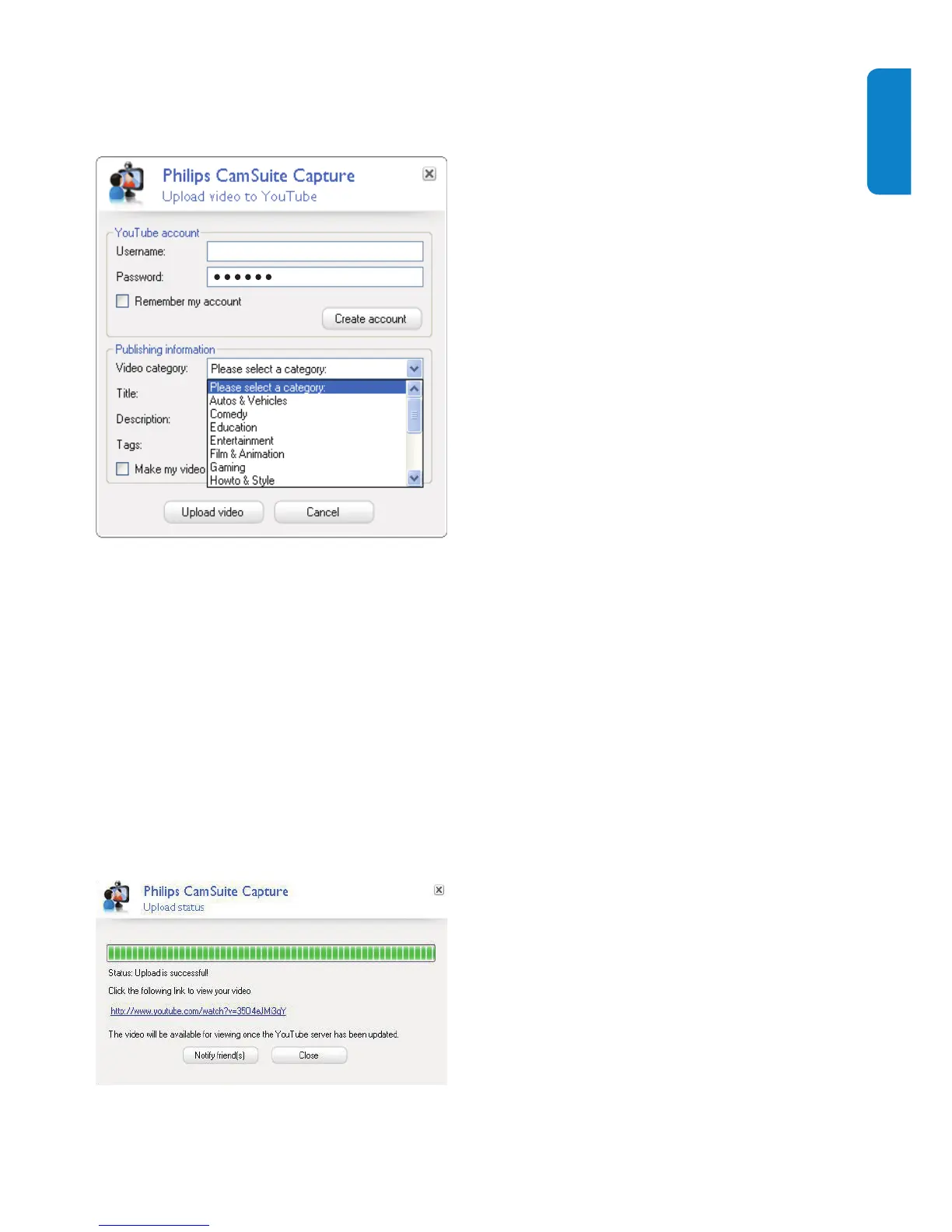
4 In the [Publishing information] pane,
select [Video category:] in the drop-
down list when applicable.
Change information in the • [Title:] ,
[Description:] , and [Tags:] boxes
whenever applicable.
To make your video on YouTube as •
private, check the [Make my video
private] box.
5 Click [Upload video] .
To cancel upload, click • [Cancel]
during uploading.
When uploading is successful, the »
following window is displayed. You
can close the window or click [Notify
friend(s)] to continue.
Username


 To Next Page