12 EN
6 Features
provided by
Webcam Driver
SPZ5000
If both Webam Driver SPZ5000 and Philips
CamSuite are installed on the PC/notebook, Philips
CamSuite provides a quick access to the following
features provided by Webcam Driver SPZ5000:
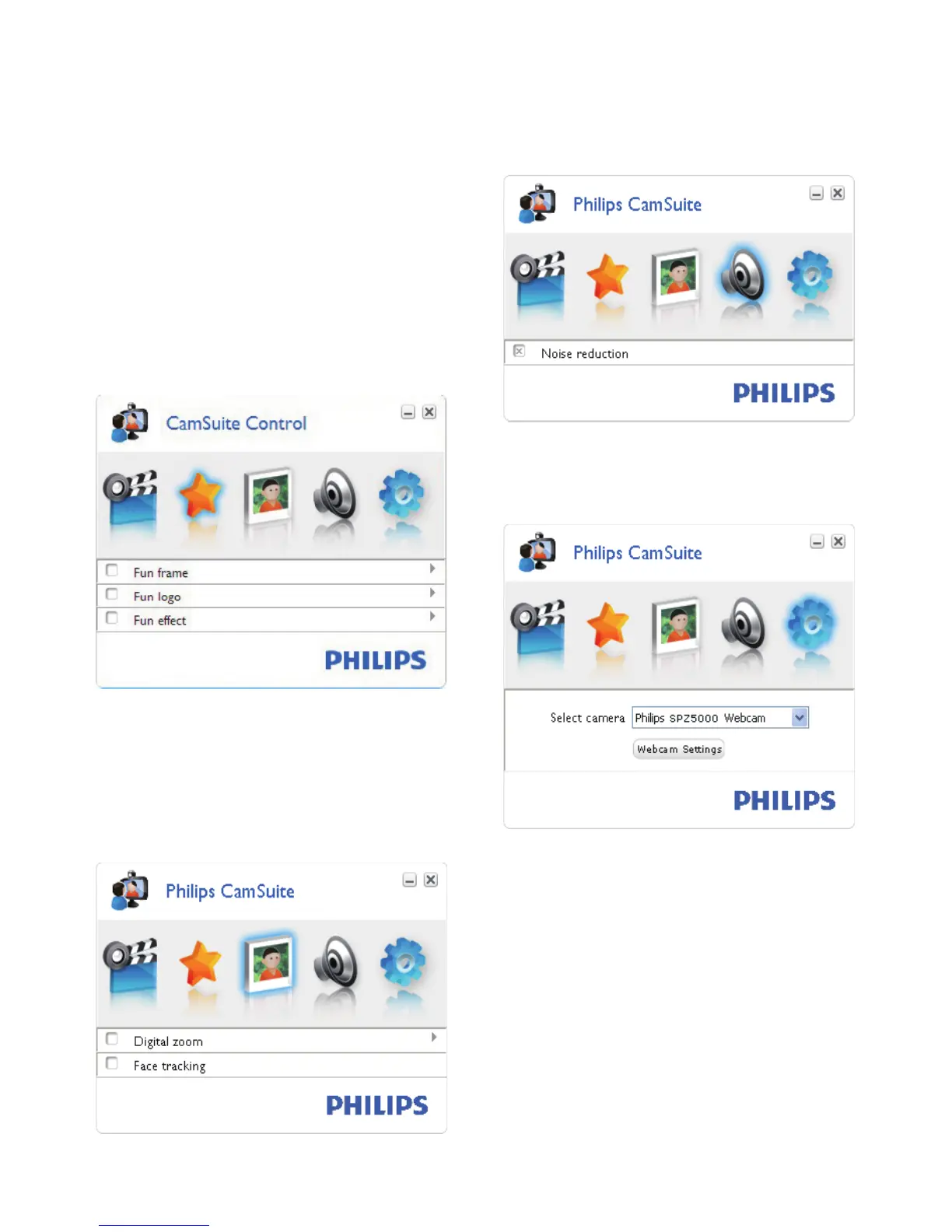
Fun settings
Fun frame•
Fun logo•
Fun effect•
Image settings
Digital zoom•
Face tracking•
Audio settings
Noise reduction•
Camera settings
Select an available Philips webcam•
Adjust properties•
1 Click one of the buttons on the Philips
CamSuite control panel to access a
settings panel.
2 In each settings panel, check the boxes to
activate the features.
To disable a feature, clear the box.•
For details of the features, see the “Properties”
section.


 To Next Page