14 EN
Wireless connection: One-touch Wi-
NP3300 supports Wi-Fi Protected Setup(WPS).
NP3300
to a wireless router that also supports the WPS.
You can select one of the two setup methods:
Tip
Wi-Fi Protected Setup(WPS) is a standard created by
Wi-Fi Alliance for easy establishment of secure wireless
home network.
Turn on WPS-PBC on NP3300
1 Select [Yes]
up network connection (see 'First-time
setup').
2 Select > [Push button
.
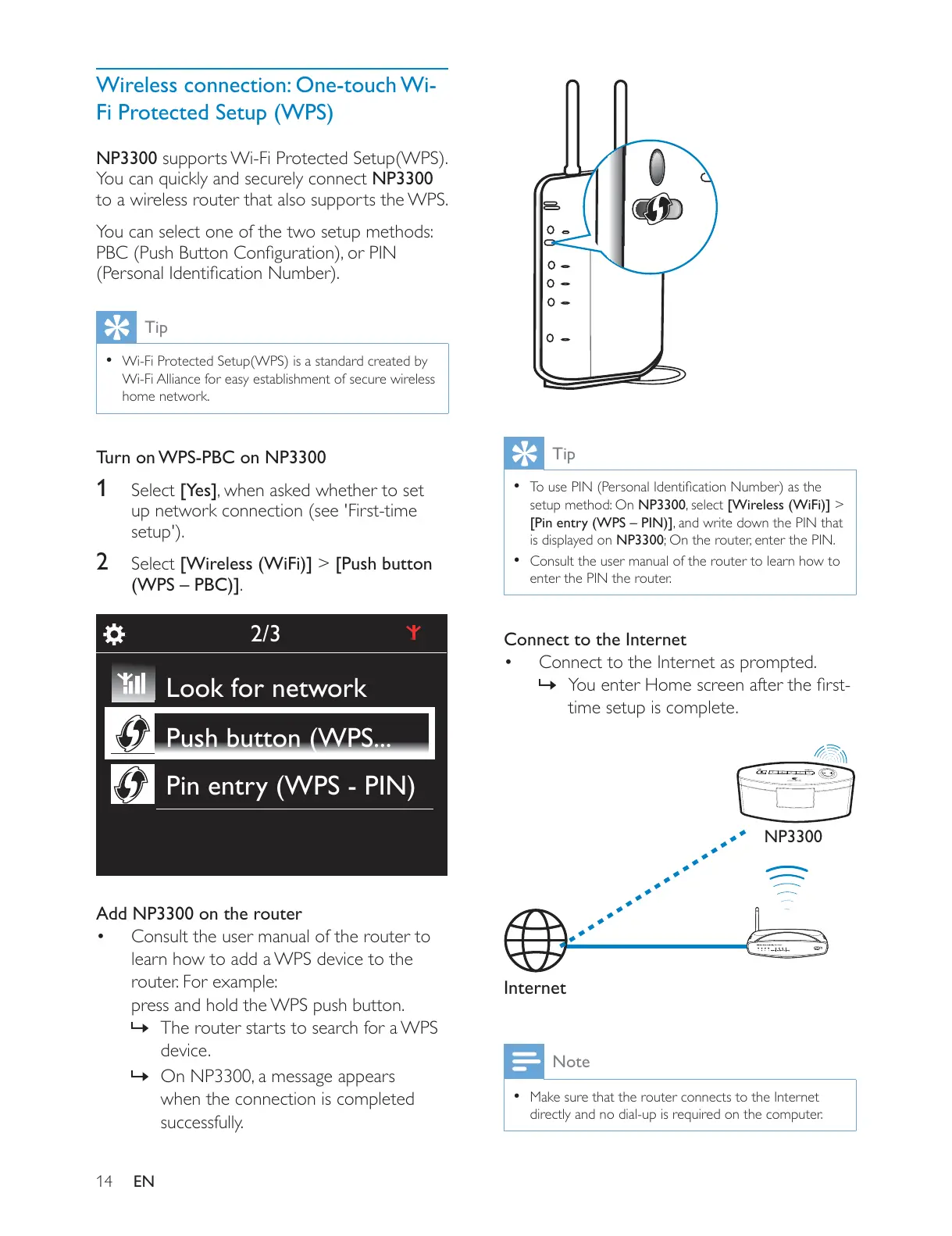
Add NP3300 on the router
Consult the user manual of the router to
learn how to add a WPS device to the
router. For example:
press and hold the WPS push button.
» The router starts to search for a WPS
device.
»
when the connection is completed
successfully.
2/3
Look for network
Push button (WPS...
Pin entry (WPS - PIN)
Tip
setup method: On NP3300 >
is displayed on NP3300
Consult the user manual of the router to learn how to
enter the PIN the router.
Connect to the Internet
Connect to the Internet as prompted.
»
time setup is complete.
Note
Make sure that the router connects to the Internet
Internet
NP3300











 To Next Page