6 EN
Overview
Front and rear view
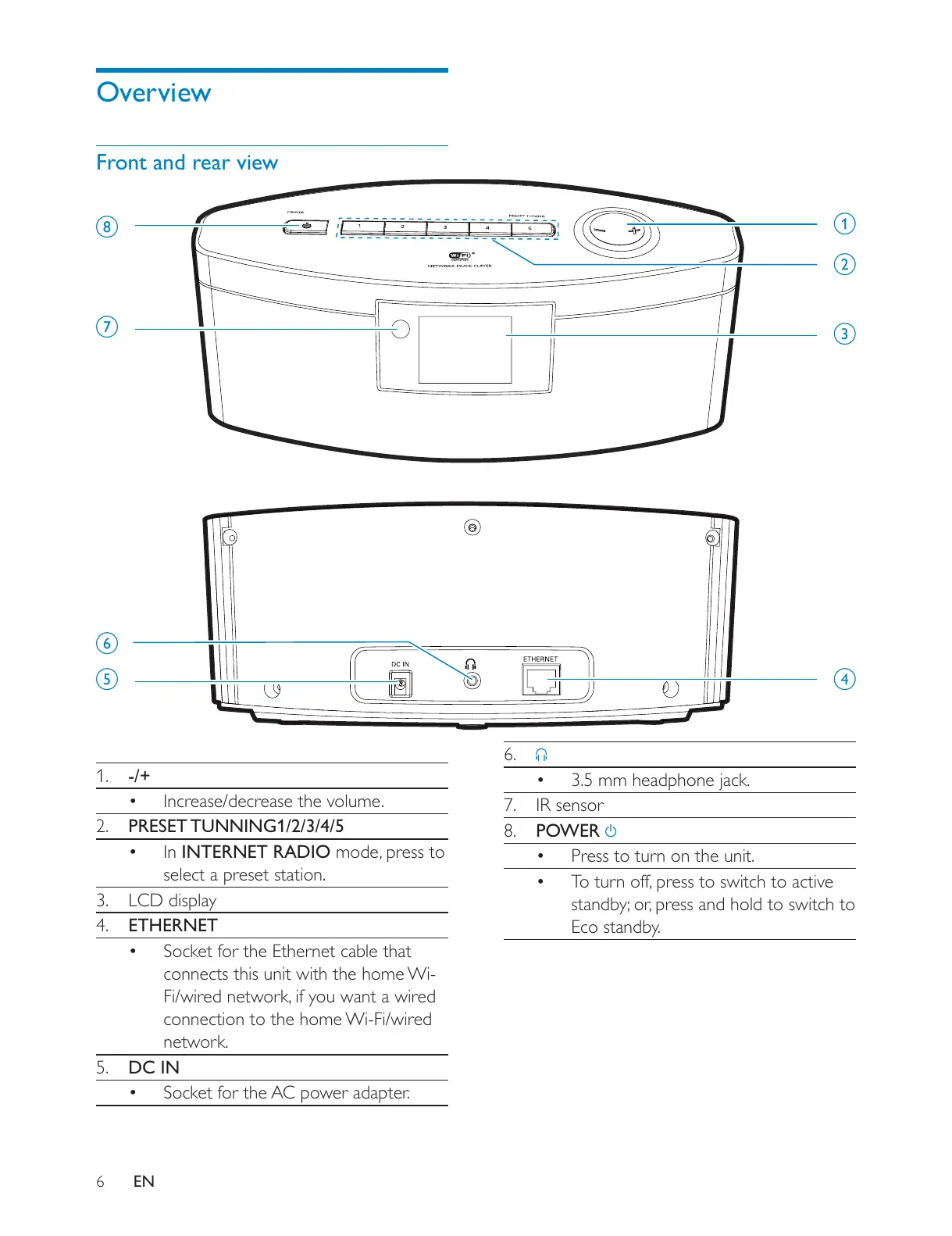
1. -/+
Increase/decrease the volume.
2. PRESET TUNNING1/2/3/4/5
In INTERNET RADIO
select a preset station.
3. LCD display
4. ETHERNET
Socket for the Ethernet cable that
connects this unit with the home Wi-
connection to the home Wi-Fi/wired
network.
5. DC IN
Socket for the AC power adapter.
a
b
c
de
f
h
g
6.
3.5 mm headphone jack.
7. IR sensor
8. POWER
Press to turn on the unit.
Eco standby.











 To Next Page