7
English
EN
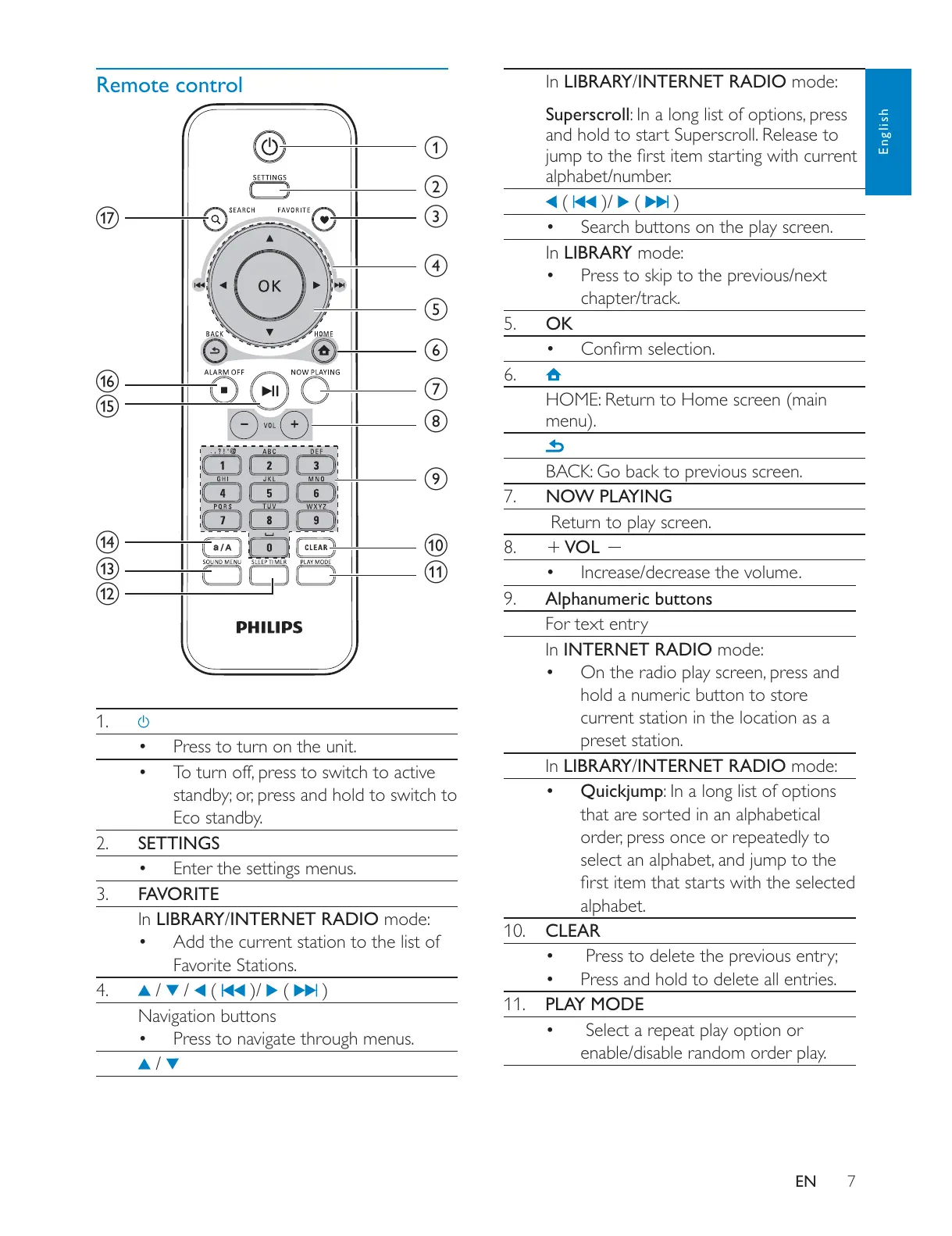
Remote control
1.
Press to turn on the unit.
Eco standby.
2. SETTINGS
Enter the settings menus.
3. FAVORITE
In LIBRARY/INTERNET RADIO mode:
Add the current station to the list of
Favorite Stations.
4.
/ / ( )/ ( )
Navigation buttons
Press to navigate through menus.
/
a
b
c
d
e
f
g
h
i
j
k
l
m
n
o
p
q
In LIBRARY/INTERNET RADIO mode:
Superscroll
and hold to start Superscroll. Release to
alphabet/number.
( )/ ( )
Search buttons on the play screen.
In LIBRARY mode:
Press to skip to the previous/next
chapter/track.
5. OK
6.
HOME: Return to Home screen (main
menu).
BACK: Go back to previous screen.
7. NOW PLAYING
Return to play screen.
8.
VOL
Increase/decrease the volume.
9. Alphanumeric buttons
For text entry
In INTERNET RADIO mode:
hold a numeric button to store
current station in the location as a
preset station.
In LIBRARY/INTERNET RADIO mode:
Quickjump: In a long list of options
that are sorted in an alphabetical
alphabet.
10. CLEAR
Press to delete the previous entry;
Press and hold to delete all entries.
11. PLAY MODE
Select a repeat play option or
enable/disable random order play.











 To Next Page