8 EN
12. SLEEP/TIMER
Set the sleep timer.
13. SOUND MENU
Enter the menu for sound effect
adjustment.
14. a/A
Switch between lower and upper
cases.
15.
Start/pause/resume play;
In LIBRARY mode: Start to play the
16.
/ALARM OFF
Stop play.
Turn off alarm.
17. SEARCH
Start search/browse based on
alphanumeric entry.
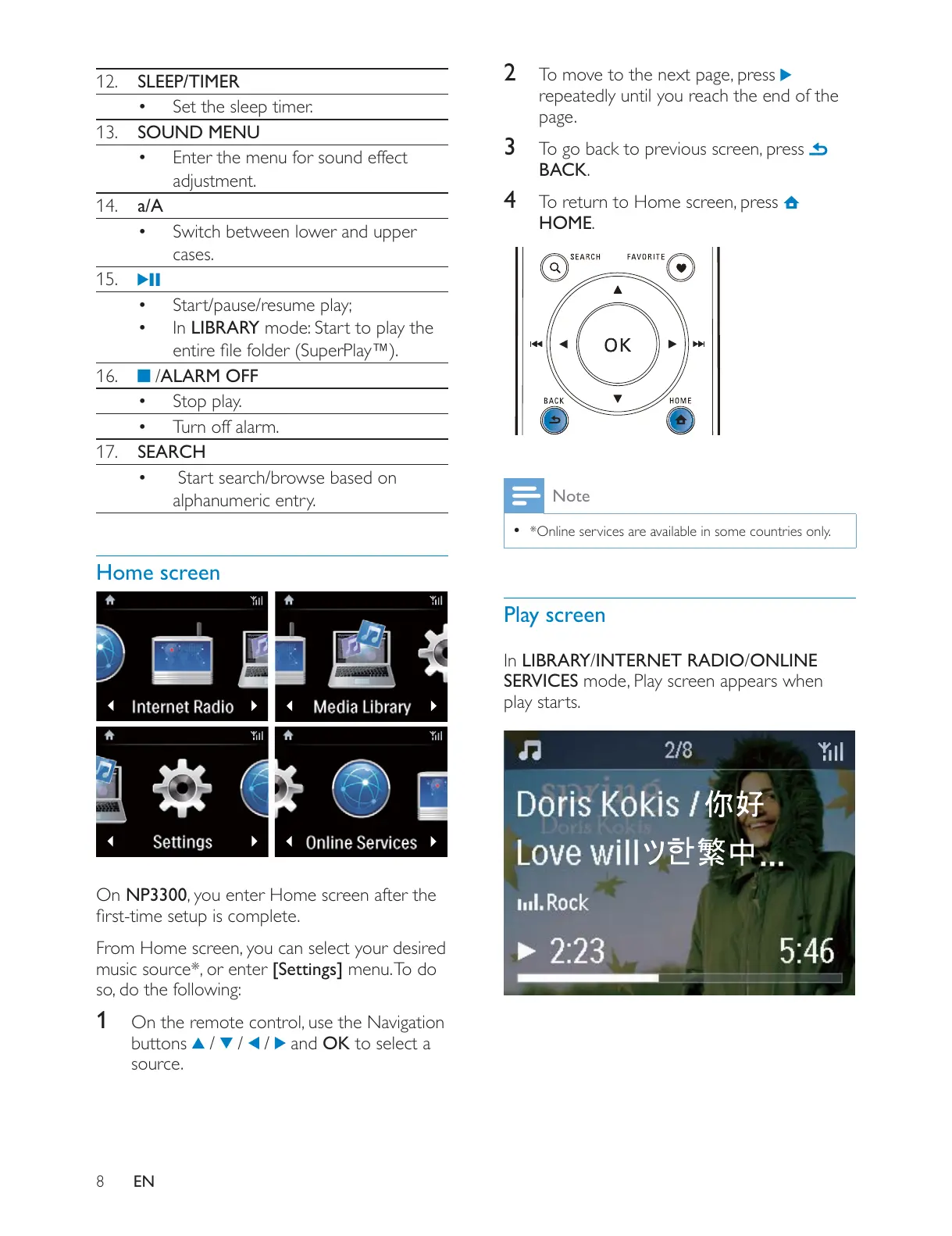
Home screen
On NP3300
[Settings] menu. To do
1
buttons
/ / / and OK to select a
source.
2
repeatedly until you reach the end of the
page.
3
BACK.
4
HOME.
Note
*Online services are available in some countries only.
Play screen
In LIBRARY/INTERNET RADIO/ONLINE
SERVICES
play starts.











 To Next Page