18 EN
Get the IP address of the router
Consult the user manual of the router.
enter the IP address (e.g. 192.168.1.1) in
the web browser (e.g. Internet Explorer)
information in the setup page.
Assign the IP address manually
On the NP3300
allows the unit to be in the same subnet as
the router.
255.255.255.000;
IP address: 192.168.1.XX (where XX denotes a
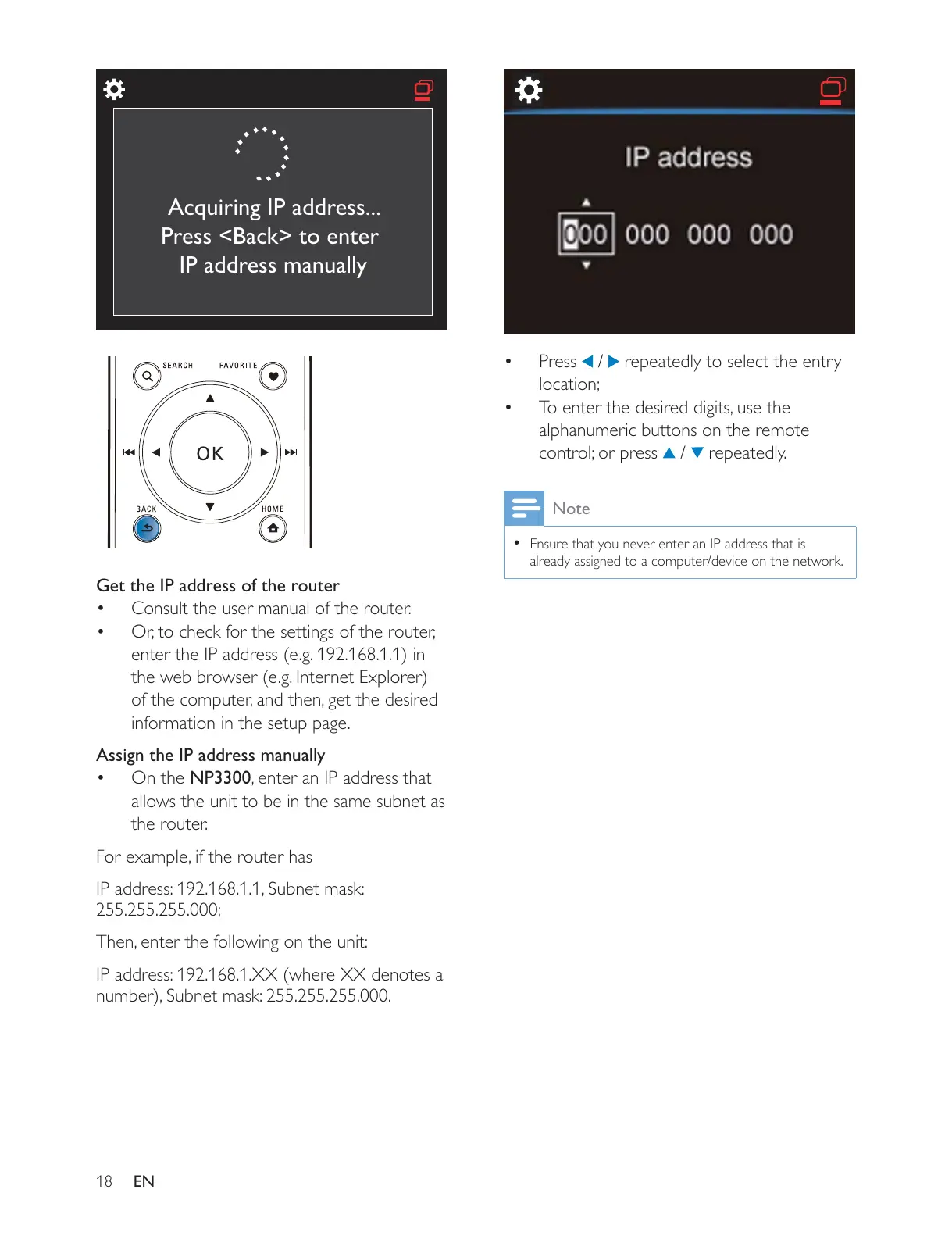
Acquiring IP address...
Press <Back> to enter
IP address manually
Press / repeatedly to select the entry
location;
alphanumeric buttons on the remote
control; or press
/ repeatedly.
Note
Ensure that you never enter an IP address that is
already assigned to a computer/device on the network.











 To Next Page