— 13 —
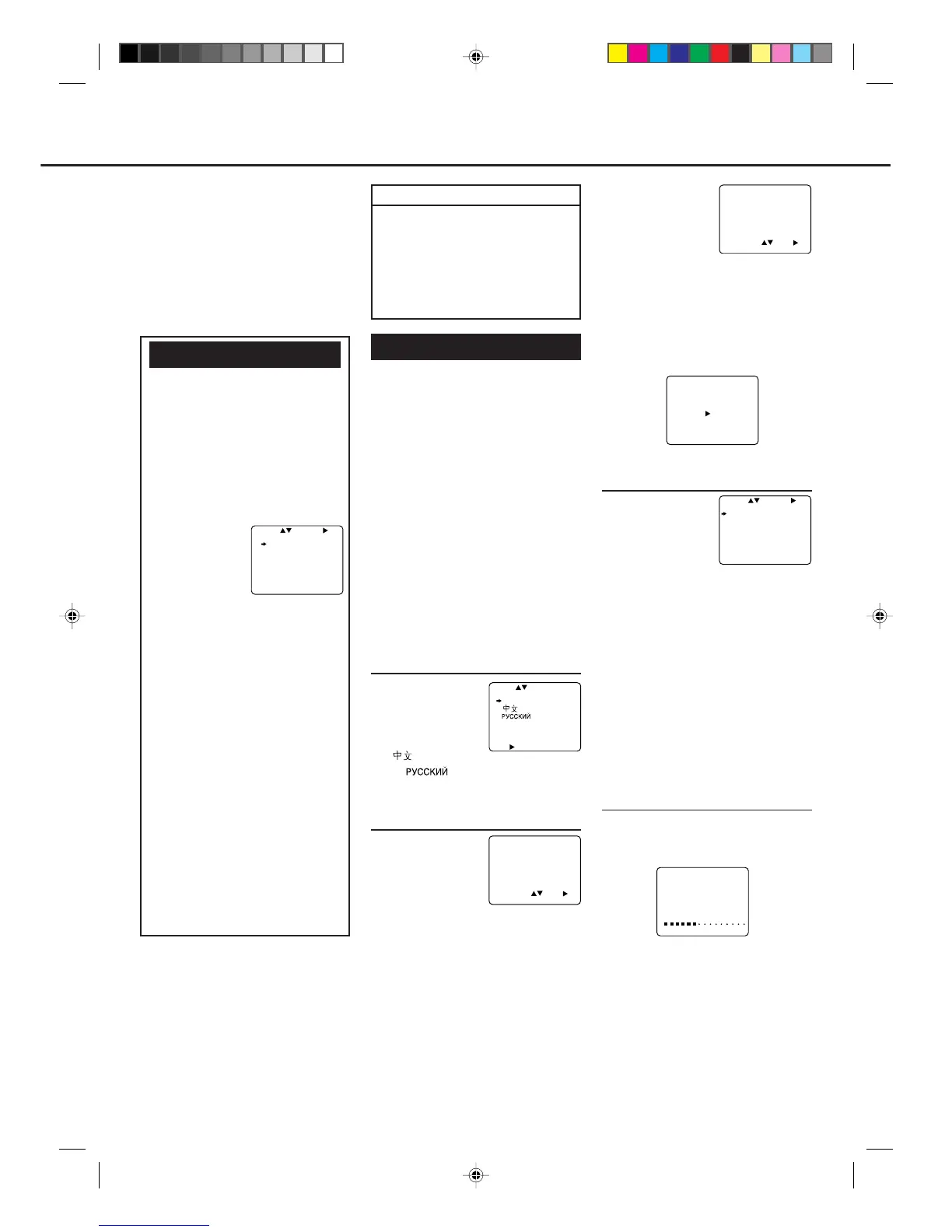
Menu Operations
Before operating the VCR, be
familiar with the menu operations
first because most of the features
built into the VCR can be available
only on the menus.
1 Press VCR on the remote control.
• When using the buttons on front
panel, skip this step.
2 Press MENU
(or MENU/
EXIT on the
front panel) to
display the
main menu screen.
3 Press 5 or ∞ (or CHANNEL 5/
∞ on the front panel) to select a
desired feature on the menu, then
press OK/3.
4 When you select a feature, go to
the section in this manual and
follow the instructions described
there.
To go back to the previous menu
screen, press 2.
To exit from the menu operations,
press EXIT/STATUS (or MENU/
EXIT on the front panel again).
Note:
Menu operating buttons function only
when a menu is on the TV screen. When
no menus is on the TV screen, they
function differently.
Operations hereafter are described
using the buttons on the remote
control unless mentioned otherwise.
The buttons on the front panel having
the same (or nearly same) name or
same (or nearly same) mark function
exactly the same as those on the remote
control.
SELECT CHOOSE /OK
VCR SET UP
TUNER SET UP
INITIAL SET UP
TO END PUSH EXIT
4 Press 5 or ∞ to
set the year, then
press OK/3.
• Each time you
press 5 or ∞, the
set year changes by 1-year intervals. If
you hold the button, the set year
changes rapidly.
5 Press EXIT/STATUS to exit from
the menu operations.
The following message appears on
the TV screen.
3Select TV System
1 Press OK/3.
The TV system
selecting menu
appears on the TV.
2 Press 5 or ∞ to
select the appropriate TV system of
your residential area.
B/G:For West Europe, ASEAN
countries, Australia, New
Zealand.
D/K:For China, Russia, East Europe.
I: For Hong Kong, South Africa,
United Kingdom.
FOR VR888/55 ONLY:
M: For USA, Canada, Mexico,
Japan, Latin America countries,
Korea, Taiwan, Philippines.
4Start Auto Programming
Press OK/3.
Auto programming starts, and the
following message appears on the TV.
The local channels receivable in your
area are automatically programmed in
the VCR tuner.
• If “NO TV SIGNALS” appears on the TV
screen, the TV or an antenna is not
connected correctly. Check the connec-
tion and press OK/3 again.
IMPORTANT
The setup and adjustment proce-
dures explained hereafter are written
under the following conditions:
• You have turned on the TV and
selected the video channel (or
external video input).
• You have turned on the VCR.
Initial Setup
For the first time you turn on the VCR
or finish video channel setting, the
VCR automatically enters the Initial
Setup mode unless you have set it.
This mode asks you to set the follow-
ing items:
• Selecting the language.
• Setting the clock.
• Selecting the TV system.
• Setting the channels.
Make sure....
• Your VCR, TV, and antenna are
connected correctly.
• The remote control operation mode
is set correctly for operating your
target component.
– Press VCR to operate the VCR.
– Press TV to operate the TV.
1Select the Language
1 Press POWER
if necessary.
2 Press 5 or ∞ to
select either
“ENGLISH,”
“
” (Chinese),
or “
” (Russian) whichever
you want to use on the TV screen.
2Set Clock
1 Press OK/3.
The clock setting
menu appears.
2 Press 5 or ∞ to
set the time, then
press OK/3.
• Each time you press 5 or ∞, the set
time changes by 1-minute intervals. If
you hold the button, the set time
changes by 30-minute intervals.
3 Press 5 or ∞ to set the month and
day, then press OK/3.
• Each time you press 5 or ∞, the set
date changes by 1-day intervals. If you
hold the button, the set date changes by
15-day intervals.
To be continued on the next page
CONNECT ANTENNA OR CABLE
TO VCR
THEN PUSH /OK KEY
OR...
FOR PLAY ONLY–PUSH STOP
AUTO CH.SET PROCEEDING
PLEASE WAIT
START FINISH
TIME 15 : 25
DATE 21/06/98
TO SET PUSH THEN /OK
TO END PUSH EXIT
SELECT CHOOSE /OK
SYS COUNTRY
B/G W.EUR. ASEAN AUST.
NZ
D/K CHINA RUS. E.EUR.
I HK S.AF. UK
M USA CAN. MEX. JPN
LATIN AM. KOR. TWN
PHIL.
TO END PUSH EXIT
SELECT
ENGLISH
MAKE SELECTION OR
PUSH /OK TO CONTINUE
TIME - - : - -
DATE 01/01/98
TO SET PUSH THEN /OK
TO END PUSH EXIT
VR788/888-55 NEW 6/3/99, 11:50 PM13



 To Next Page