English
Installation
IMPORTANT!
Take the following steps to optimize the
Wi-Fi connection between Center and
Station.
–Keep your Center and Station away
from the source of interference
(microwave ovens, DECT phones,
bluetooth devices, cordless phones,
other Wi-Fi products, etc.)
–Avoid placing your Center or Station
close to the plasma TV. It may result in
improper display on your Center’s 2-way
remote control.
–Keep Stations adequately apart or in
different angles (e.g. in different rooms
blocked by one wall). Within a distance
and angle (e.g. in the same room), your
Center’s remote control is powerful
enough to simultaneously operate
several Stations, which may also result in
improper display on the 2-way remote
control.
Placing Center and Station
Setting up Wi-Fi connection
between Center and Station
Wi-Fi connection starts automatically when
you power up WAC5 Center and WAS5
Station
1 The first time you set up Wi-Fi connection,
place Center and Station side by side on a flat
and firm surface
2 First, connect the Center to power supply,
and then, connect the Station to power supply
Center/Station:
➜ The screen lights up. Auto installation/
connection starts.
➜ You will enter HD (Harddisk) mode when
the installation/connection is finished.
3 Relocate Center and Station as desired: plug
and stream
● Simply unplug your Center or Station and
power them up in other rooms.
➜ You will be able to move the harddisk music
between Center and Station.
Helpful hints:
– Make sure you have powered up Center before
powering up Station.
IMPORTANT!
– Turn the Wi-Fi antenna for best reception.
– Avoid thick walls. Your Center and Station should
never be blocked by 2 or more walls.
– Avoid placing the sets close to large metal
objects.
– Adjust the location of your Center and Station
according to the reception status of Wi-Fi signals.
– indicates maximum reception
– indicates minmum reception
– WACS5 do not support range expander devices
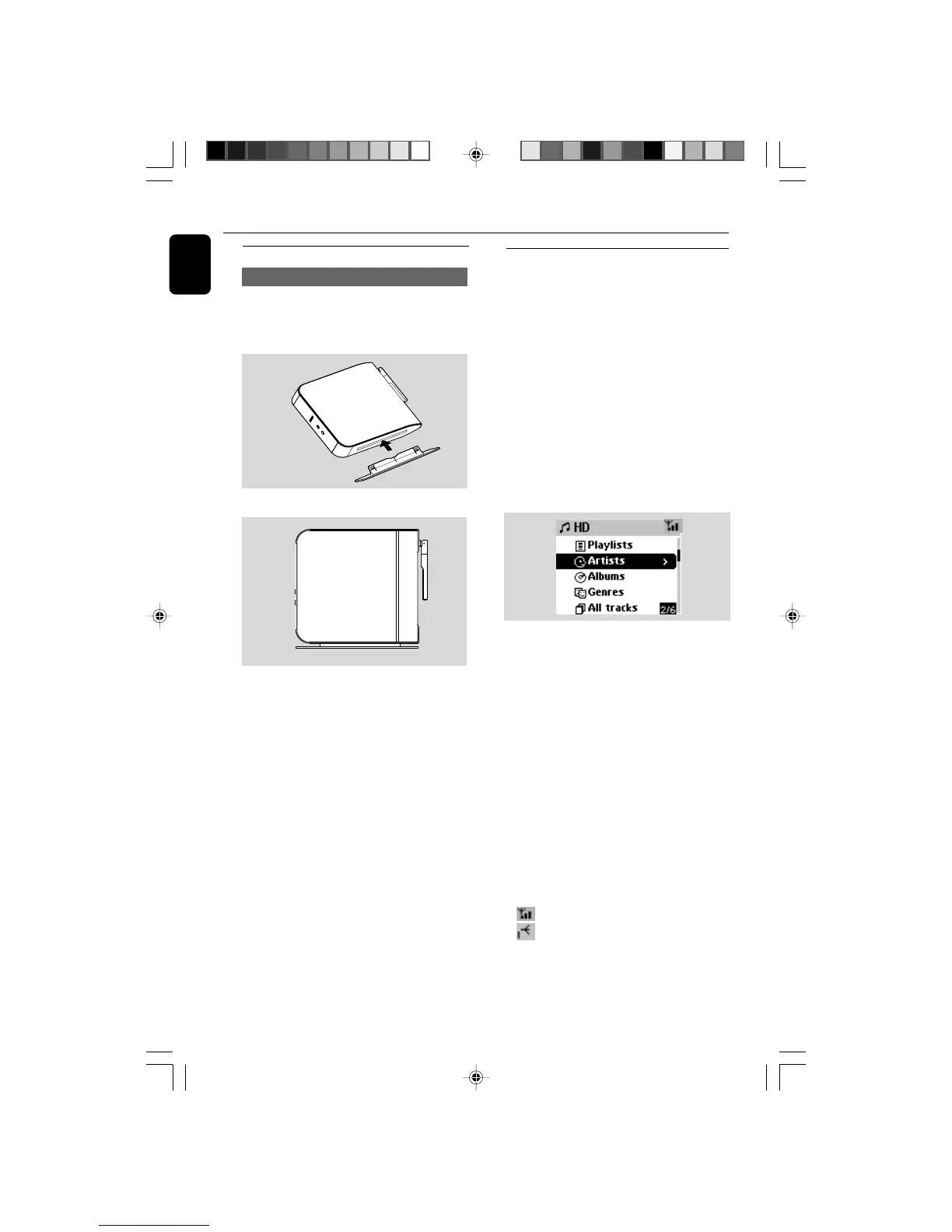
Mounting stand onto Station
WAS5 Station is equipped with a stand. Once
inserted, the stand is undetachable.
1 Align the supplied stand to the jack at Station’s
bottom
2 Insert the stand into the jack firmly
WACS5_Eng/37 8/3/2005, 15:1220














 To Next Page