The Phoenix 2700 DHP is a dual-heat laminator designed for continuous service, as detailed in its operating manual from July 2018. This device is intended for thermal laminating (encapsulation) and pouch board mounting, offering a range of features for efficient and safe operation.
Function Description:
The Phoenix 2700 DHP is a laminator that applies protective film to various materials using heat and pressure. It supports both thermal laminating with film rolls and pouch board mounting. The machine is equipped with dual heaters, allowing for flexible temperature control. It also features a forward/reverse motor switch for precise control during operation and cleaning. Safety mechanisms, such as interlock switches for the safety shield and feed table, ensure that the machine operates only when properly configured.
Important Technical Specifications:
- Laminating Width: 27 inches
- Roller Diameter: 2.5 inches
- Roller Gap: Adjustable to 1/16", 1/8", 3/16", 1/4", and Open/Full Gap. There is also a dedicated "Laminate Position."
- Temperature: Variable, ranging from 176°F to 300°F.
- Warmup Time: 20 – 25 minutes.
- Heating Method: Quartz tube.
- Laminating Speed: Variable, from 1.6 to 10 Ft/min.
- Film Unwinds: Top and bottom.
- Film Core Size: Supports 1" and 2 ¼" diameter cores.
- Film Thickness: Accommodates films from 1.5 to 10 mil.
- Power Supply: 120 V, 12 amp.
- Power Consumption: 1440 W.
- Net Weight: 120 lbs.
- Dimensions: 36.5" x 22.5" x 16".
- Shipping Weight: 132 lbs.
- Shipping Dimensions: 39" x 20" x 22".
Usage Features:
The laminator is designed for user-friendly operation with several key features:
- Control Panel (Front): Includes a power indicator, ready light, temperature adjustment knob, speed adjustment knob, and a forward/reverse switch.
- Power Panel (Rear): Features a power cord input, main On/Off switch, heater fuse, motor fuse, fan switch, and a heat roller switch (DUAL HEAT/SINGLE HEAT).
- Safety Shield: Essential for operation, it must be in place and locked to activate the safety interlock switch, which supplies power to the motor. Operating without the safety shield can cause serious injury.
- Feed Table: Also requires proper locking to engage its safety interlock switch, enabling motor power.
- Roller Gap Adjustment: A handle allows users to select different gap settings for various material thicknesses, including specific laminate positions and open/full gap.
- Temperature Display: An LCD display on the left-front side cover shows the temperature, measured near the center of the top roller.
- General Operation:
- Connects to a grounded outlet.
- Main On/Off switch illuminates a blue power indicator.
- Temperature knob sets desired heat; audible beeps indicate heater activation or safety interlock issues. A flashing power light and repeating beeps signal a blocked heat sensor.
- Green ready light indicates target temperature reached.
- Forward/reverse switch controls motor movement (FORWARD, MIDDLE for stop with heaters on, REVERSE).
- Speed knob adjusts laminating speed.
- Thermal Laminating (Encapsulation):
- Requires the heater switch on the rear panel to be set to DUAL.
- Roller gap handle should be in the LAMINATE position.
- Speed and temperature dials are adjusted clockwise to desired settings.
- Fan switch on the rear panel should be turned ON for 5 or 10 mil films.
- Recommended settings are provided for 1.5, 3.0, 5.0, and 10 mil films, with specific temperature and speed dial values.
- Pouch Board Mounting:
- Heater switch on the rear panel should be set to SINGLE (bottom heater off, allowing 20-25 minutes for cooling).
- Roller gap handle is adjusted to match board thickness.
- Temperature and speed dials are set clockwise.
- Recommended settings for pouch boards are Temperature setting 10 and Speed setting 1.5.
- Film Loading:
- Supports 1" and 2 ¼" core films. Instructions are provided for using core clips and adaptors.
- Film can be POLY-IN (adhesive on side "A", coming off the bottom of the roll) or POLY-OUT (adhesive on side "A", coming off the top of the roll).
- Supply shafts are placed onto brackets, aligning arrows.
- Core adaptors are positioned 50 mm (2 inches) inside the film roll edge and tightened with screws.
- Threading Film:
- Involves raising the gap adjustment handle to "OPEN."
- Guiding the top film web under the top idler bar and over heat rollers.
- Moving the bottom idler bar, pulling the bottom film web under it, and sticking it to the top film web.
- Using a treading card to push film webs between rollers.
- Advancing film with the motor switch until the threading card can be cut.
- Returning feed tray and safety shield to position.
- The film should be smooth and taut; brake tension can be adjusted if not.
- Adjusting Brake Tension:
- An Allen wrench is used to tighten (clockwise) or loosen (counter-clockwise) brake adjustment on each film supply shaft to remove wrinkles. Over-tightening should be avoided.
Maintenance Features:
- Roller Cleaning Function:
- Requires removal of the Safety Shield and Feed Table.
- Turning the main power On/Off switch to OFF.
- Pressing and holding the Reverse switch while turning the On/Off switch back to ON.
- Releasing the Reverse switch; two audible beeps and alternating Power/Ready lights indicate cleaning mode.
- The reverse switch is used to rotate rollers for cleaning.
- To exit, turn the main On/Off switch to OFF and return safety shield/feed table.
- Stand By and Auto Sleep Functions:
- Stand By Mode: After three hours of motor inactivity, temperature drops to 176°F, and the ready light flashes. To resume, press the MOTOR switch to FWD, then to OFF, and allow reheating.
- Sleep Mode: After four hours of motor inactivity, heaters turn off. To resume, press the On/Off switch to OFF, then to ON, and allow the ready light to come on.
- Motor Switch Safety Feature: If the main On/Off switch is turned OFF while the motor switch is in FWD position, the motor must be reset by turning the main On/Off switch to ON, then the motor switch to OFF, then to FWD.
- Heat Sensor Safety Feature: If the heat sensor (located on the back side of the top heat roller) becomes blocked, the motor and heater stop, the power light flashes, and three fast beeps sound. To reset, clear any obstruction, then turn the motor Forward/Reverse switch to neutral ("O") and the main On/Off switch to OFF, then back to ON. Three slow beeps indicate the sensor is cleared.
- Routine Maintenance: Only routine maintenance procedures referred to in the manual should be performed. Disconnect from power supply before repair or maintenance. Raise the top rubber roller when idle for long periods to prevent damage.
- Troubleshooting Guide: A comprehensive table lists common problems, their causes, and solutions, covering issues like the machine not turning on, heaters not activating, poor film adhesion, bubbles, loose film rolls, curled output, and various light/beep indicators.
- Warranty: The manufacturer provides a one-year warranty on parts and three months on labor and rollers from the date of purchase for new PHOENIX Laminators. After three months and up to one year, labor is covered if completed at an Authorized Location. Shipping damage is not covered. Unauthorized changes void the warranty. Demo equipment has varying warranty terms.

 Need help?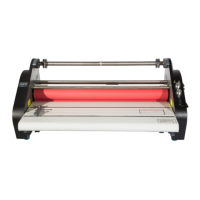

 To Next Page
 General