16
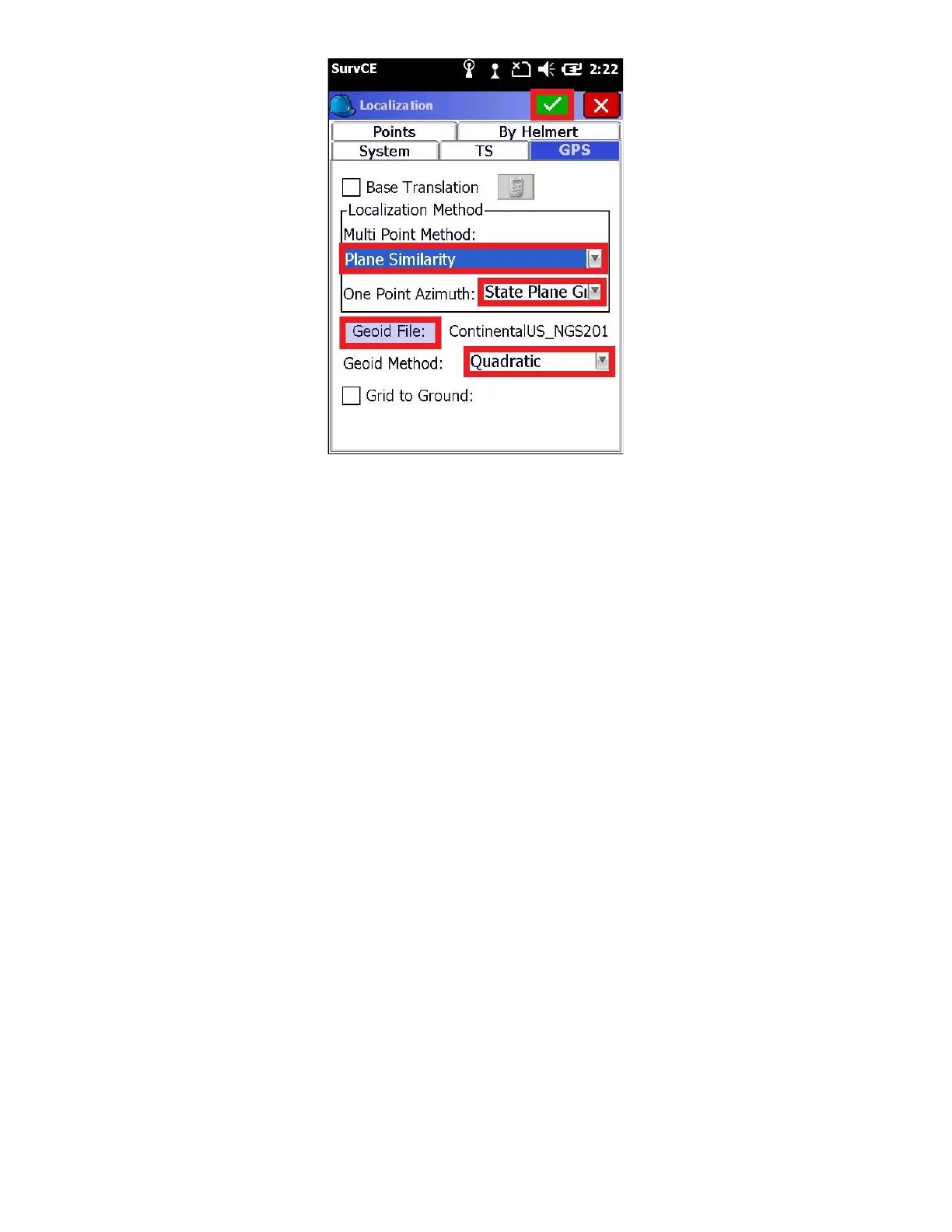
Make sure that an appropriate Geoid file is listed to the right of the “Geoid File” button.
If a Geoid file is not listed, click on the ‘Geoid File:’ button and browse for the proper Geoid file. If you don’t have a
geoid file that covers your survey area, read section “7 Creating and Loading a Geoid Separation File for SurvCE”.
Since your LiDAR data collected using your Phoenix LiDAR system will be in “Grid” coordinates, it is recommended to
leave this box unchecked. Just as an FYI, If you are connected to a GNSS receiver, you can check the ‘Grid to
Ground’ checkbox and automatically compute a scale factor.
Refer to the SurvCE user manual for detailed information regarding the localization methods, geoid file, and GPS
scale factor
13. Finally click the green check mark to return to the Main Menu:



 To Next Page