22
● Always use the Absolute antenna model on both your Base and Rover. You can click the ‘123’ button to
override the default.
● Set the Elevation Mask to 0. (This will allow the base to track satellites all the way to the horizon and all
visible satellites will have corrections broadcast which will make them eligible for use in the rover’s
solution. Since the higher of the Base and Rover elevation mask is used, we can fully control the tracking
mask at the Rover.)
● Set the Position Rate at 1 Hz.
● Please note the “Use IMU” feature requires a 5Hz minimum position rate: If less than 5Hz is selected
afterwards, the IMU feature will be disabled.
● “Extra Safe Mode” ramps up the thresholds on the ambiguity fixing algorithms so that it is more
conservative. Convergence to a fixed integer solution will take longer when Extra Safe Mode is used. We
only recommend it in very high multipath environments etc.
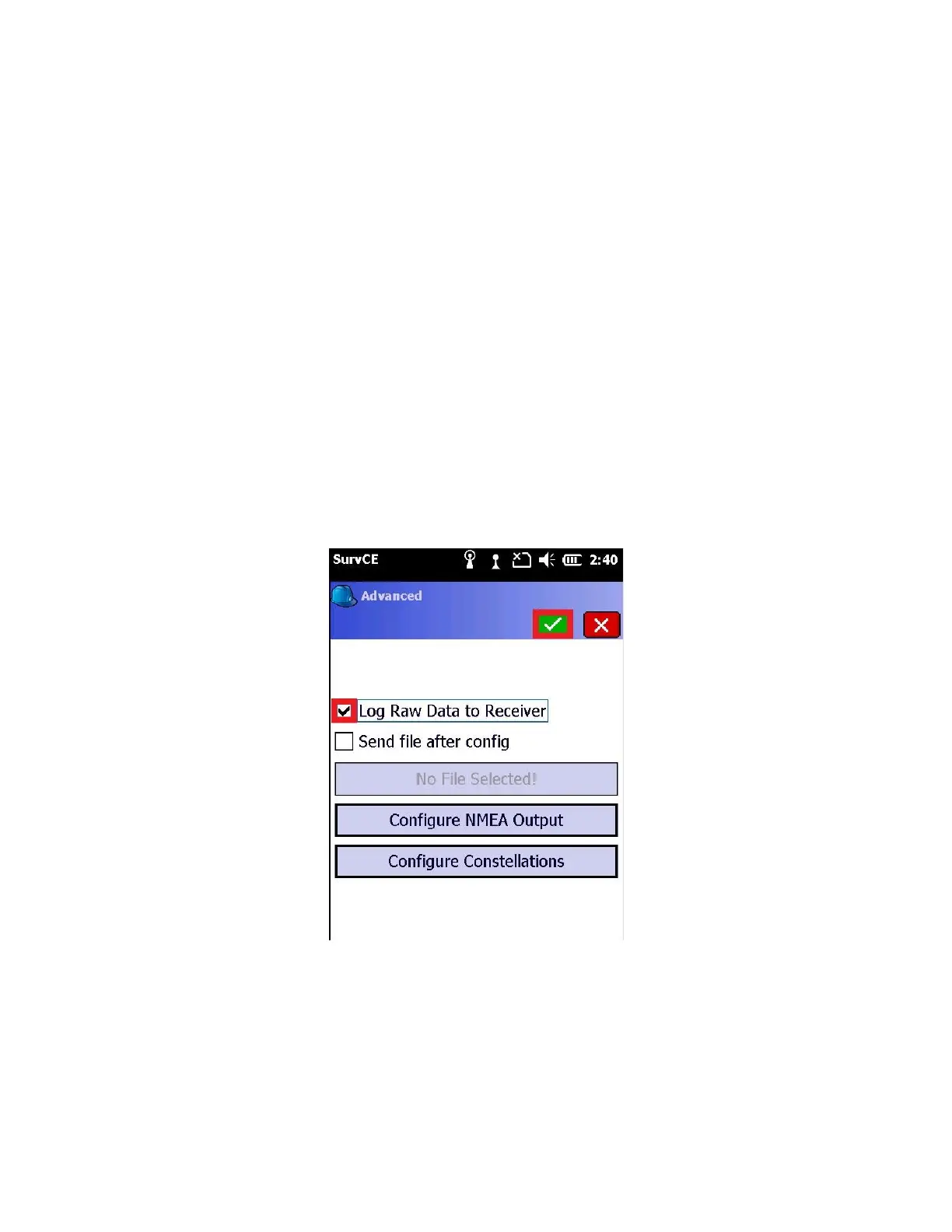
After the above settings have been input correctly , click on the “Advanced” tab
12. Check the box “Log Raw Data to Receiver”
This enables the receiver to log a 1 Hz static observation file to be used to determine a post processed reference
station coordinate.
Click the green check mark to return to the “Receiver” tab
13. Click on the “RTK” tab



 To Next Page